Azure Databricks
An Apache Spark-based analytics platform optimized for Azure.
This browser is no longer supported.
Upgrade to Microsoft Edge to take advantage of the latest features, security updates, and technical support.
' cx='32' cy='32' r='32' /%3E%3Ctext x='50%25' y='55%25' dominant-baseline='middle' text-anchor='middle' fill='%23FFF' %3EAD%3C/text%3E%3C/svg%3E)
Hello,
I have installed com.microsoft.azure:azure-sqldb-spark:1.0.2 and using data bricks run time 6.4 Extended Support (includes Apache Spark 2.4.5, Scala 2.11).
Below is the code:
%python
jdbc_df = spark.read.format("com.microsoft.sqlserver.jdbc.spark").option("url", "hostname here:1433") .option("dbtable", "dbo._Temp_001").option("authentication", "ActiveDirectoryPassword").option("user","test@test .com").option("password", "password here").option("encrypt", "true").option("hostNameInCertificate", "*.database.windows.net").load()
receiving below error:
java.lang.ClassNotFoundException: Failed to find data source: com.microsoft.sqlserver.jdbc.spark. Please find packages at http://spark.apache.org/third-party-projects.html
Please help me
Please help

Hello @Aswini Dindukurthy ,
Thanks for the question and using MS Q&A platform.
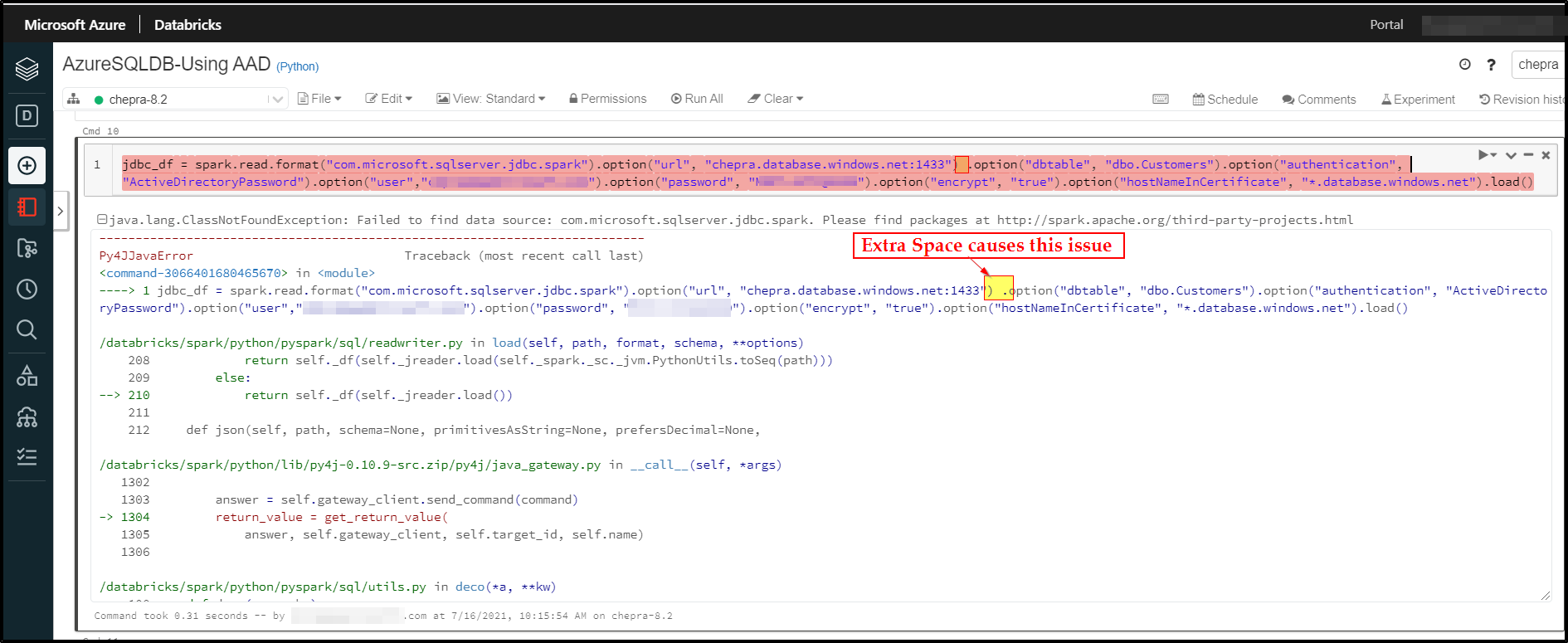
You are experiencing this error message due to extra space between
.option("url", "hostname here:1433")and.option("dbtable", "dbo._Temp_001").
Note: Try to remove the space to resolve the issue.
For more details, refer to the below links:
Apache Spark connector: SQL Server & Azure SQL
Notebook - SQL Spark Connector - Python AAD Auth
Hope this helps. Do let us know if you any further queries.
Please "Accept the answer" if the information helped you. This will help us and others in the community as well.
Thank you for your response.
I have removed the extra space
%python
jdbc_df = spark.read.format("com.microsoft.sqlserver.jdbc.spark").option("url", "hostnamehere:1433").option("dbtable", "dbo._Temp_001").option("authentication", "ActiveDirectoryPassword").option("user","test@test .com").option("password", "passwordhere").option("encrypt", "true").option("hostNameInCertificate", "*.database.windows.net").load()
But still receiving below error:
java.lang.ClassNotFoundException: Failed to find data source: com.microsoft.sqlserver.jdbc.spark. Please find packages at http://spark.apache.org/third-party-projects.html
---------------------------------------------------------------------------
Py4JJavaError Traceback (most recent call last)
<command-4332877993495017> in <module>
----> 1 jdbc_df = spark.read.format("com.microsoft.sqlserver.jdbc.spark").option("url", "hostnamehere:1433").option("dbtable", "dbo._Temp_001").option("authentication", "ActiveDirectoryPassword").option("user","test@test .com").option("password", "passwordhere").option("encrypt", "true").option("hostNameInCertificate", "*.database.windows.net").load()
/databricks/spark/python/pyspark/sql/readwriter.py in load(self, path, format, schema, **options)
170 return self._df(self._jreader.load(self._spark._sc._jvm.PythonUtils.toSeq(path)))
171 else:
--> 172 return self._df(self._jreader.load())
173
174 @since(1.4)
Hello @Aswini Dindukurthy ,
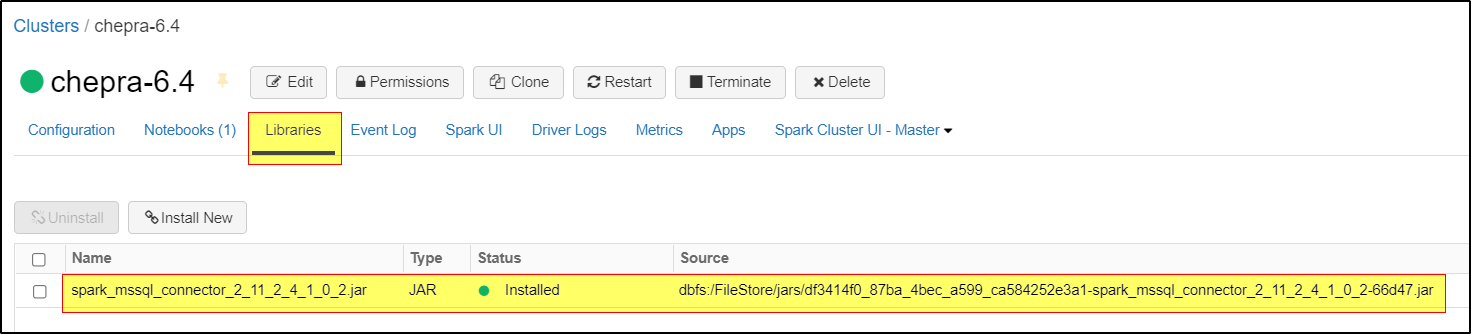
Make sure you have installed Spark 2.4.x compatible connector.

You can find the connector here: https://search.maven.org/search?q=spark-mssql-connector
Download the "https://search.maven.org/search?q=spark-mssql-connector" jar file and upload to the cluster and restart.
Hope this helps. Do let us know if you any further queries.
@PRADEEPCHEEKATLA 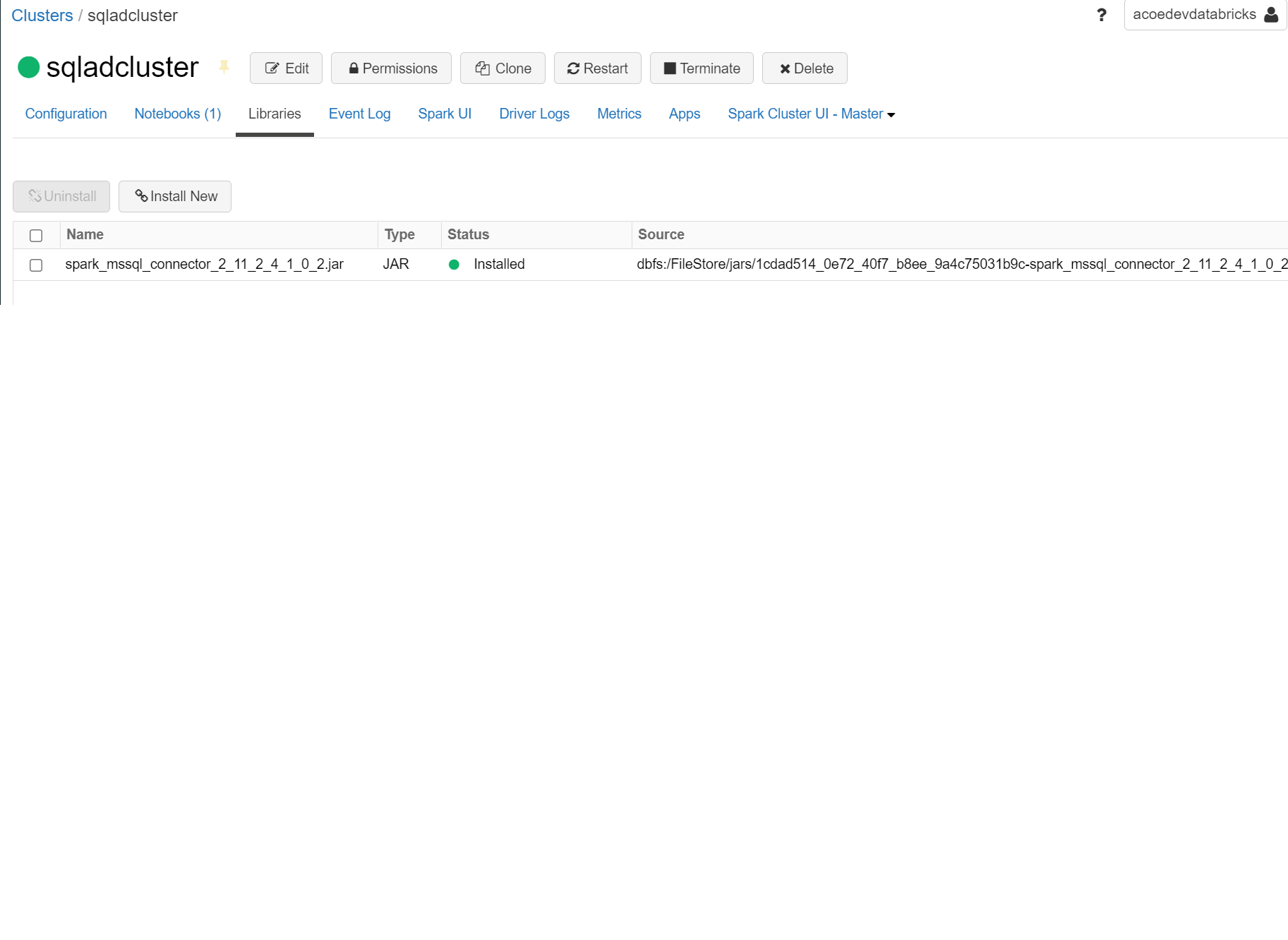
Thanks for the quick response.
I have installed library.
Receiving below error.
java.sql.SQLException: No suitable driver
---------------------------------------------------------------------------
Py4JJavaError Traceback (most recent call last)
<command-4332877993495017> in <module>
----> 1 jdbc_df = spark.read.format("com.microsoft.sqlserver.jdbc.spark").option("url", "hostnamehere:1433").option("dbtable", "dbo._Temp_001").option("authentication", "ActiveDirectoryPassword").option("user","test@test .com").option("password", "passwordhere").option("encrypt", "true").option("hostNameInCertificate", "*.database.windows.net").load()
Hello @Aswini Dindukurthy ,
Could you please try the below JDBC URL to access Azure SQL DB through AD from data bricks:
jdbcUrl = "jdbc:sqlserver://azsqldb.database.windows.net:1433;database=azsqldb;user=******@test.com;password=XXXXXXXXXX;encrypt=true;trustServerCertificate=false;hostNameInCertificate=*.database.windows.net;loginTimeout=30;authentication=ActiveDirectoryPassword"
df = spark.read.jdbc(url=jdbcUrl, table="customers").load()
Hope this helps. Do let us know if you any further queries.
Thank you
Receiving below error now
java.lang.NoClassDefFoundError: com/microsoft/aad/adal4j/AuthenticationException
I have installed ada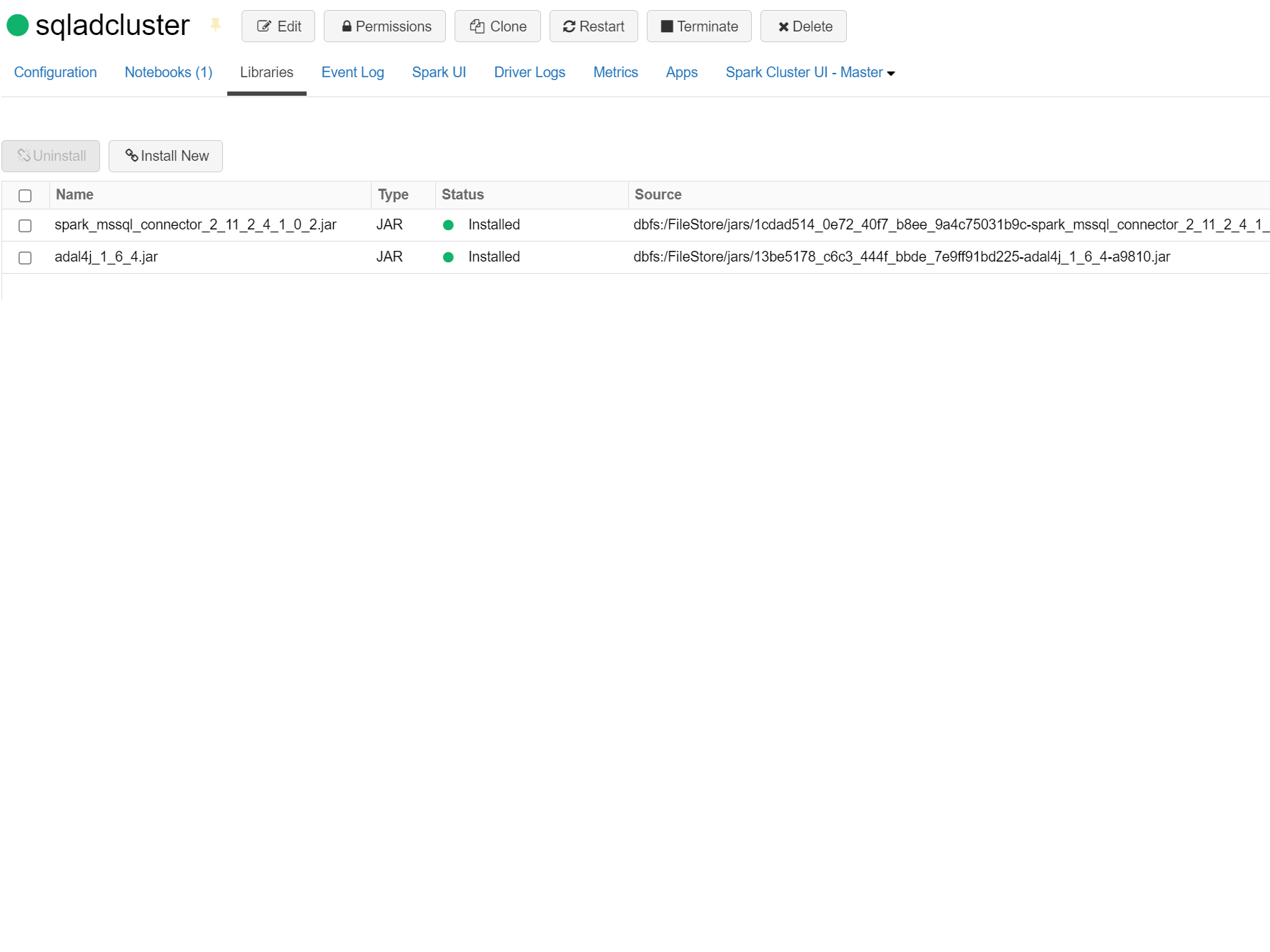 l4j library too.
.
@PRADEEPCHEEKATLA Awaiting for your response please
' cx='32' cy='32' r='32' /%3E%3Ctext x='50%25' y='55%25' dominant-baseline='middle' text-anchor='middle' fill='%23FFF' %3EKM%3C/text%3E%3C/svg%3E)
Hi @Aswini Dindukurthy ,
Sorry for the delayed response. This issue could be because of using an older version of the mssql driver (which is now included in this connector).
To workaround the issue, could you please try the steps mentioned in the below articles/docs:
Please do try the above workarounds suggested and do let us know if you face any further issues.
We look forward to your confirmation.
Thank you
Hi @Aswini Dindukurthy ,
Just checking to see if any of the above workarounds were helpful to resolve your issue? Please do let us know if you see any issues or if you have any further query.
Thank you
' cx='32' cy='32' r='32' /%3E%3Ctext x='50%25' y='55%25' dominant-baseline='middle' text-anchor='middle' fill='%23FFF' %3EDB%3C/text%3E%3C/svg%3E)
Hello Pradeep, I have a question on this though. When we execute the similar line from the Synapse notebook. It errors out with a class not found error. the connector seems to work fine when using SQL Authentication and Service Principal token. Any thoughts?