i have seen this question asked elsewhere, but there never seems to be a resolution.
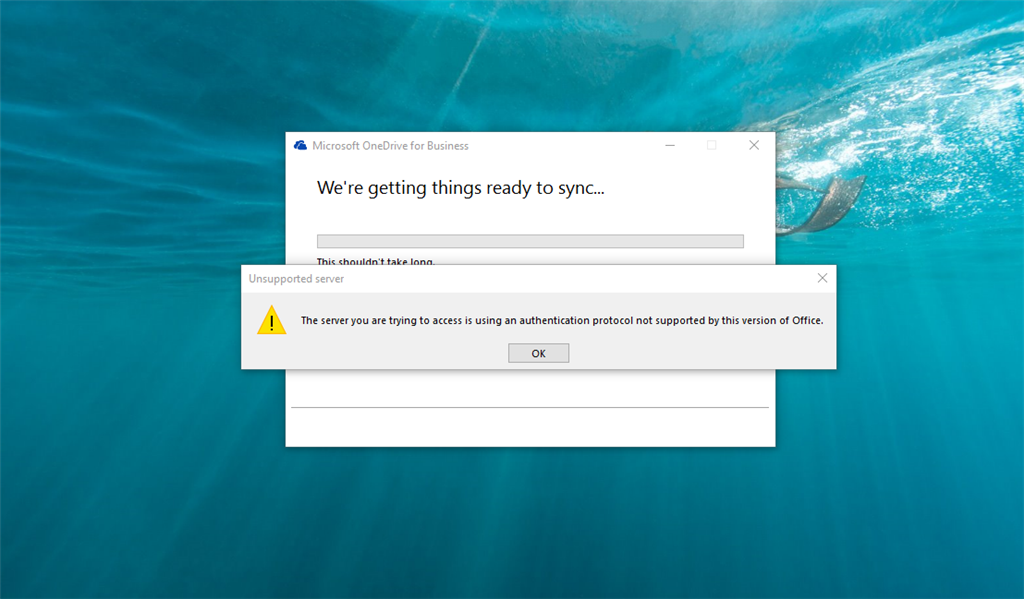
i have successfully connected onedrive to my office 365 account and that is synced. the problem is that when accessing a shared folder by another user on the same domain and office 365, i get "the server you are trying to access is using an authentication
protocol not supported by this version of office" i have done complete uninstalls and reinstalls of all office 365 product with no luck. things were working fine up until a week or so ago. help!
i have the groove.exe version number:16.0.6366.2056
again, i can sync my own folder just fine, but accessing a folder that was shared with me is the issue and it was working previously until now. our office 365 admin cannot figure this out either.
' cx='32' cy='32' r='32' /%3E%3Ctext x='50%25' y='55%25' dominant-baseline='middle' text-anchor='middle' fill='%23FFF' %3EA%3C/text%3E%3C/svg%3E)
