hi arthurbistline,
based on your description, i have done some tests and researches. the accept or reject feature should be related to whether the server provides this feature when users set up their accounts in outlook clients.
according to my tests, since each email system has different mechanisms, this feature is not feasible to show it when users send tasks to another mail provider. here are my test screenshots:
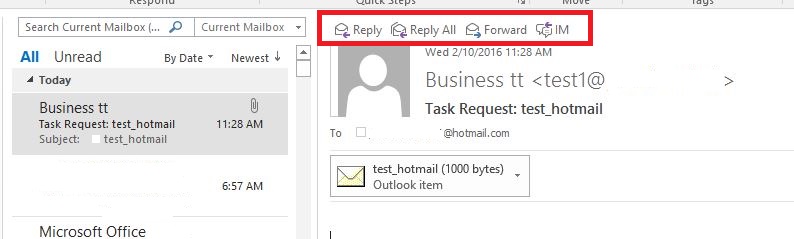
for this scenario, as a workaround, you can let users reply your emails. your understanding is highly appreciated.
if you cannot see it between gmail users, to better help you, we suggest you contact gmail support for further assistance. you may need to enable something.
may i know which office 365 business plans do you use? since office 365 business users all have their own office 365 business accounts, this feature is available between office 365 business users like my screenshot shows below. however, it is not feasible when sending tasks
to other mail systems. given the situation, would you mind submitting feedback to our related team about this feature? customers’ feedback will help better our products and services.
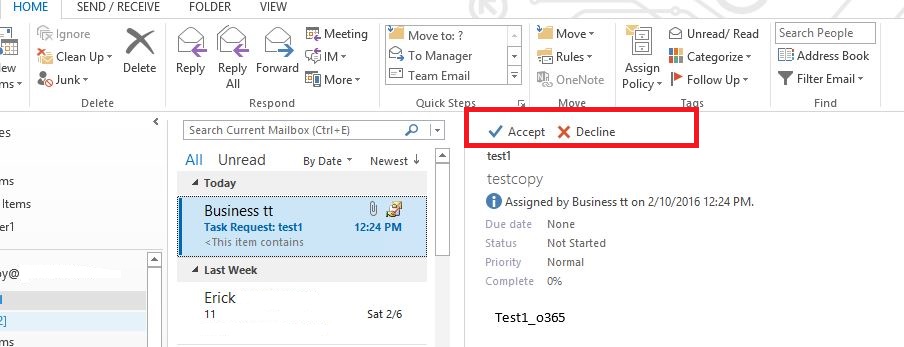
note: office 365 is not designed to work with office 2007 because office 2007 left mainstream support on october 12, 2012. office 365 does not offer code fixes to resolve problems you encounter when using the service with office 2007 and many office 365
features will not work at all. therefore, i user outlook 2013 clients to do tests.
best regards,
erick
' cx='32' cy='32' r='32' /%3E%3Ctext x='50%25' y='55%25' dominant-baseline='middle' text-anchor='middle' fill='%23FFF' %3EA%3C/text%3E%3C/svg%3E)
