Microsoft 365 and Office | Word | For home | Windows
A family of Microsoft word processing software products for creating web, email, and print documents.

This browser is no longer supported.
Upgrade to Microsoft Edge to take advantage of the latest features, security updates, and technical support.
' cx='32' cy='32' r='32' /%3E%3Ctext x='50%25' y='55%25' dominant-baseline='middle' text-anchor='middle' fill='%23FFF' %3EA%3C/text%3E%3C/svg%3E)
i have a canvas. there are some rectangles and elbow arrow connectors inside the canvas. i copy this canvas and paste it, after pasting in the new location either in the same word file or another word file, the elbow arrow connectors convert to line. they
are no longer a connector. as seen in the picture, at first, when select a connector, red points appear.
but after pasting, connectors never work and became line. when i move rectangles, lines don't move with rectangles. what should i do that after pasting canvas, connectors not change to line? help me.
Locked Question. This question was migrated from the Microsoft Support Community. You can vote on whether it's helpful, but you can't add comments or replies or follow the question.
I'm not able to repro this issue.
I could move the rectangular boxes after it was copied and pasted into the new document.
If you could post a video repro'ing the issue, it'll be better to understand.

The only way I could get a similar effect was to select the shapes inside that canvas, then paste them outside the canvas. This turns the connectors to lines.
I was wondering, after you paste the canvas, can you replace the connectors with new ones? If not, then the canvas has stopped functioning as a canvas and that's the real source of the problem. The canvas is an occasional cause of corruption errors because Word can write incorrect XML in portions of canvas objects.
You can try doing a repair:
The only way I could get a similar effect was to select the shapes inside that canvas, then paste them outside the canvas. This turns the connectors to lines.
I was wondering, after you paste the canvas, can you replace the connectors with new ones? If not, then the canvas has stopped functioning as a canvas and that's the real source of the problem. The canvas is an occasional cause of corruption errors because Word can write incorrect XML in portions of canvas objects.
You can try doing a repair:
- Close Word and all other Office programs.
- Click on the Start button, then on Control Panel.
- Click on Programs, then Programs and Features.
- Right-click on Microsoft Office 2010 and choose Change.
- Select Repair, then click on Continue. Allow the process to complete, restart Windows and text the canvas in Word.
I don't paste shapes outside the canvas. I paste whole of canvas.
yes, after paste the canvas, i can draw new connector and replace the old lines (ex connectors).
thank you for your comment
i have a canvas. there are some rectangles and elbow arrow connectors inside the canvas. i copy this canvas and paste it, after pasting in the new location either in the same word file or another word file, the elbow arrow connectors convert to line. they are no longer a connector. as seen in the picture, at first, when select a connector, red points appear.
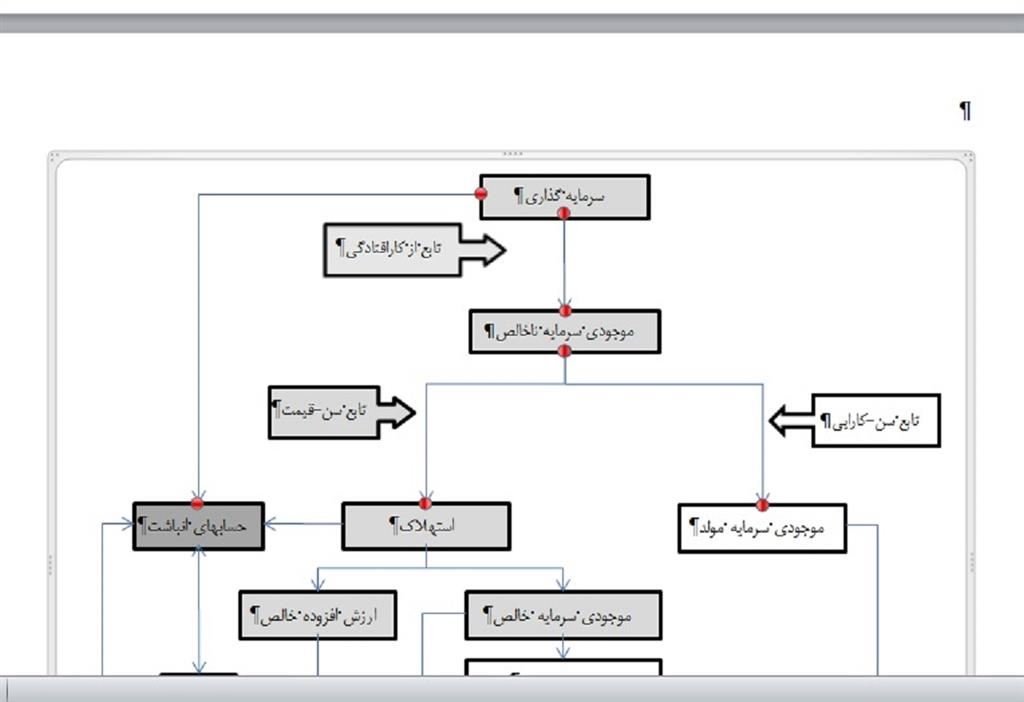
but after pasting, connectors never work and became line. when i move rectangles, lines don't move with rectangles. what should i do that after pasting canvas, connectors not change to line? help me.
i upload this video to show the problem, copy and paste canvas
Your installation of Word is not functioning normally. You will need to repair or reinstall it before it will work the way it should.