Hello, everyone!
We're having a bit of trouble setting a default text box in PowerPoint.
Opened in the Parent Master, we're adding in a text box (NOT a placeholder), and setting it to Do not Autofit with Wrap text in shape selected (see image below), then saving it as a Default Text Box.
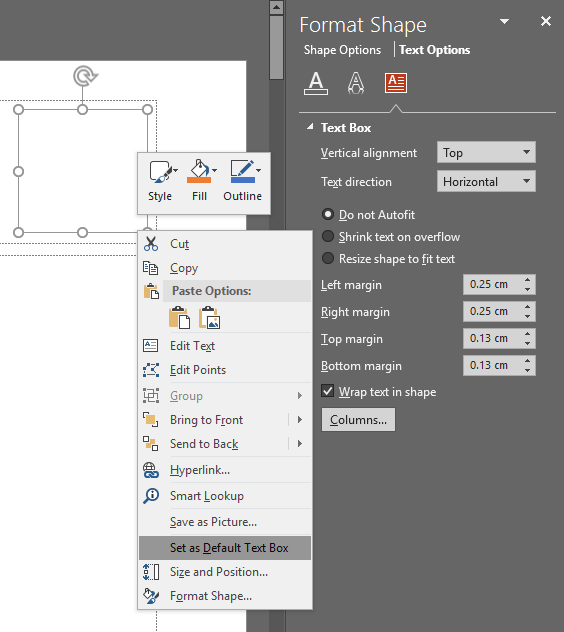
Now, when we go to insert a textbox onto a blank slide in Normal View, sometimes Wrap text in shape works and sometimes it doesn't.
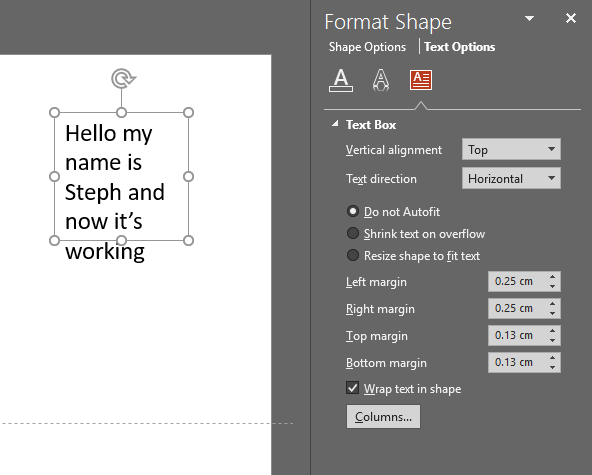
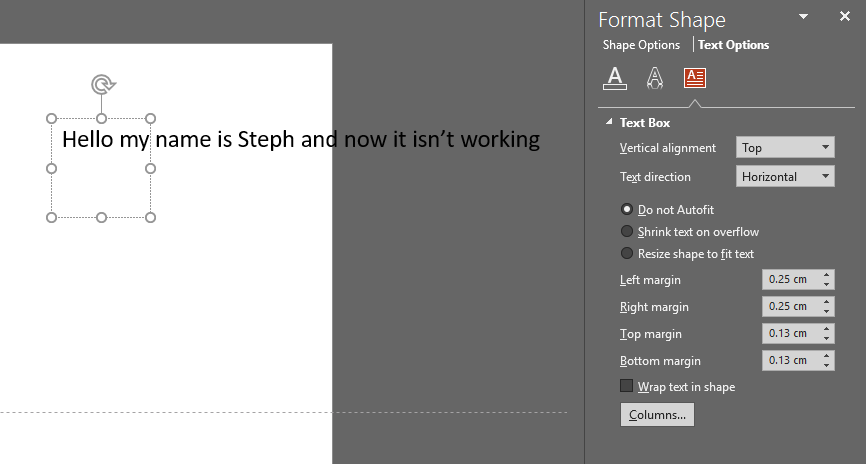
I've figured out the difference is if you insert your text box by clicking on the slide and dragging it to the size you want, it works. If you just click on the slide without dragging it to a custom size (so it opens it to the default size), it doesn'twork.
Is this because you need to set a specific size for Wrap text in shapeto work? Does it not just automatically work with the default text box size? Why is this? We've never really noticed it before and we're not sure if it's a
recent glitch or if PPT has always done this.
Finally, do any of you lovely people know how to set it to ALWAYS Wrap text in shape, regardless of how you insert the text box onto the slide?
Thanks so much pals, I hope you're all having a great time leading up to the holidays!
Steph from Buffalo7
' cx='32' cy='32' r='32' /%3E%3Ctext x='50%25' y='55%25' dominant-baseline='middle' text-anchor='middle' fill='%23FFF' %3EA%3C/text%3E%3C/svg%3E)
