i have a problem somewhat similar to this inquiry:
https://community.office365.com/en-us/f/154/p/443827/1133715?ss=0de98420-d65a-4b73-9b5d-f04286a5c96c#1133715
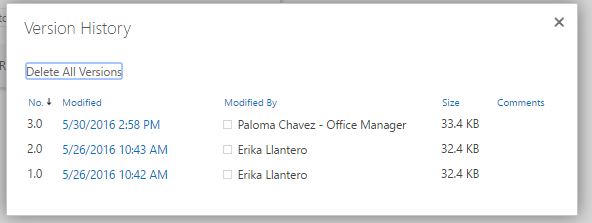
i have a user that regularly changes excel documents using sites/office 365 using the online version. she created the file in question on 05/26, and then made changes on 05/29. when she looked at the file on 05/30, none of the changes made on 05/29 had saved.
i had to go in and create the changes from my computer on 05/30 for her. see screenshot of versions below:
this also happened with another file similar to this one. the suggested answer to this issue was basically that the file was most likely corrupted, so the best way to fix it would be to download the file to a local drive and then re-upload it to sites with
the changes made.
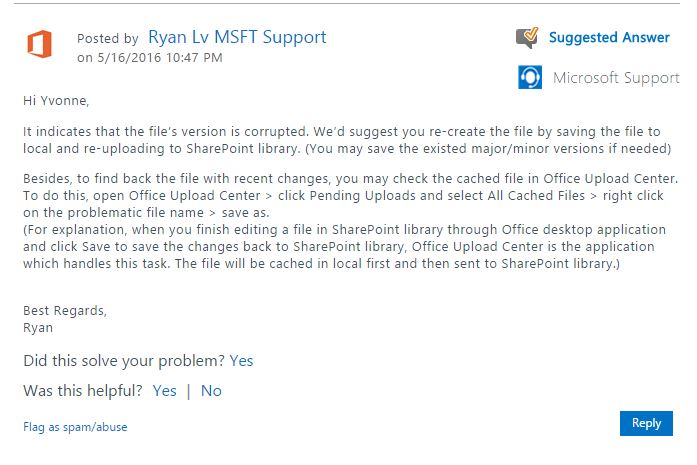
however, the user does not have excel installed on her computer - she relies on the excel online version offered by office 365 to complete these documents. since she doesn't have excel, i'm not sure that suggestion will work because the computer
might not know what file type of save it as. is there another way to remedy this and ensure that the changes are saved in excel online?
' cx='32' cy='32' r='32' /%3E%3Ctext x='50%25' y='55%25' dominant-baseline='middle' text-anchor='middle' fill='%23FFF' %3EA%3C/text%3E%3C/svg%3E)
