tls1.0 issue

Peter_1985 2,926 Reputation points
2021-07-28T03:40:02.007+00:00

Hi,
In Win 10, how to validate that tls1.0 can be enabled if disabled?

Windows for business | Windows Client for IT Pros | Networking | Network connectivity and file sharing
Windows for business | Windows Server | User experience | Other
{count} votes

Answer accepted by question author
  1. Anonymous
    2021-07-28T07:00:35.963+00:00

    Hello @Peter_1985 ,

    Thank you for your update.

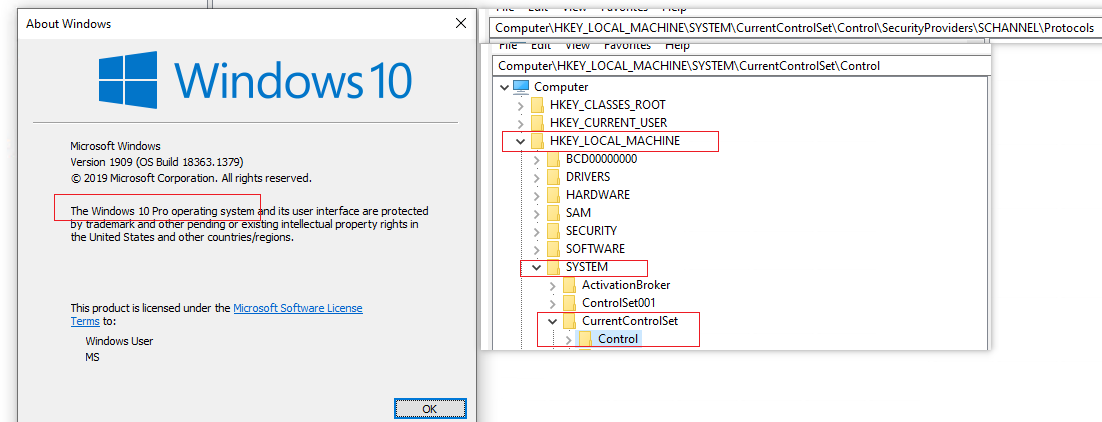
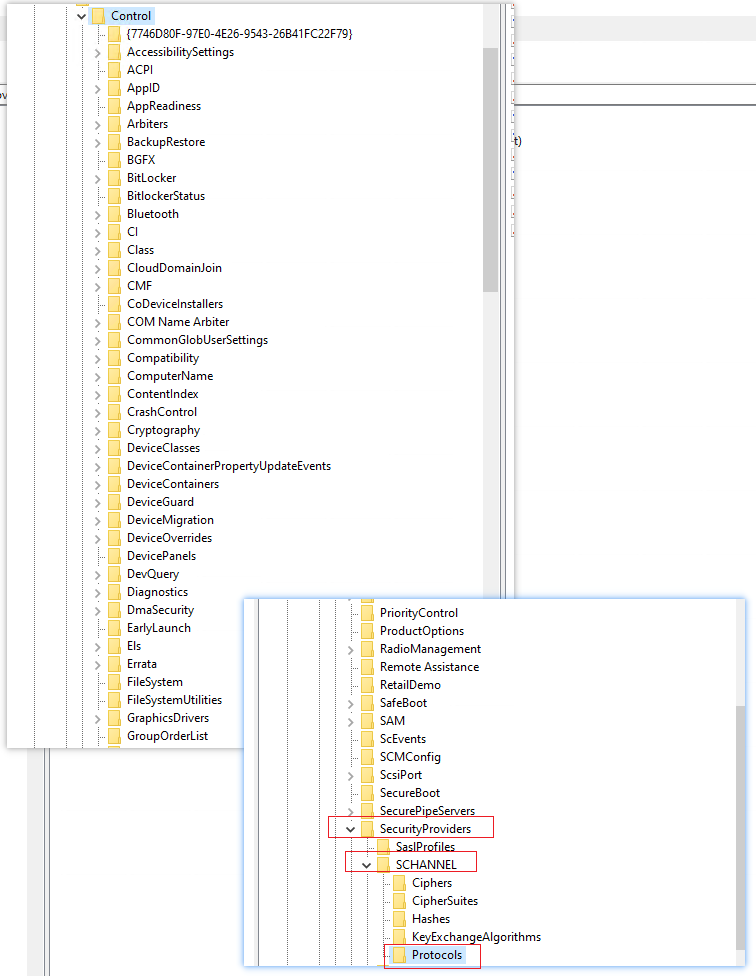
    So you find Computer\HKEY_LOCAL_MACHINE\SYSTEM\CurrentControlSet\Control\SecurityProviders\SCHANNEL\Protocols, right?

    If so, then do as below:

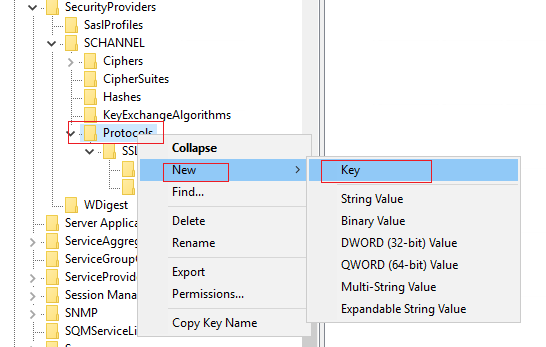
    1-Right click Protocols->New->Key and rename the new Key TLS 1.0.
    118554-tls22.png

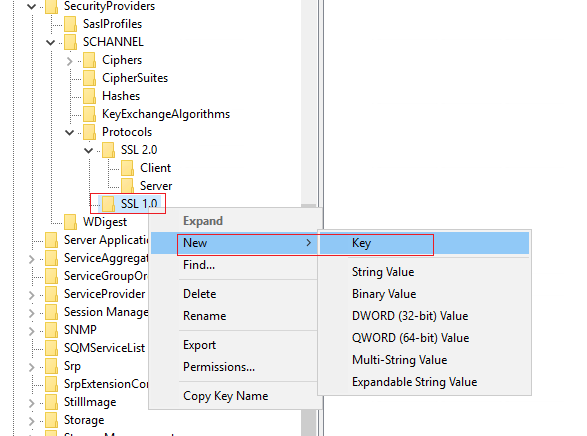
    2-Right click TLS 1.0->New->Key and rename the new Key Client.
    118527-tls33.png

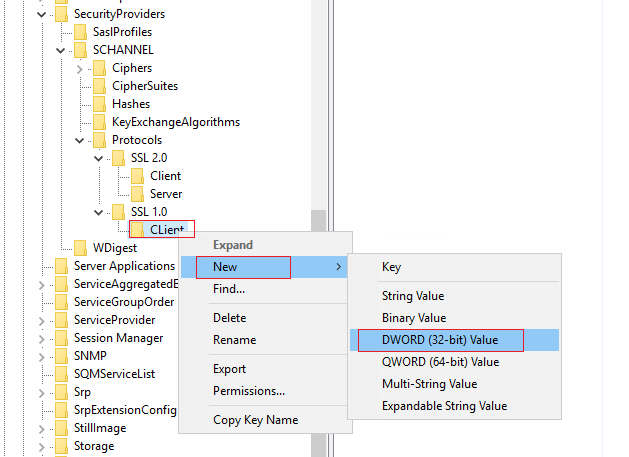
    3.Right click Client->New->DWORD (32-bit) value.
    118592-tls44.png

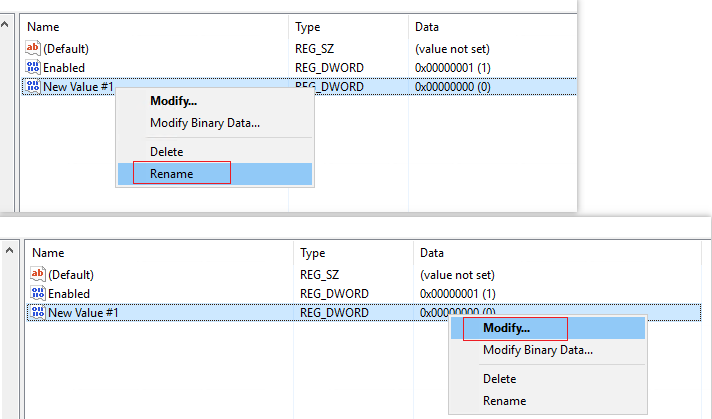
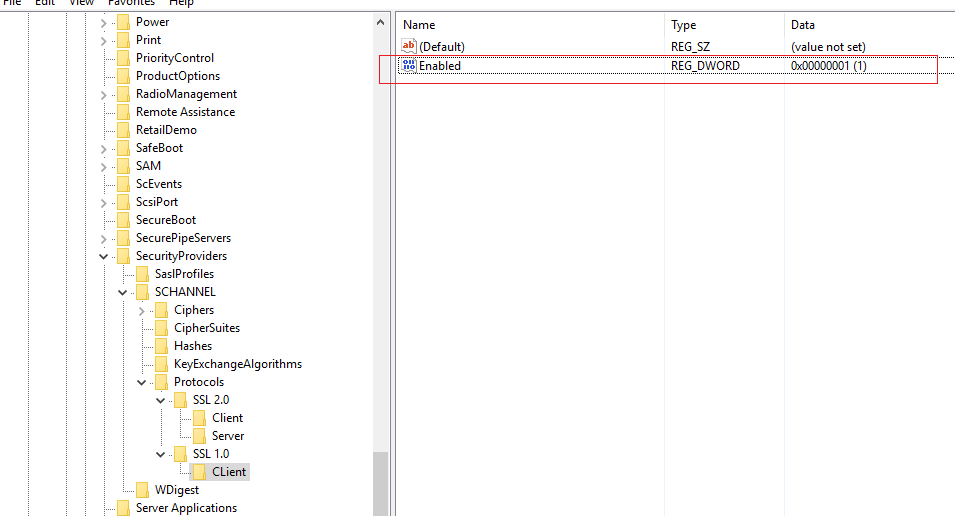
    4-Rename "Name" as "Enabled" and modify Data as "1".
    118574-tls55.png

    118503-tls66.png

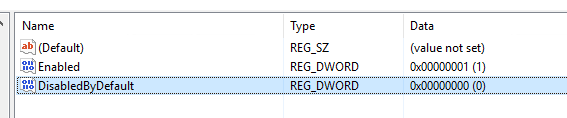
    5-Repeat step 3 and Rename "Name" as "DisabledByDefault" and modify Data as "0".
    118528-tls77.png

    6-Now TLS 1.0 is enabled.

    7-If you want to disable it, modify Data corresponding to "Enabled" as "0" and
    modify Data corresponding to "DisabledByDefault" as "1".

    Should you have any question or concern, please feel free to let us know.

    Best Regards,
    Daisy Zhou

    ============================================

    If the Answer is helpful, please click "Accept Answer" and upvote it.
    0 comments No comments

6 additional answers

Sort by: Most helpful
  1. Anonymous
    2021-07-28T05:17:19.793+00:00

    Hello @Peter_1985 ,

    Thank you for posting here.

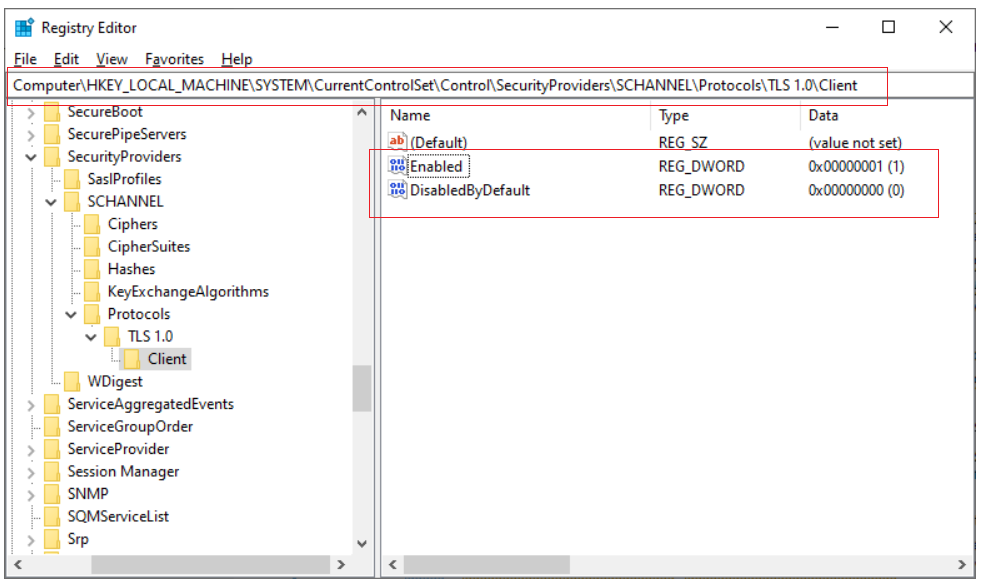
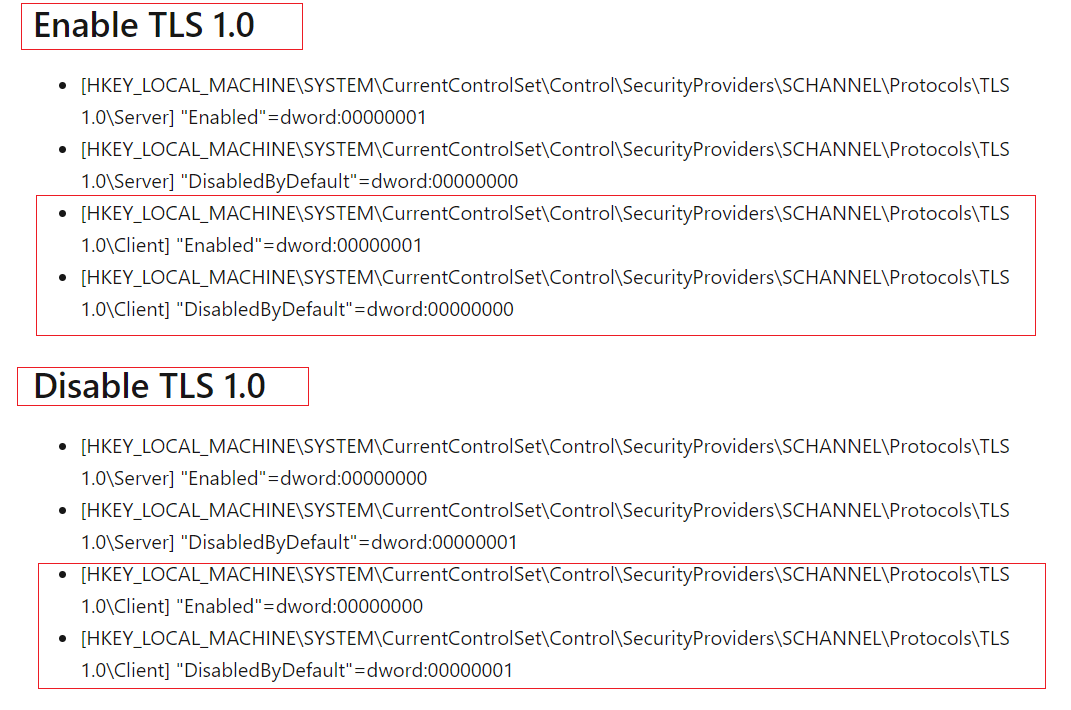
    The following example shows TLS 1.0 client set to the Enabled state:
    118551-tls1.png

    118552-tls2.png

    For more information, please refer to links below.

    Transport Layer Security (TLS) registry settings
    https://learn.microsoft.com/en-us/windows-server/security/tls/tls-registry-settings

    Managing SSL/TLS Protocols and Cipher Suites for AD FS
    https://learn.microsoft.com/en-us/windows-server/identity/ad-fs/operations/manage-ssl-protocols-in-ad-fs

    Hope the information above is helpful.

    Should you have any question or concern, please feel free to let us know.

    Best Regards,
    Daisy Zhou

    ============================================

    If the Answer is helpful, please click "Accept Answer" and upvote it.
    0 comments No comments

  2. Peter_1985 2,926 Reputation points
    2021-07-28T05:33:22.573+00:00

    Thanks for update.
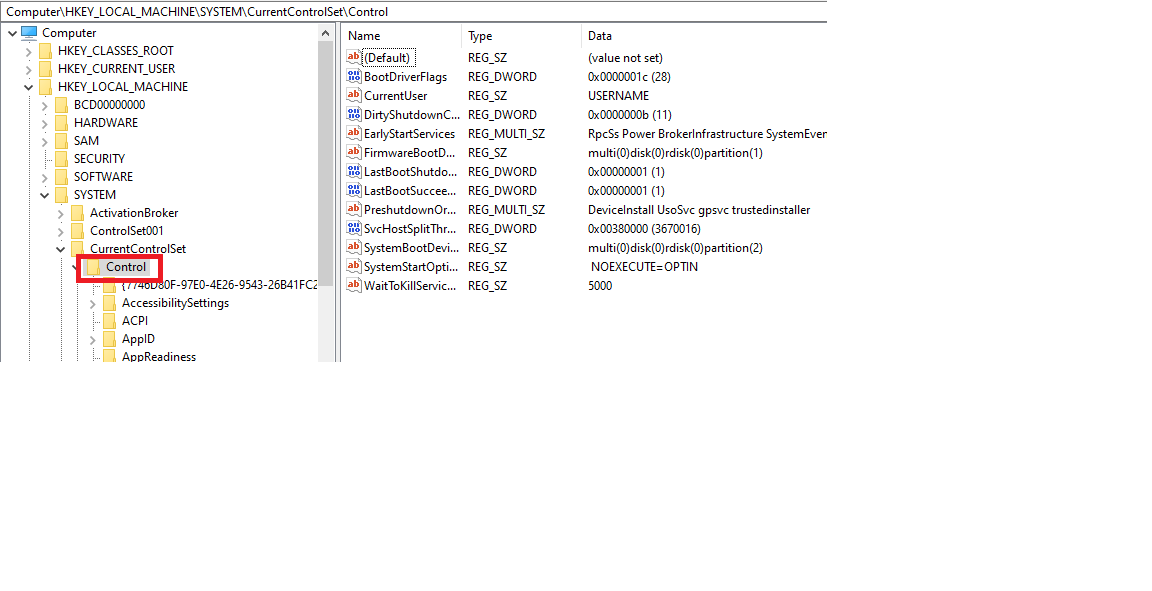
    Can you advise why I cannot find out "security" inside the following, within my current Win 10 Pro version?

    Computer\HKEY_LOCAL_MACHINE\SYSTEM\CurrentControlSet\Control


  3. Peter_1985 2,926 Reputation points
    2021-07-28T06:21:04.67+00:00

    Yes, there is no "security" under control below.
    118591-2b.png


  4. Peter_1985 2,926 Reputation points
    2021-07-28T06:34:55.743+00:00

    Hi,
    I do not see TLS 1.0 within the following

    Computer\HKEY_LOCAL_MACHINE\SYSTEM\CurrentControlSet\Control\SecurityProviders\SCHANNEL\Protocols

    Can I know how TLS 1.0 is created within your machine?

    0 comments No comments

Your answer

Answers can be marked as 'Accepted' by the question author and 'Recommended' by moderators, which helps users know the answer solved the author's problem.