Default Size of "Edit Data in Excel" window of a linked chart in Powerpoint

Anonymous
2023-01-18T02:35:40+00:00

Hello,

When I update a chart in Excel 365 by right clicking on the chart and then selecting "Edit Data" > "Edit data in Excel", the Excel window that pops up is always bigger than my system screen. That makes it difficult to go to look around and move to the bottom row or far right column of a data data series, as the cursor is off the page if I use my usual short cut of "Ctrl-Down Arrow" or "Ctrl-Right Arrow".

So, I find I am spending a significant time each day resizing the screen manually.

My question is, is there a way that I can set a default size (and location if possible) of the Excel window that launches in this way?

I know how to set these defaults if I am working exclusively in Excel itself, but they do not seem to apply when I launch the "Chart in Microsoft Powerpoint - Excel" window.

Any suggestions or assistance would be very welcome.

Thank you in advance.

Microsoft 365 and Office | PowerPoint | For business | Windows

Locked Question. This question was migrated from the Microsoft Support Community. You can vote on whether it's helpful, but you can't add comments or replies or follow the question.

0 comments No comments
{count} vote

7 answers

Sort by: Most helpful
  1. Anonymous
    2023-01-18T05:00:24+00:00

    Dear Damien McColough,

    Good day! Thank you for posting to Microsoft Community.

    As per your description, it seems that you are trying to update a chart linked in PowerPoint via "Edit in Excel", however, the excel window that pops up is always bigger than the system screen which need to be resized manually. And you want to set a default size (and location if possible) of the Excel window that launches.

    If my understanding is right, we've also done a quick test on our side with version 2112(Build 15928.20160) in Win 11 machine, and we can reproduce a similar situation as shown below in our test:
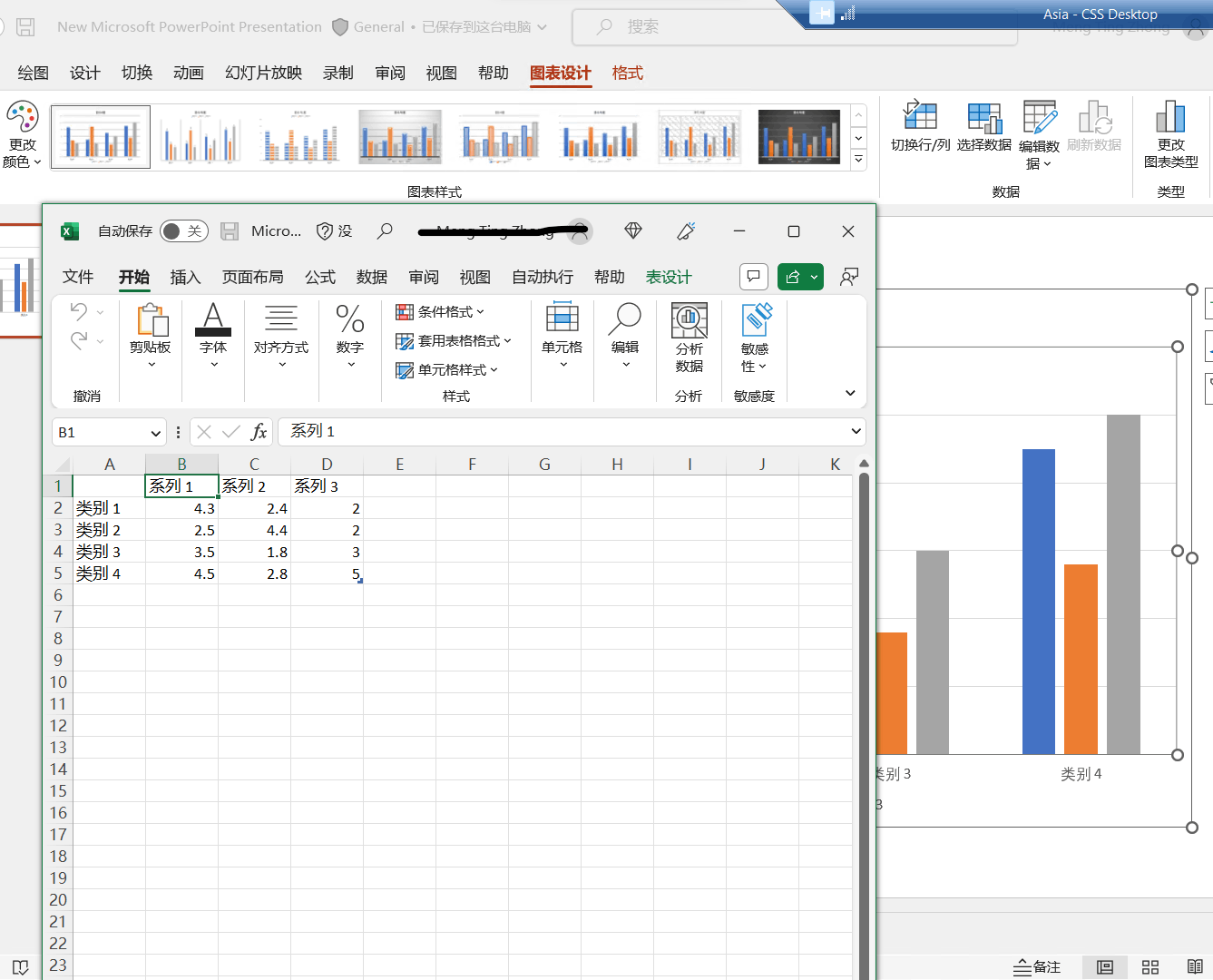
    However, in the version 2111(Build 14701.20226), we can open the data in Excel normally as shown below:
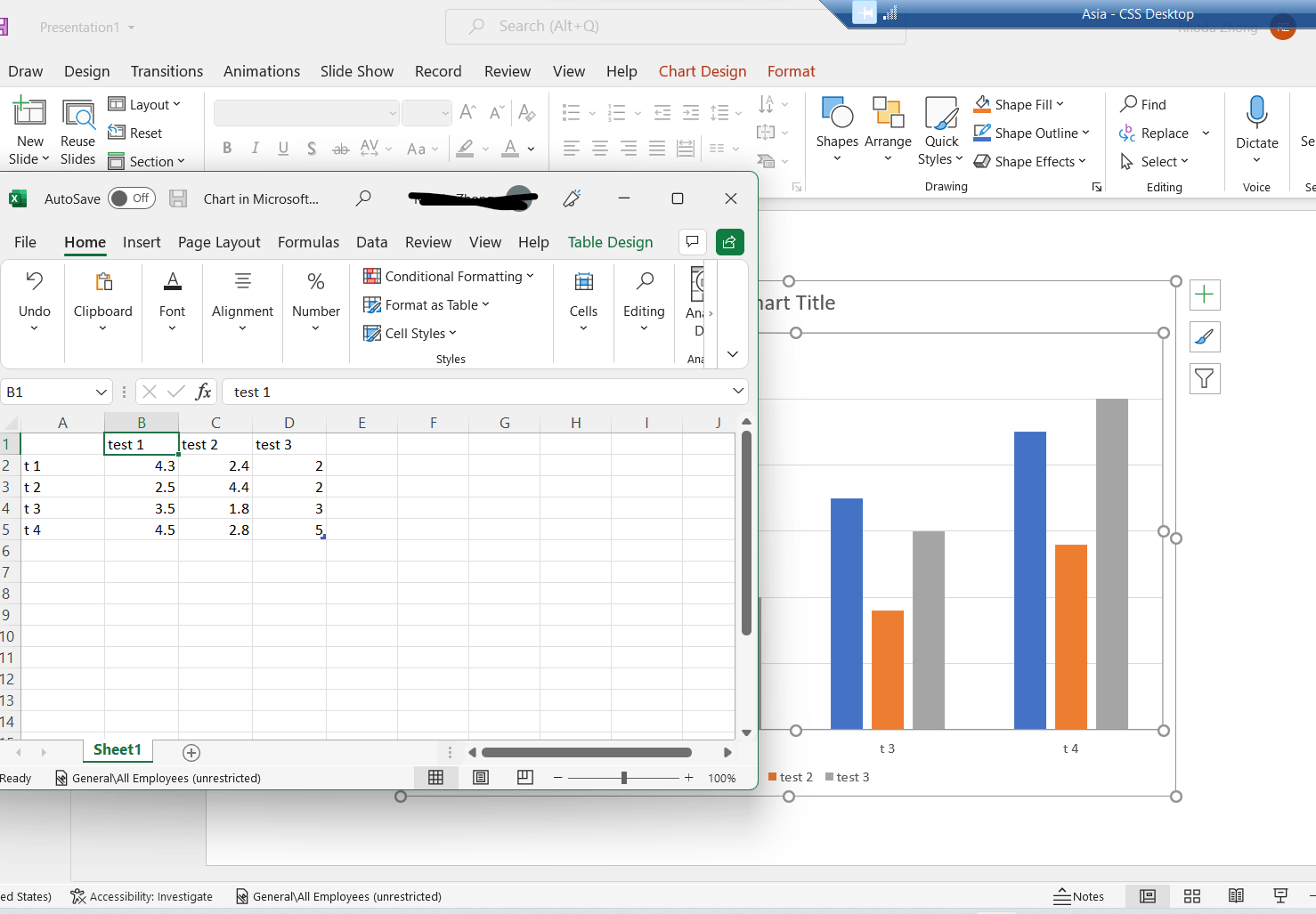
    Additionally, based on our search and test result, we're afraid that there's no out of box way to default Size or the location of the Excel windows that prompt from "Edit Data in Excel" currently.

    Given this situation, we'd like to collect more information to do further test on our side:

    1. Would you please share a screenshot of "pops up is always bigger than my system screen" with us?
    2. Would you please share the version of your office by going to PowerPoint > Account and share the screenshot as shown below with us?
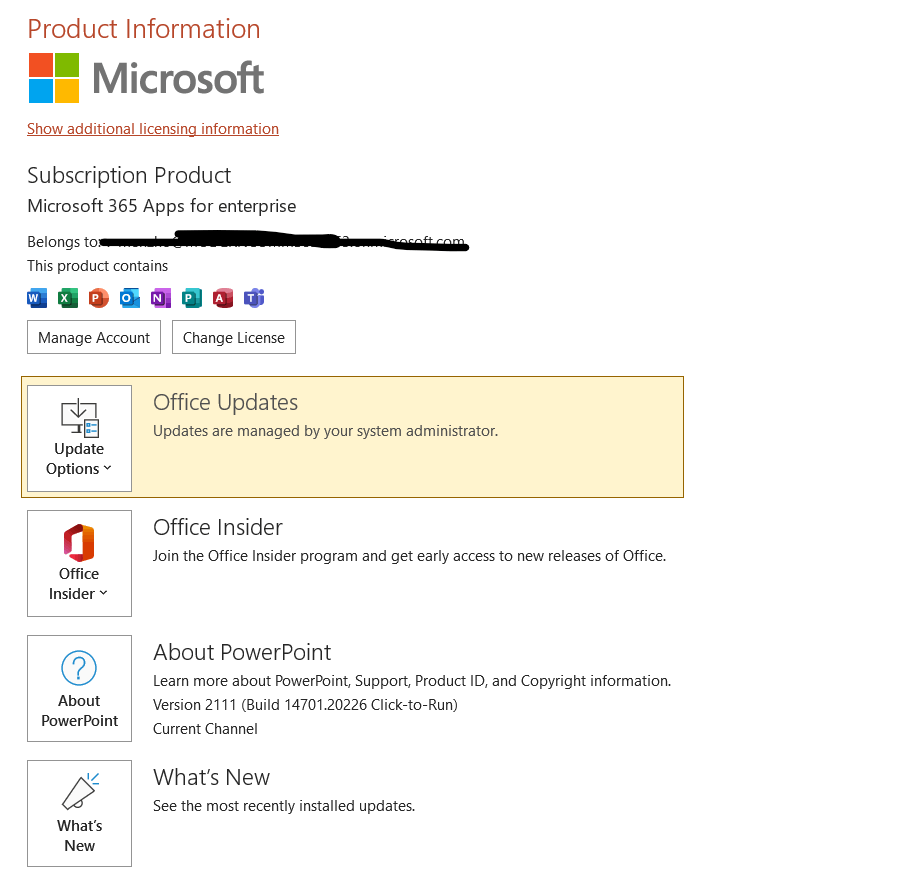
    3. What about the other users in your organization, will they encounter the same situation on their side?
    4. Does this happen to a specific file or all files?

    If our understanding above is not consistent with yours, you can also post back and point that.

    Your understanding and patience will be highly appreciated. We hope that you are keeping safe and well!

    Sincerely,

    Rhoda | Microsoft Community Moderator

    0 comments No comments
  2. Anonymous
    2023-01-18T05:25:45+00:00

    Hello Rhoda

    Thank you for your quick reply. My answers to your questions are as follows

    1. Would you please share a screenshot of "pops up is always bigger than my system screen" with us?
    2. Would you please share the version of your office by going to PowerPoint > Account and share the screenshot as shown below with us?
    3. What about the other users in your organization, will they encounter the same situation on their side?

    Yes other users in my organisation encounter the same situation.

    1. Does this happen to a specific file or all files?

    This happens to many files not just this specific one.

    I look forward to your further response.

    Damien

    0 comments No comments
  3. Anonymous
    2023-01-18T07:58:55+00:00

    Dear Damien,

    Thanks for sharing updates with us and we really appreciate your effort and your precious time doing those tests. 

    As you mentioned that other users in your organization encounter the same situation on many files, we do understand the inconvenience caused and apologize for it.

    Since we can also reproduce the same situation as yours under the version 2212, we’d suggest you go to PowerPoint > Feedback to report this situation. This is the best way to let the engineers in product group to hear your voice about the related feature.

    At the same time, we will also report this situation on our side.

    Thanks for your cooperation and understanding.

    Best Regards,

    Rhoda | Microsoft Community Moderator

    0 comments No comments
  4. Anonymous
    2023-01-18T23:58:51+00:00

    Thanks Rhoda,

    I am happy to provide the feedback but am not sure what you mean by PowerPoint > Feedback. Where do I find that link?

    Regards,
    Damien

    0 comments No comments
  5. Anonymous
    2023-01-20T04:34:18+00:00

    Dear Damien,

    Thanks for sharing the updates.

    To provide a feedback, please open the PowerPoint desktop app and click on the Feedback section as show below:

    Thanks for your paitience and understanding.

    Best Regards,

    Rhoda | Microsoft Community Moderator

    0 comments No comments