Enable Copilot in Powerpoint on mac

Anonymous
2024-01-18T18:43:07+00:00

Hi!
I´m on a office 365 family sub and have a copilot pro subscription.

How can I enable copilot to be use it in Powerpoint and word on Mac?

Microsoft 365 and Office | PowerPoint | For home | MacOS

Locked Question. This question was migrated from the Microsoft Support Community. You can vote on whether it's helpful, but you can't add comments or replies or follow the question.

0 comments No comments
{count} votes

6 answers

Sort by: Most helpful
  1. Anonymous
    2024-01-19T01:03:34+00:00

    Dear Arvid,

    Good day!

    Thank you for posting to Microsoft Community. We are glad to assist. We are looking into your situation, and we will update the thread shortly.

    Appreciate your patience and understanding and thank for your time and cooperation.

    Sincerely,

    Sukie | Microsoft Community Moderator

    0 comments No comments
  2. Anonymous
    2024-01-19T07:08:27+00:00

    Hii

    thank you for the quick reply!

    My Privocy settings seem to be the way they need to be.

    This information is on "about powerpoint"

    Version 16.81 (24011420)

    Licence: Microsoft 365 Subscription

    and my MacOS is macOS Sonoma Version 14.1.2

    One thing I noticed is that in my About Section in Powerpoint it says under "belongs to" that it belongs to an email that is not in use anymore- which however doesnt habe a 365 subscription and is definitely not the one drive and microsoft account its currently connected to- so i can ignore that i guess?

    0 comments No comments
  3. Anonymous
    2024-01-19T07:10:57+00:00

    an addition:
    I can use it in the browser when following the link from the microsoft website "try copolot in ppt" but just not in the Application on my mac

    0 comments No comments
  4. Steve Rindsberg 99,086 Reputation points MVP Volunteer Moderator
    2024-01-19T17:31:49+00:00

    CoPilot was originally made available only to enterprise licensed Office and was very expensive. Microsoft has just announced in the last week or so that it'll be more widely available at $20/month for individuals.

    As I understand it, it's rolling out gradually, but should be available from your Microsoft 365 account page when it's available to you. I'd check there every so often.

    0 comments No comments
  5. Anonymous
    2024-01-19T05:30:54+00:00

    Dear Arvid,

    Good day, thanks for querying in this forum. We’re happy to help you.

    From your description, it seems that you want to use Copilot in Word for Mac and PowerPoint for Mac.

    If my understanding is right, according to official article, Copilot is available in Microsoft 365 apps.

    You can refer to steps below to check if you can enable Copilot, as shown below:
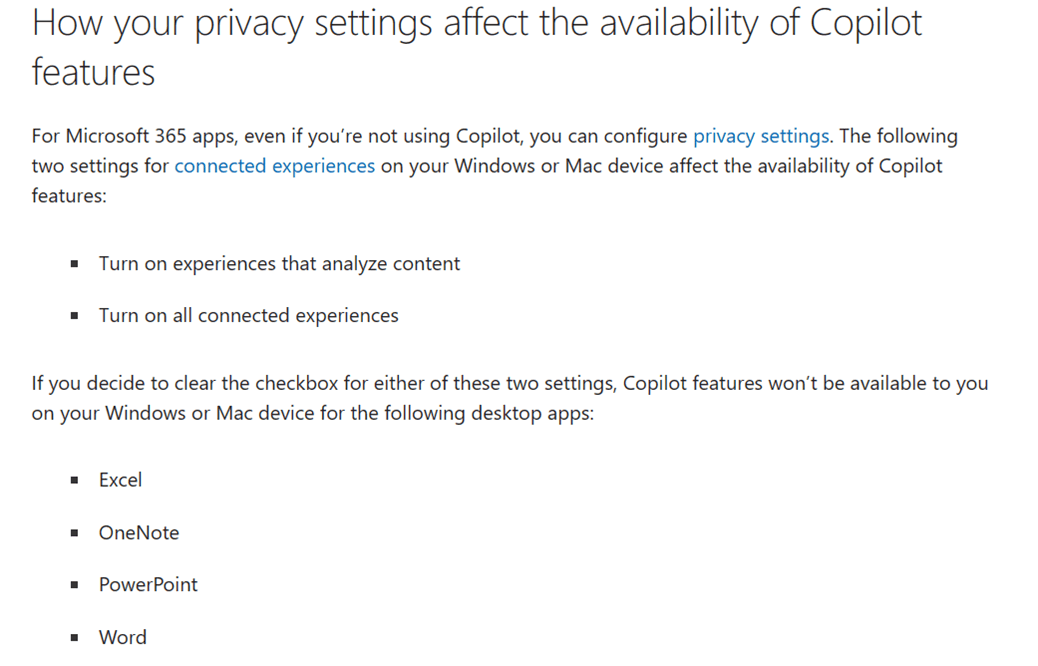
    For more details, you can refer to this article: Copilot Pro: Microsoft 365 apps and your privacy - Microsoft Support

    If the suggestion above doesn’t work, to better understand your situation, could you provide the information below?

    1. Could you provide the version of your PowerPoint? You can go to PowerPoint > About PowerPoint and provide the screenshot of it.
    2. Could you provide the version of Mac OS?

    If the scenario above is not consistent with yours, you can also post back and point that.

    Sincerely,

    Sukie | Microsoft Community Moderator

    0 comments No comments