Hi Callum O'Neill1,
Greetings. Thank you for posting the thread to our community.
I understand your concern, it seems you cannot properly use Copilot in PowerPoint. For the situation you’ve encountered, I do understand the inconvenience caused and feel very sorry about it.
After my test on my side, I’m afraid this issue also happens on my side which I’m using the PowerPoint **version 2410 Build 18129.20100 Current Channel.**Here is my test result as reference for you:
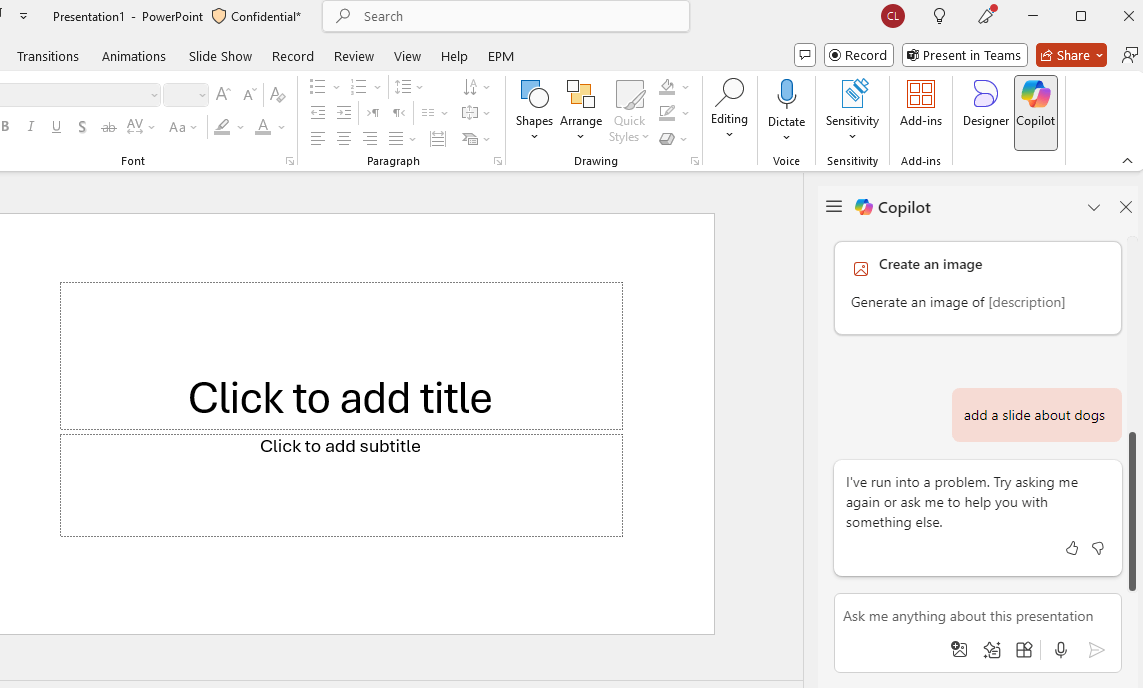
Due to this situation, since this issue also happens on my side and the issue persists after you’ve tried several troubleshooting methods, I’m afraid this is a temporarily server-side issue needs to be investigated from back end to find the cause. The Microsoft Support Team has higher permission to remotely assist you and collect background logs for the root cause. This is a more efficient way in handling this case for you.
If you are an admin, I recommend you get support by following steps from this link: Get support - Microsoft 365 admin | Microsoft Learn.
If you are not an admin, you can contact your admin to contact Microsoft support. You can look for the way to find your admin through this link: How do I find my Microsoft 365 admin? - Microsoft Support.
Please accept my apologies for redirecting you to the related development team support, as the moderators in this community have limited resources and permission to verify the backend information and to get the quick and better assistance, we requested for this.
Appreciate for your patience and understanding.
Hope you having a nice day.
Sincerely,
Harry | Microsoft Community Moderator
' cx='32' cy='32' r='32' /%3E%3Ctext x='50%25' y='55%25' dominant-baseline='middle' text-anchor='middle' fill='%23FFF' %3EA%3C/text%3E%3C/svg%3E)
