Microsoft 365 and Office | Excel | For business | MacOS
A family of Microsoft spreadsheet software with tools for analyzing, charting, and communicating data

This browser is no longer supported.
Upgrade to Microsoft Edge to take advantage of the latest features, security updates, and technical support.
' cx='32' cy='32' r='32' /%3E%3Ctext x='50%25' y='55%25' dominant-baseline='middle' text-anchor='middle' fill='%23FFF' %3EA%3C/text%3E%3C/svg%3E)
Very recently I noticed a behaviour change in Excel on Mac (not sure if it was the sequoia update or an update from Microsoft).
Data validation drop downs, function autocomplete suggestions and some other things are only appearing on the Mac main display and on one additional screen connected directly to the Mac through one of the USB-C ports.
I have additional screens connected through a docking station, and on those screens I am not getting any drop downs, or when I start typing a function name I don't get the typical autocomplete suggestions.
This seems to be a bug in Excel. How can I escalate this so it gets looked at by Microsoft and fixed?
A family of Microsoft spreadsheet software with tools for analyzing, charting, and communicating data
Locked Question. This question was migrated from the Microsoft Support Community. You can vote on whether it's helpful, but you can't add comments or replies or follow the question.
I take it this has not been reported until now then? I'll submit a request later today.
As mentioned in my question, it started very recently. I'm on macOS Sequoia. Microsoft 365 is on current channel most recent update.

Did this problem start after installing new software or updates?
What version of Excel do you use? What version of Mac OS is it running in?
To find the version of Excel, use the Menu Bar and choose Excel > About Microsoft Excel.
Please contact your admin/IT department create a support ticket via Microsoft 365 Admin Center> Support> New service request. Support team there will have the correct channel and resources to help you investigate more and find what exactly the reason has caused this situation.
Get support - Microsoft 365 admin | Microsoft Learn
About how to find the admin in your organization, you can refer to How do I find my Office 365 admin
How do I give feedback on Microsoft 365? - Microsoft Support
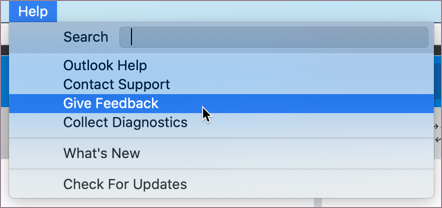
Click the Helpmenu and choose Give Feedback.
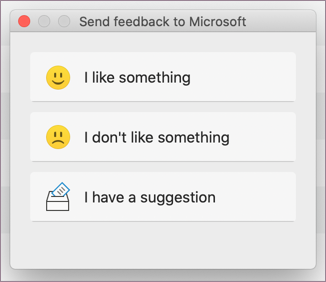
In the dialog box that opens, select the feedback you want to give.