Azure Analysis Services
An Azure service that provides an enterprise-grade analytics engine.
This browser is no longer supported.
Upgrade to Microsoft Edge to take advantage of the latest features, security updates, and technical support.

We are runing on Tier S2 with a limit of 50GB, but once in a while we exceeded this limitation and so we upgraded temporary to S3 for a few days and then downgraded back again to S2.
After this switch from S2 to S3 and back again to S2, both times the memory consumtion collapsed and sticked to a size below the S2 limitation.
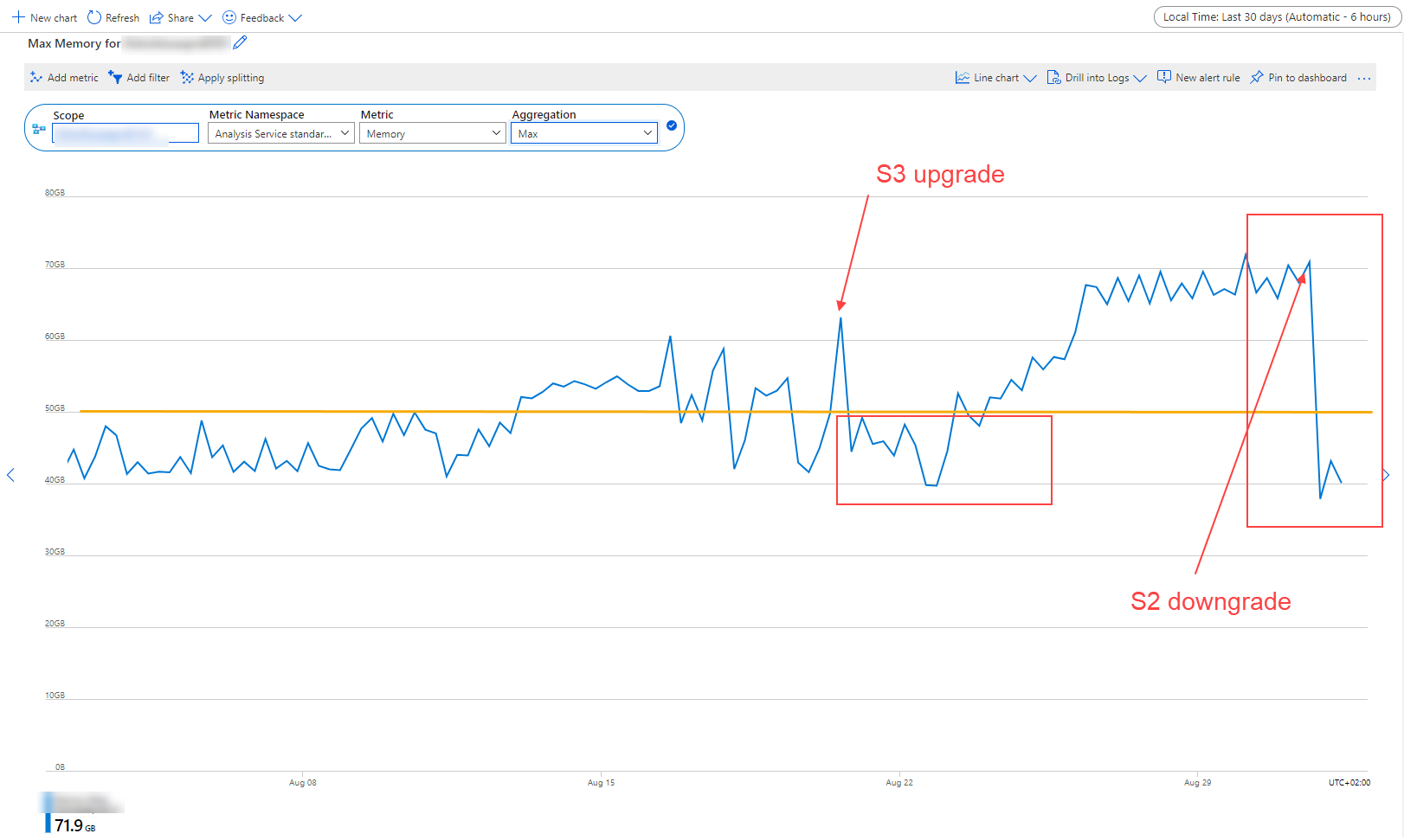
Now I'm trying to figure out what causes this high amount of memory consumtion. But I'm only see the memory of the whole AAS.
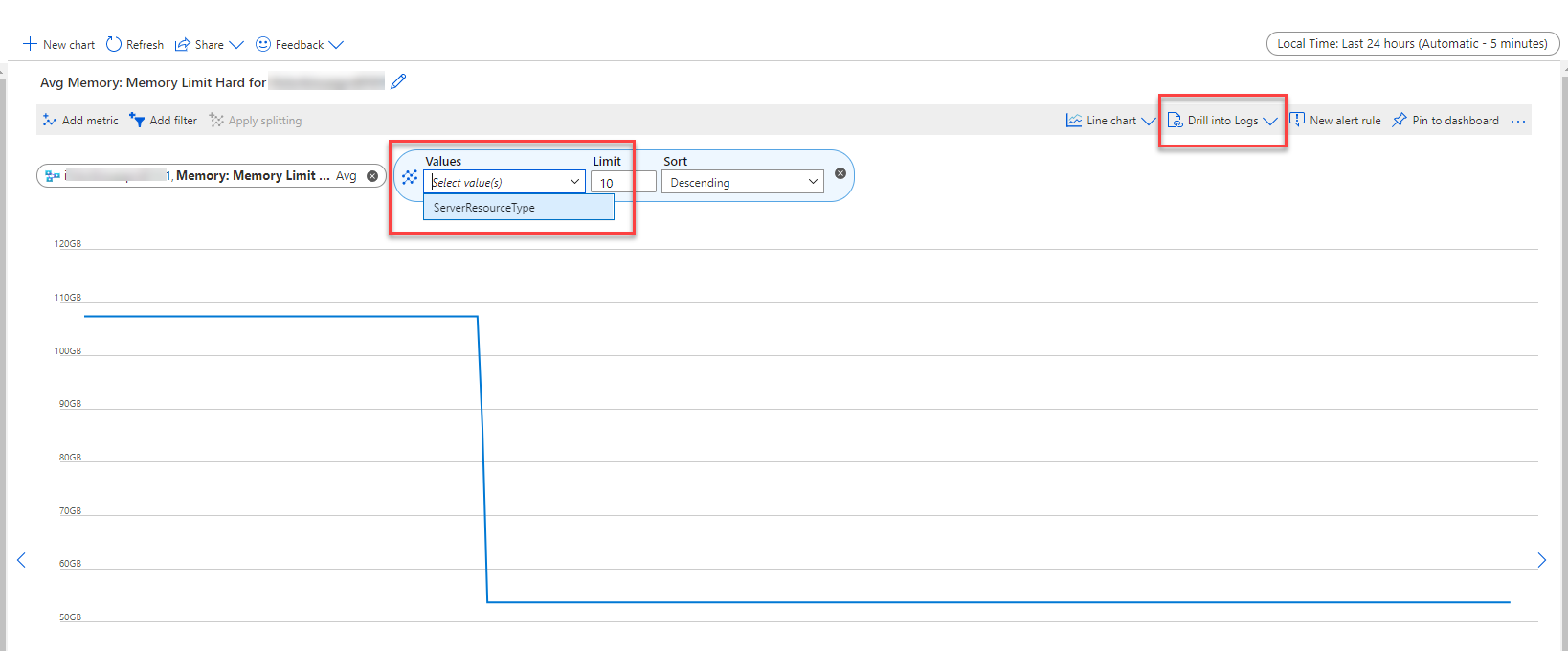
I'm not able to add a split for each Model.
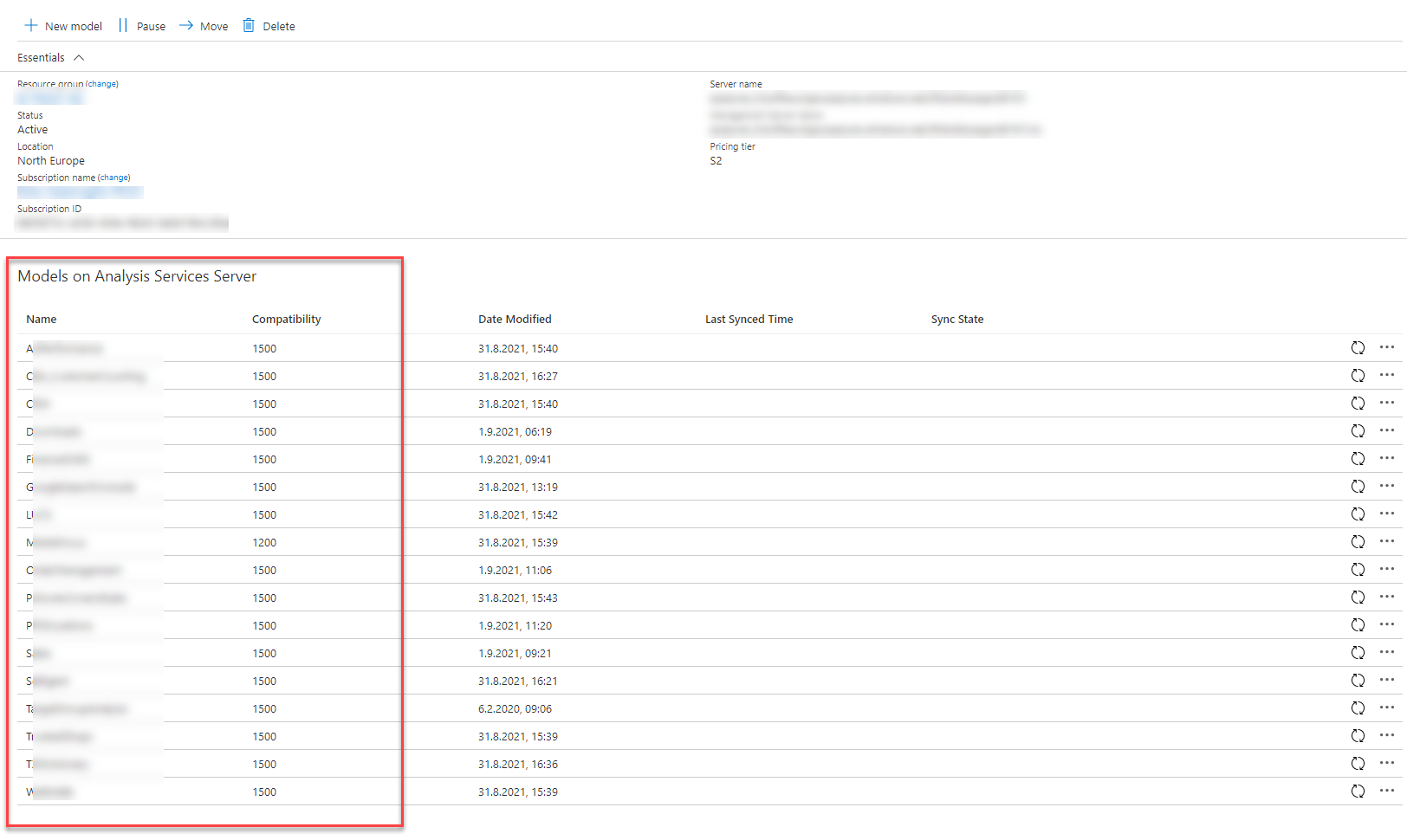
As you can see, we have 17 models:
So my questens are :
1.) How can I split the view, so that I can see the memory consomption for each model
2.) How can I figure out which memory is used by the models and which is only used by the system (temporary, working memory, etc.)

' cx='32' cy='32' r='32' /%3E%3Ctext x='50%25' y='55%25' dominant-baseline='middle' text-anchor='middle' fill='%23FFF' %3EH%3C/text%3E%3C/svg%3E)
Hello @Alex H ,
Thanks for the ask and using the Microsoft Q&A platform .
At this time, we are reaching out to the internal team to get some help on this . We will update you once we hear back from them.
Thanks
Himanshu
Hello @Alex H ,
Thanks for the patience , unfortunately we are not getting the kind of response from the team here . if you have a support plan you may file a support ticket, else could you please send an email to azcommunity@microsoft.com with the below details, so that we can create a one-time-free support ticket for you to work closely on this matter.
Subscription ID:
Subject : Attn Himanshu
Please let me know once you have done the same.
Thanks
Himanshu
Hello @Alex H ,
Thanks for the patience , unfortunately we are not getting the kind of response from the team here . if you have a support plan you may file a support ticket, else could you please send an email to azcommunity@microsoft.com with the below details, so that we can create a one-time-free support ticket for you to work closely on this matter.
Subscription ID:
Subject : Attn Himanshu
Please let me know once you have done the same.
Update Oct 21
I was reviewing the request and yiou did worked with some one from support . I am sharing the resolution on a very high level so that it can be useful to other team members .
After investigation it was found that the reason behind the high memory utilization on the server is heavy load when compared to the SKU limit.
Thanks
Himanshu
Hello @Alex H ,
We haven’t heard from you on the last response and was just checking back to see if you have a resolution yet .In case if have already reached out to the Microsoft Support , please do share the SR# , othereise request you to please do the needful as requested in the last response .
Thanks
Himanshu
Hi Himanshu
Currently we haven't found any solution. But we will create a support ticket at MSFT and provide you with this SR#.
Thanks for your help
Alex

Hey @Alex H ,
An another way can be to set up diagnostic settings on AAS and map it to log analytics.
https://learn.microsoft.com/en-us/azure/analysis-services/analysis-services-logging
And via log analytics query, you can get that details split
search * | where ( Type == "AzureDiagnostics" ) | where ( EventClass_s == "QUERY_END" ) | project Category,ResourceGroup,Resource,ResourceType,OperationName,DatabaseName_s,Duration_s,TextData_s,User_s,CPUTime_s
@HimanshuSinha : Any thoughts on this?