Microsoft 365 and Office | Development | Other
Building custom solutions that extend, automate, and integrate Microsoft 365 apps.

This browser is no longer supported.
Upgrade to Microsoft Edge to take advantage of the latest features, security updates, and technical support.
' cx='32' cy='32' r='32' /%3E%3Ctext x='50%25' y='55%25' dominant-baseline='middle' text-anchor='middle' fill='%23FFF' %3EJE%3C/text%3E%3C/svg%3E)
I have a data grid:
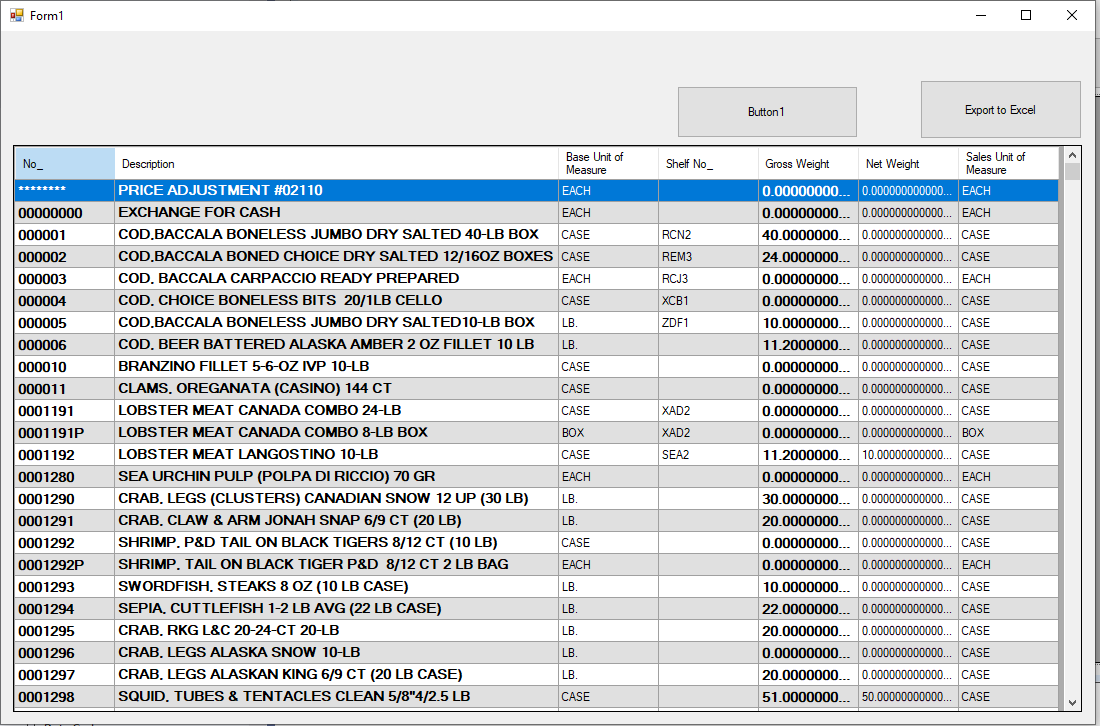
this is the code:
Private Sub Button2_Click(sender As Object, e As EventArgs) Handles Button2.Click
Dim rowsTotal, colsTotal As Short
Dim I, j, iC As Short
System.Windows.Forms.Cursor.Current = System.Windows.Forms.Cursors.WaitCursor
Dim xlApp As New Excel.Application
    Try
        Dim excelBook As Excel.Workbook = xlApp.Workbooks.Add
        Dim excelWorksheet As Excel.Worksheet = CType(excelBook.Worksheets(1), Excel.Worksheet)
        xlApp.Visible = True
        rowsTotal = DataGridView1.RowCount - 1
        colsTotal = DataGridView1.Columns.Count - 1

        With excelWorksheet
            .Cells.Select()
            .Cells.Delete()
            For iC = 0 To colsTotal
                .Cells(1, iC + 1).Value = DataGridView1.Columns(iC).HeaderText
            Next


            For I = 0 To rowsTotal - 1
                For j = 0 To colsTotal
                    .Cells(I + 2, j + 1).value = DataGridView1.Rows(I).Cells(j).Value
                Next j
            Next I

            .Rows("1:1").Font.FontStyle = "Bold"
            .Rows("1:1").Font.Size = 10
            .Cells.Columns.AutoFit()
            .Cells.Select()
            .Cells.EntireColumn.AutoFit()
            .Cells(1, 1).Select()
        End With

    Catch ex As Exception
        MsgBox("Export to Excel Error: " & ex.Message)
    Finally
        'RELEASE ALLOACTED RESOURCES
        System.Windows.Forms.Cursor.Current = System.Windows.Forms.Cursors.Default
        xlApp = Nothing

    End Try

End Sub
now the problem is I get the first column without the zeros at the left, I need this zeros because is part of the item number.
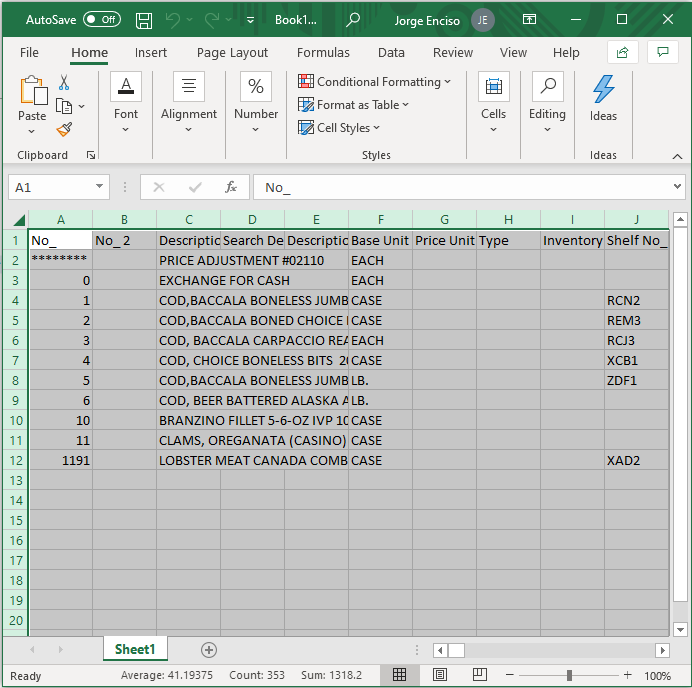 ]2
]2
ok, i read a couple articles and examples in the forum and come with this modification in my code:
For I = 0 To rowsTotal - 1
For j = 0 To colsTotal
.Cells.Columns.AutoFit().ToString()
.Cells.NumberFormat = "@"
.Cells(I + 2, j + 1).value = DataGridView1.Rows(I).Cells(j).Value.ToString()
Next j
Next I
it works perfectly, I'm assume if you explicitly give a format for a type of field the diferent type is take it.
anyway, thank you so much for the answers and guidance, im prety sure i will come back with more questions :)

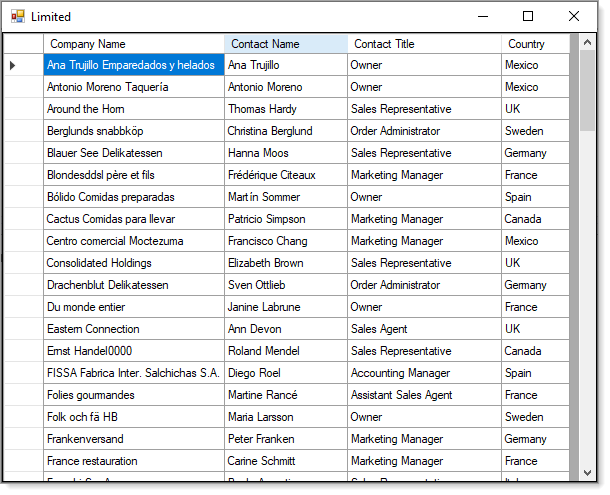
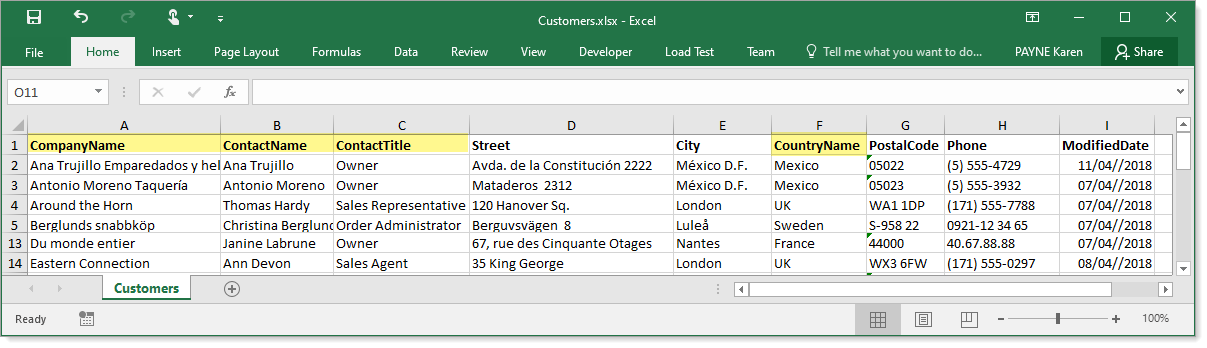
Here is an example for getting practical columns from an Excel WorkSheet.
Code to get DataTable
Form code where all code for column formatting is in the project.
Public Class LimitedForm
    Private Sub LimitedForm_Shown(sender As Object, e As EventArgs) Handles Me.Shown
        DataGridView1.DataSource = ExcelOperations3.Read()
        For Each dataGridViewColumn As DataGridViewColumn In DataGridView1.Columns
            dataGridViewColumn.HeaderText = dataGridViewColumn.HeaderText.SplitCamelCase()
        Next
        DataGridView1.ExpandColumns()
    End Sub

End Class
Karen
I add this formatting and the excel open but no data is delivered.
If you have a GitHub account consider creating a repo for the project and post the link here. Don't use Onedrive, Google Drive etc.
XingyuZhao-MSFT,
The first column is a string.
' cx='32' cy='32' r='32' /%3E%3Ctext x='50%25' y='55%25' dominant-baseline='middle' text-anchor='middle' fill='%23FFF' %3EXZ%3C/text%3E%3C/svg%3E)
Hi @Jorge Enciso ,
Could you share your code on github? It will help us make a test.