Developer technologies | VB
An object-oriented programming language developed by Microsoft that can be used in .NET.
This browser is no longer supported.
Upgrade to Microsoft Edge to take advantage of the latest features, security updates, and technical support.

I remember I had an automatic code formating right after I pressed ctrl+s.
Now I don't have that.
All I have is "Code Formatter" that makes a lot of commets which I don't need and when I remove those comments with "Clear Comments" it will remove my personal commets also.

Will be super glad for help here.
' cx='32' cy='32' r='32' /%3E%3Ctext x='50%25' y='55%25' dominant-baseline='middle' text-anchor='middle' fill='%23FFF' %3EPM%3C/text%3E%3C/svg%3E)
Hi, @Elado
I have not heard from you for a couple of days. Please let me know if there is anything that I can help here.
Hi, I did ctrl+k, ctrl +d and that did help me.
I’m searching for one time two keys press, its more easy, fast and not confusing!
Thanks
Hi, @Elado
I updated my answer please check it
' cx='32' cy='32' r='32' /%3E%3Ctext x='50%25' y='55%25' dominant-baseline='middle' text-anchor='middle' fill='%23FFF' %3EA%3C/text%3E%3C/svg%3E)
Late to the party...
but, you can do this
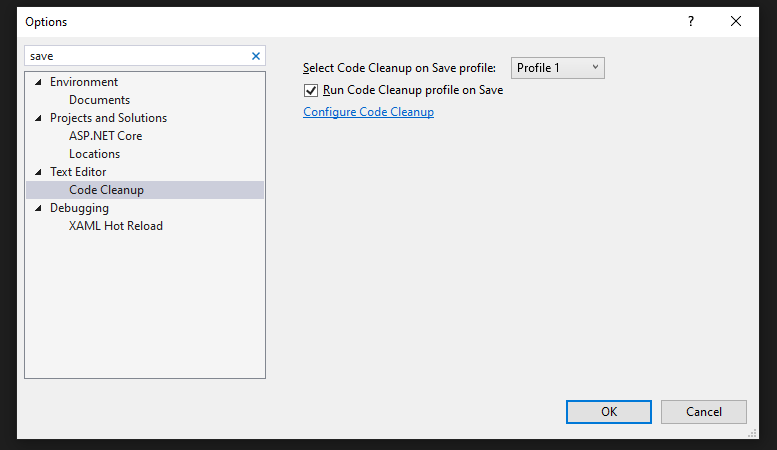
Open the settings, and search for the save.
from the Text Editor->Code Cleanup
check the Run Code Cleanup profile on Save, also you can configure it in your way. and OK :)

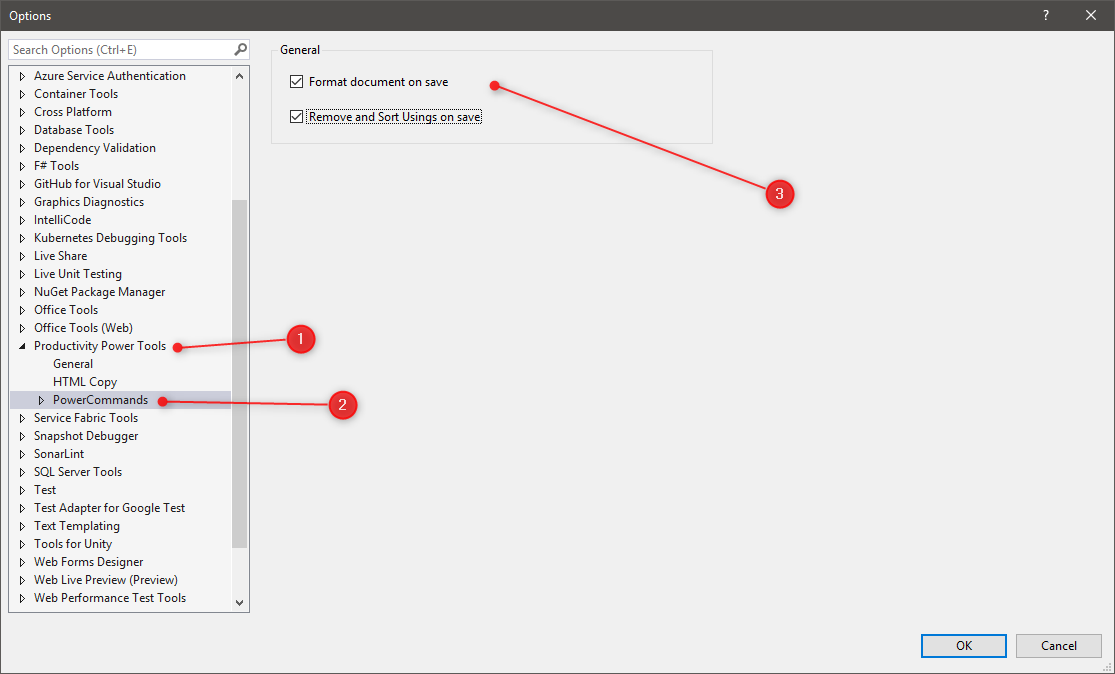
Microsoft itself has an official extension for this called Productivity power tools
VS2017 & VS2019:
https://marketplace.visualstudio.com/items?itemName=VisualStudioPlatformTeam.ProductivityPowerPack2017
VS2022:
Yet to incorporate this formatting feature
https://marketplace.visualstudio.com/items?itemName=VisualStudioPlatformTeam.ProductivityPowerPack2022