hi
Thank you all of your brothers.Fixed.
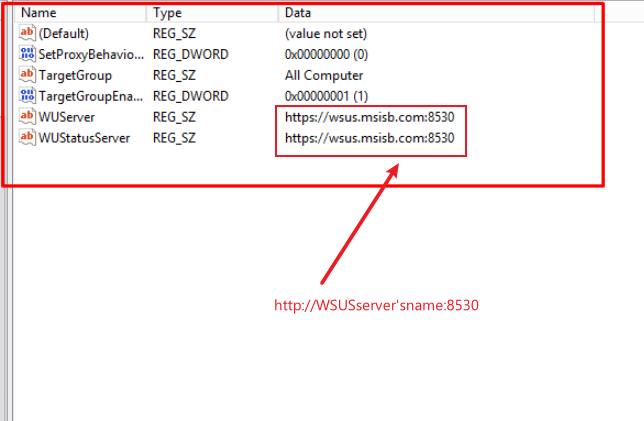
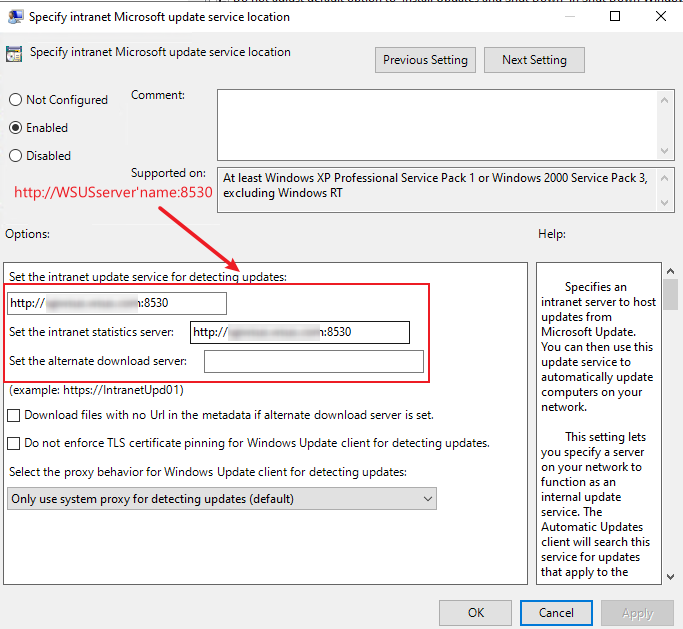
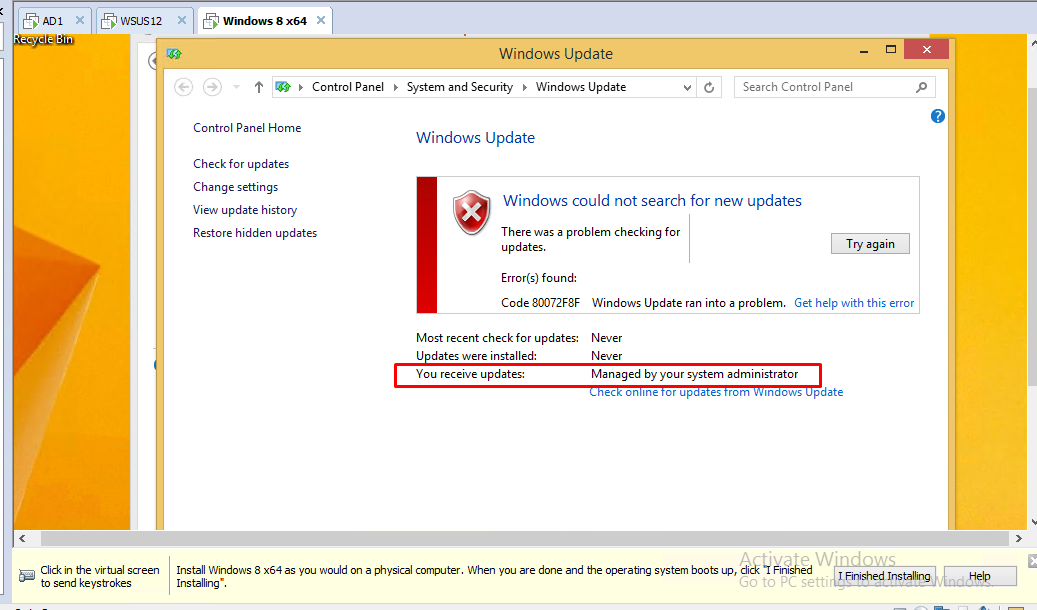
That was ssl issue removed https and after that error changed to 0x80244010 and fixed error from this articles
https://learn.microsoft.com/en-us/archive/blogs/sus/wsus-clients-fail-with-warning-syncserverupdatesinternal-failed-0x80244010
Automatic Update detection frequency
This policy specifies the number of hours that Windows will wait before checking for available updates. The exact wait time is determined by using the number of hours specified minus a random value between 0 and 20 percent of that number. For example, if this policy is used to specify a 20-hour detection frequency, then all computers to which this policy is applied will check for updates anywhere between 16 and 20 hours.
If the status is set to Enabled, Automatic Updates will check for available updates at the specified interval.
If the status is set to Disabled or Not Configured, Automatic Updates will check for available updates at the default interval of 22 hours.
To set Automatic Update detection frequency
- In the Group Policy Object Editor, expand Computer Configuration, expand Administrative Templates, expand Windows Components, and then click Windows Update.
- In the details pane, click Automatic Update detection frequency, click Enabled, and type the number of hours for the detection interval.
- Click OK.
' cx='32' cy='32' r='32' /%3E%3Ctext x='50%25' y='55%25' dominant-baseline='middle' text-anchor='middle' fill='%23FFF' %3EKU%3C/text%3E%3C/svg%3E)

' cx='32' cy='32' r='32' /%3E%3Ctext x='50%25' y='55%25' dominant-baseline='middle' text-anchor='middle' fill='%23FFF' %3ERH%3C/text%3E%3C/svg%3E)