Good day @Safwat, Moaz,
Thank you for posting in Microsoft Q&A Forum.
Based on your description, could you please confirm whether you're looking to turn your exported Planner Excel file into a reusable template in Microsoft Project (so you can use it for future projects), or if you're simply trying to import it once to continue working on it?
If your goal is to convert it into a template, the first step is to import the Excel file into Microsoft Project to configure your plan. You can do this by going to File > Open > Browse, selecting the Excel file, and following the Import Wizard steps to review and map the data fields.
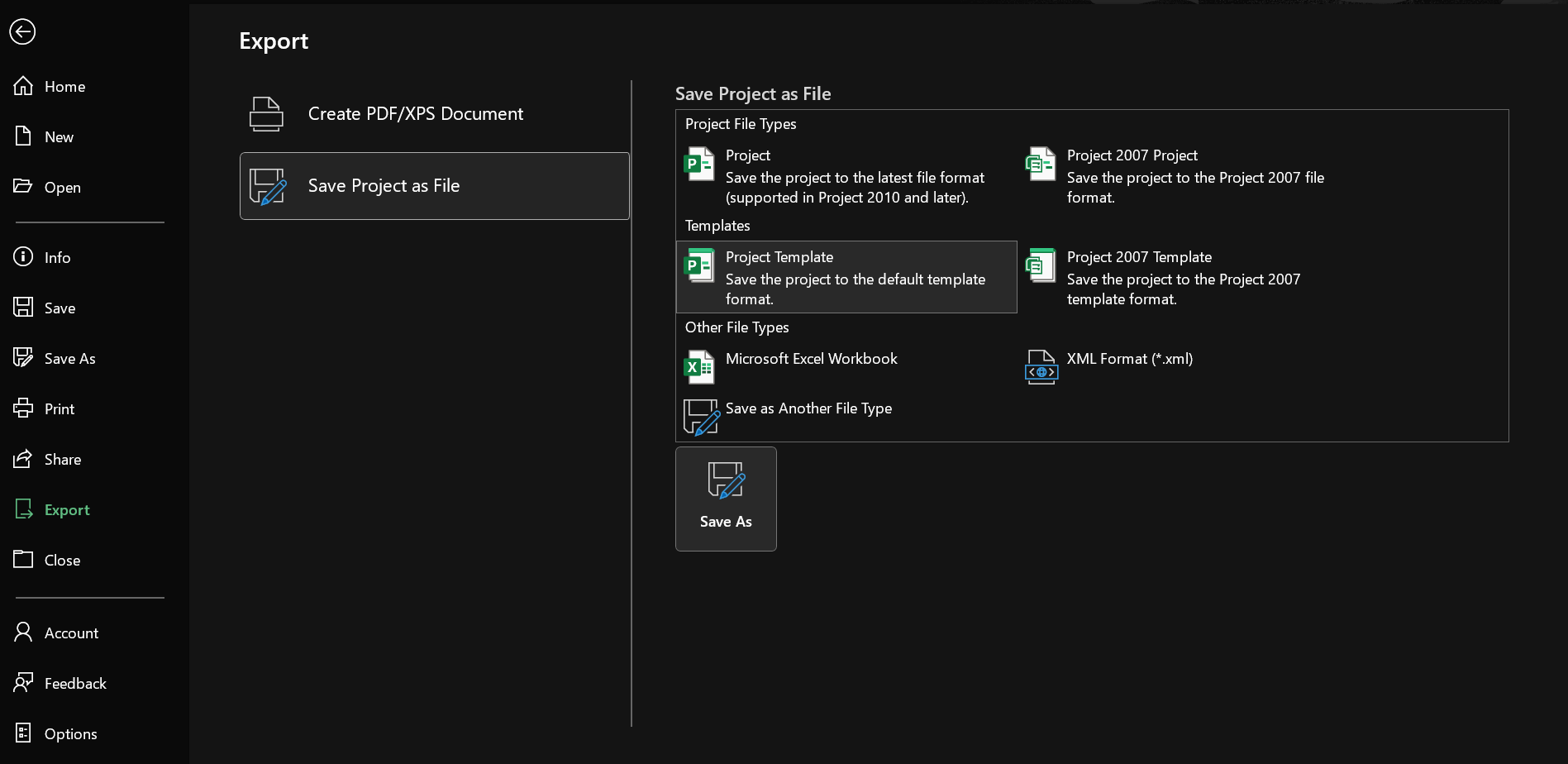
Once the import is complete, you can save the resulting Project file as a template (.mpt) for future use by going to File > Export > Save Project as File > Project Template.
If my understanding of your question is incorrect, please feel free to share a few more details about your situation so we can work together to find the suitable solution. For example, you trying to import the Excel file but encountering an error or incorrect format, etc.
Thank you for your time, I'm looking forward to your response.
If the answer is helpful, please click "Accept Answer" and kindly upvote it. If you have extra questions about this answer, please click "Comment".
Note: Please follow the steps in our documentation to enable e-mail notifications if you want to receive the related email notification for this thread.
' cx='32' cy='32' r='32' /%3E%3Ctext x='50%25' y='55%25' dominant-baseline='middle' text-anchor='middle' fill='%23FFF' %3ESM%3C/text%3E%3C/svg%3E)

' cx='32' cy='32' r='32' /%3E%3Ctext x='50%25' y='55%25' dominant-baseline='middle' text-anchor='middle' fill='%23FFF' %3EMT%3C/text%3E%3C/svg%3E)