Azure Blob Storage
An Azure service that stores unstructured data in the cloud as blobs.
This browser is no longer supported.
Upgrade to Microsoft Edge to take advantage of the latest features, security updates, and technical support.
' cx='32' cy='32' r='32' /%3E%3Ctext x='50%25' y='55%25' dominant-baseline='middle' text-anchor='middle' fill='%23FFF' %3EAL%3C/text%3E%3C/svg%3E)
Hello there,
I set a storage blob trigger in Synapse. I registered the event grid, created the Trigger and associated it with a pipeline:
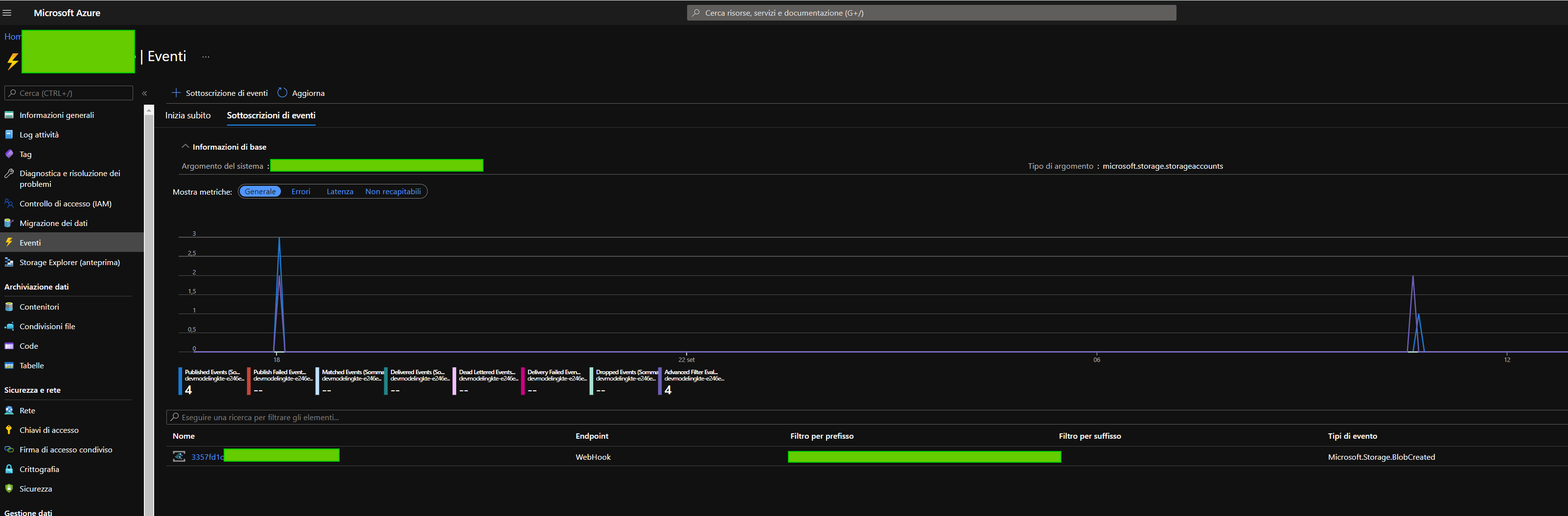
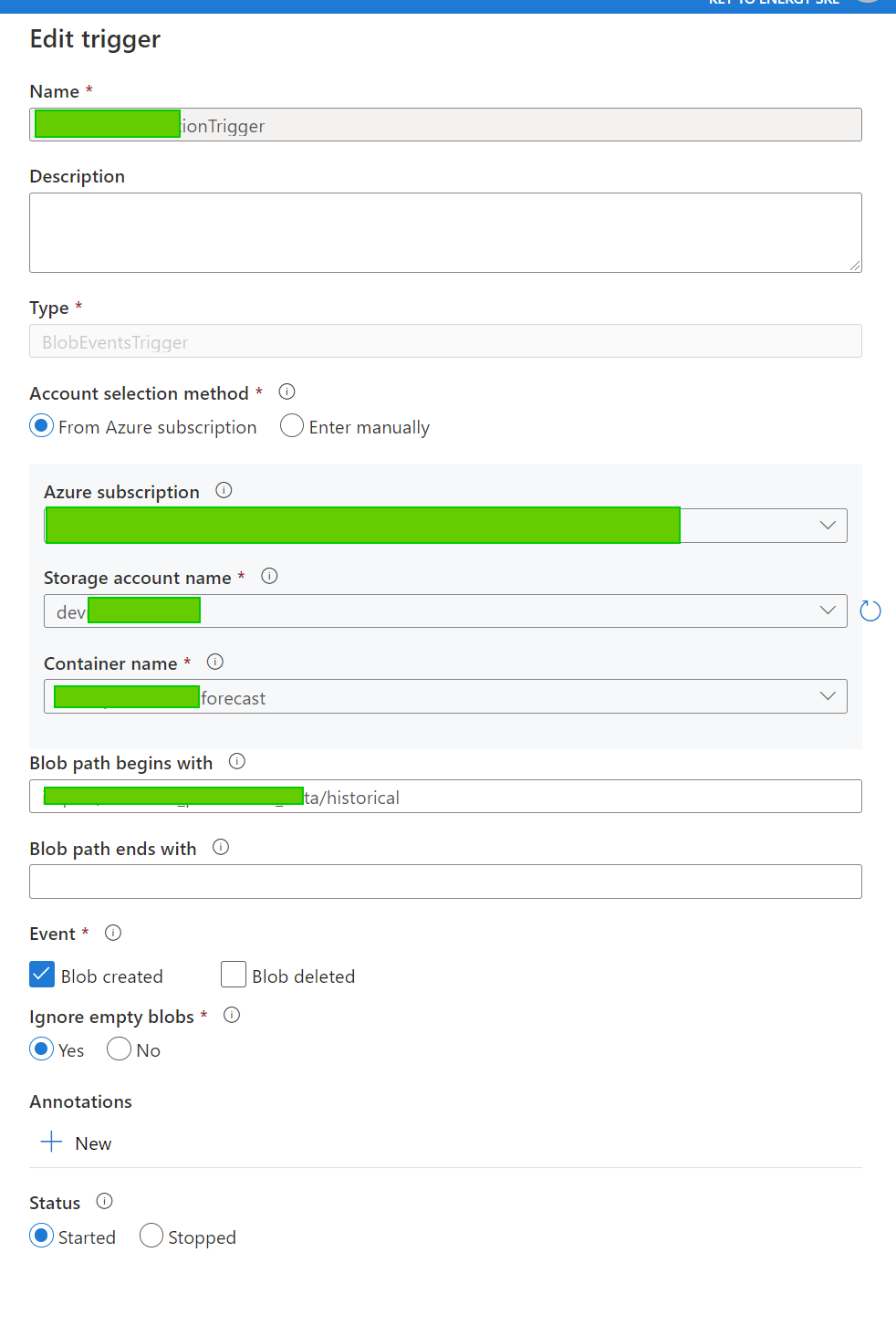
After saving the trigger the system shows me the files that match the blob path begin and end, so i know that everything is fine and correct.
As in the first image, the event is detected as soon as i create a blob in that path, but the trigger is not firing and my pipeline won't start:
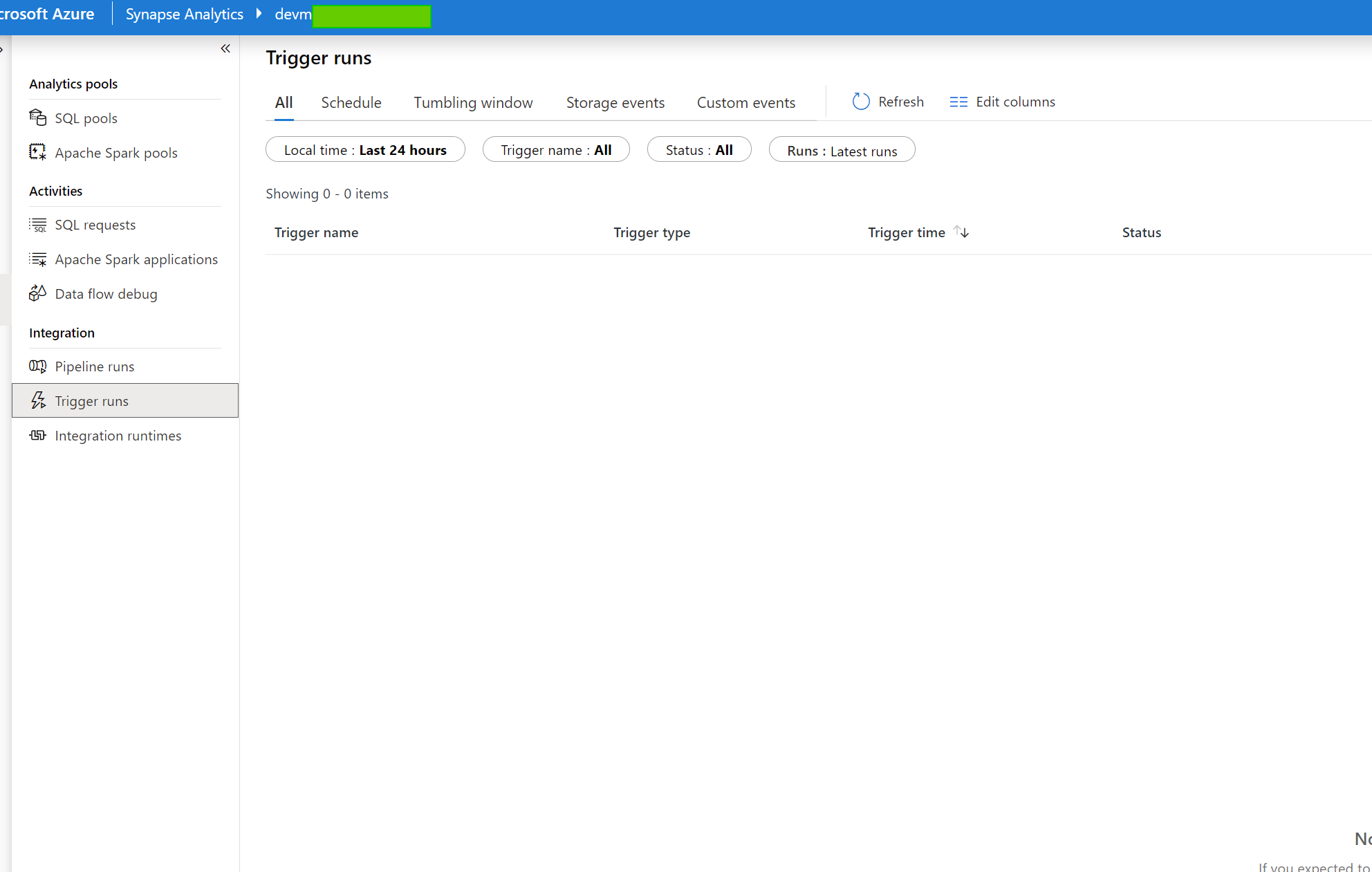
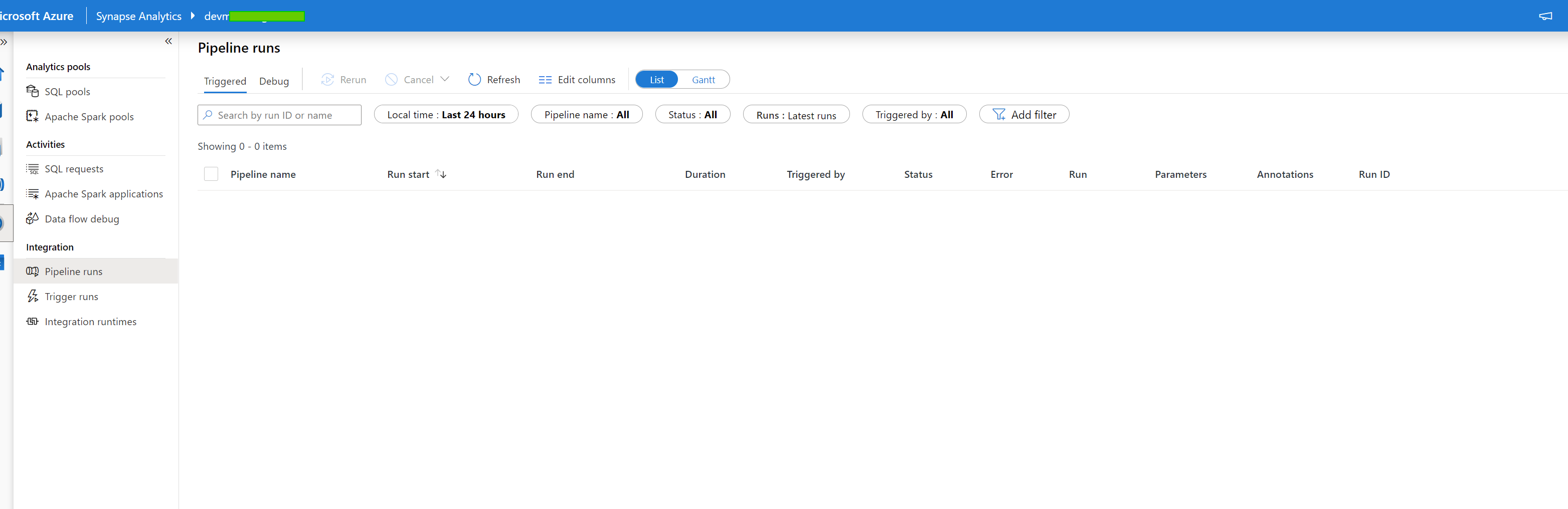
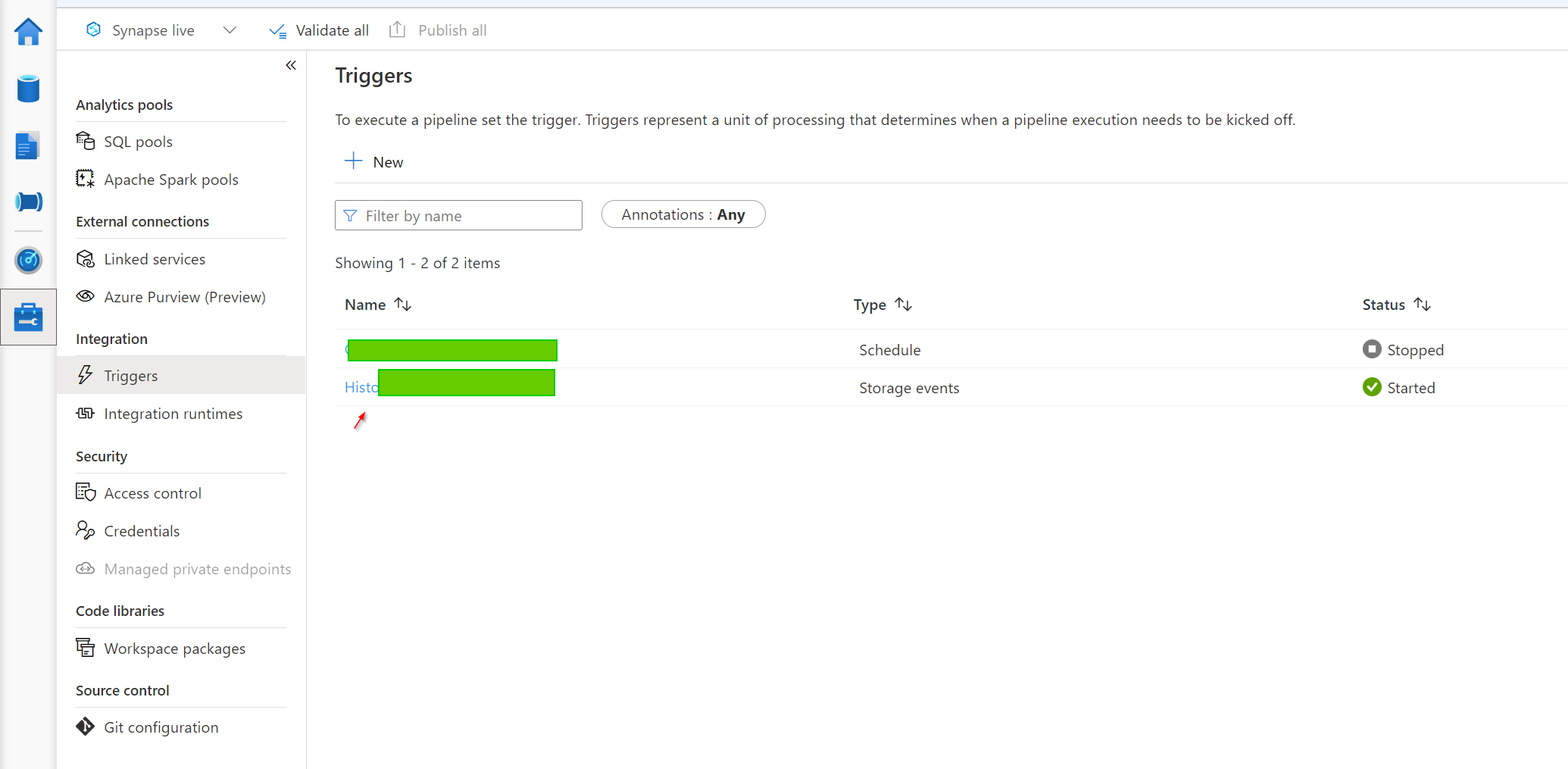
Am i missing something?
Thanks
' cx='32' cy='32' r='32' /%3E%3Ctext x='50%25' y='55%25' dominant-baseline='middle' text-anchor='middle' fill='%23FFF' %3ESM%3C/text%3E%3C/svg%3E)
Hello AndreaLandi-4022,
Thanks for the question and using MS Q&A platform.
From your screenshots. I observe that you have configured Blob Path Filter

I do see the there are 4 published events & no events have come under Matched events - 4 Files have been picked up but then no files have matched the filter mentioned above. Therefore, it is not delivered to the ADF.

The below is the screenshot of the EventGrid Stats at my end.
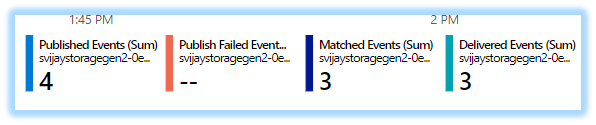
The matched events are 3 - meaning there are 3 files matched my filter set of 4 files that have been added. The below is my filter configuration.

Any .txt file is uploaded - it will be under the matched events and delivered events - the delivered events are also zero.
Coming back to your scenario. You have configured the Blob path begins with filter :

Note : / at the end of the folder name (2018/) . You could also try adding a / at the end to your filter to get files under historical folder.
In your case, you could upload a sample file (previously uploaded file should also work) and ensure this file comes under the Data Preview . If the file doesn't appear - you will have to tweak the filter/file-folder structure to match. If there are matched events - then there will be a trigger to the ADF
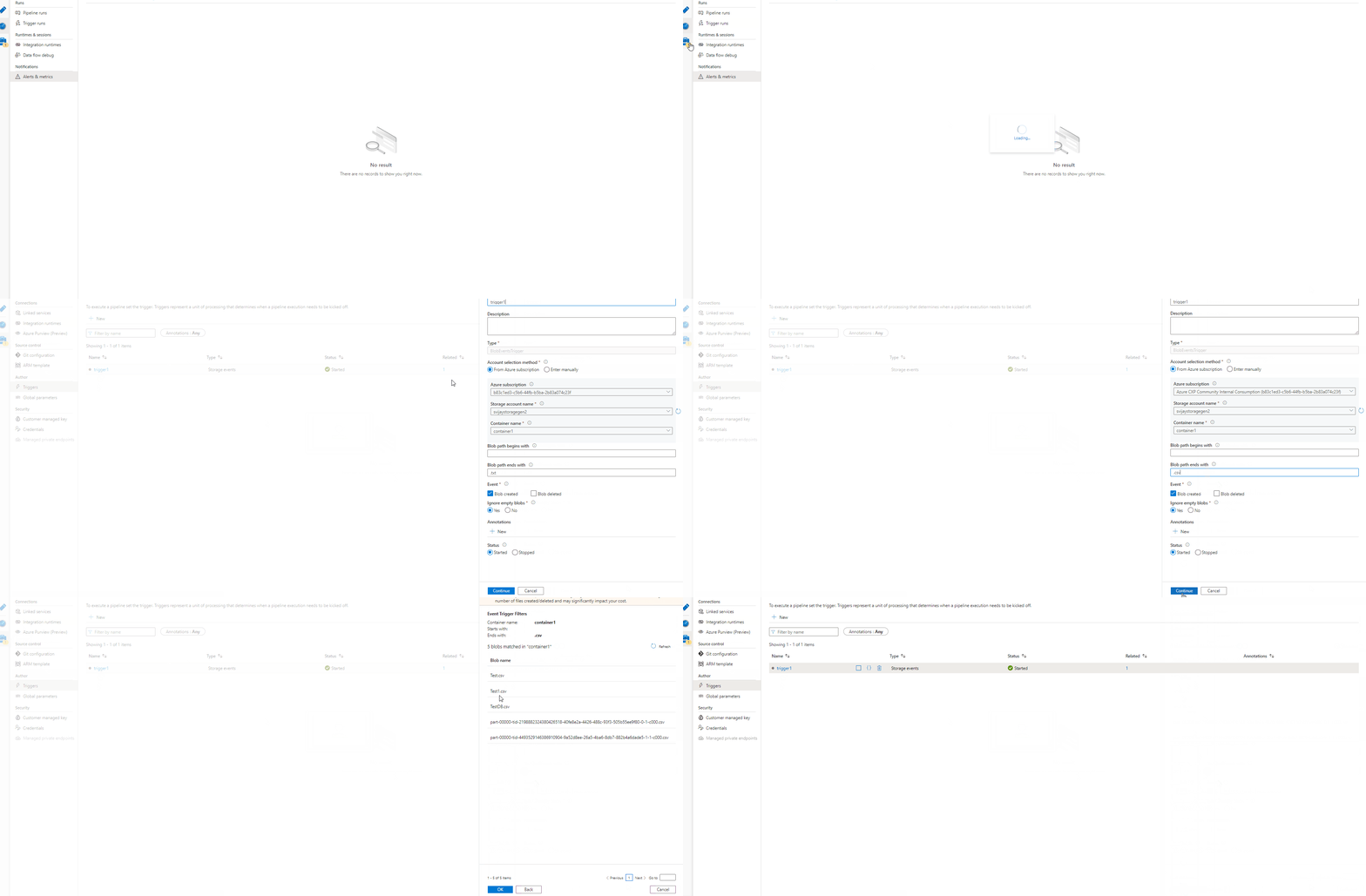
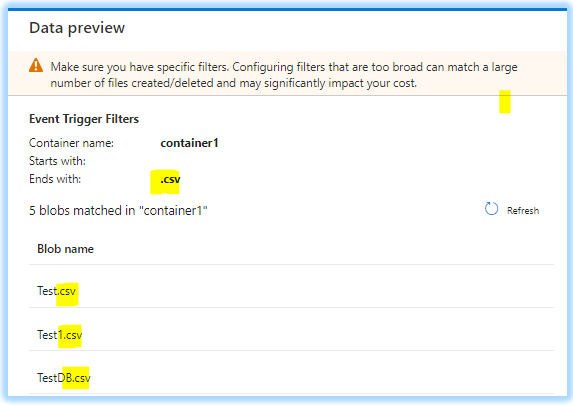
Hope this will help. Please let us know if any further queries.
------------------------------
 or upvote
  button whenever the information provided helps you. Original posters help the community find answers faster by identifying the correct answer. Here is how
Hello SathyamoorthyVijayakumar-MSFT, "historical" is how the files i want it to trigger of starts with. I uploaded some test file as you suggested and i can see them in the preview, but sadly the trigger does not work yet.
' cx='32' cy='32' r='32' /%3E%3Ctext x='50%25' y='55%25' dominant-baseline='middle' text-anchor='middle' fill='%23FFF' %3EWC%3C/text%3E%3C/svg%3E)
Is your Azure subscription registered with the Event Grid resource provider?
Data Factory and Synapse pipelines natively integrate with Azure Event Grid, which lets you trigger pipelines on such events.
Also from the image you have posted your Trigger Type is BlobEventsTrigger, and it should be Storage Event?
https://learn.microsoft.com/en-us/azure/data-factory/how-to-create-event-trigger?tabs=data-factory
https://www.mssqltips.com/sqlservertip/6063/create-event-based-trigger-in-azure-data-factory/
Hi William, as i write i have registered the Event Grid resource provider (the first image shows also the Event Grid).
Type change from storage to BlobEventsTrigger as soon as you save it.
Hi Andrea, in your Blob path begins with, you need a / at the end, so it needs to end with 'historical/'
e.g. ‘'Blob path’ must begin with the path. For example: '2018/april/shoes.csv' or '2018/'
no because historical is not the folder, is how the file should starts.
Thanks anyway
' cx='32' cy='32' r='32' /%3E%3Ctext x='50%25' y='55%25' dominant-baseline='middle' text-anchor='middle' fill='%23FFF' %3EH%3C/text%3E%3C/svg%3E)
Hello @Andrea Landi ,
At this time I have no doubt that the eventgrid is working fine . Can you please let me know as to have are you testing the scenario ? I think you have blob something like
abc/xxxxxta/historical . The ask is
I have tried a very similar sceanrio and the trigger works for me .
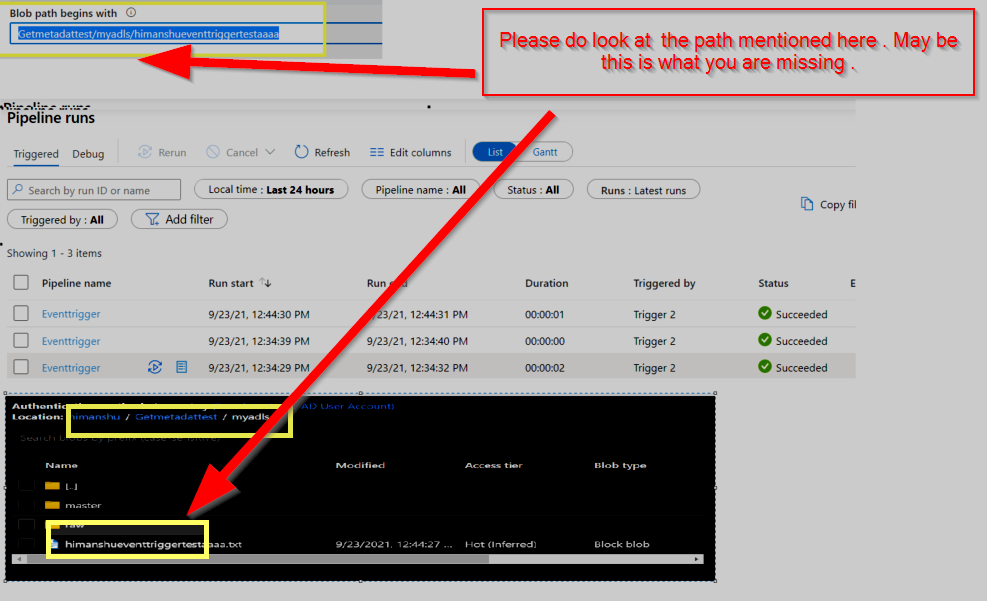
Also a long shot , I see that for couple of screenshot you are in the referring the branch devnXXXXX , please make sure the trigger changes are published to the master branch to see the effect .

Please do let me know how it goes .
Thanks
Himanshu
or upvote button whenever the information provided helps you. Original posters help the community find answers faster by identifying the correct answer. Here is how
Hi HimanshuSinha-MSFT,
"historical" is how the files i want to fire the trigger begins with. I can see the test files in the preview, but as soon as i upload new files with that "historical" prefix (historical_blabla.csv) nothing happen.
Thanks
Hello @Andrea Landi ,
Thank you for your responses. I just wanted to check with you one of the queries Himanshu had asked :

Just wanted to confirm with whether the changes are published to Master Branch (if applicable).
Also, if possible, can you pls share with us the Activity ID?
Yesi can confirm that the changes are published to master branch.
How can i share the Activity ID? What is that?
Thanks!
Hello @Andrea Landi ,
Sorry for the delayed response from our side . The below screen shot help you to get the runid .

Thanks
Himanshu
Hi Himanshu, i have nothing in the "trigger runs" because it never fire... that's the problem.
We are clueless and we need to solve this problem asap. any idea?