Hi Carrissa Jordan,
Welcome to Microsoft Q&A Forum!
Have a good day and I hope you're doing well!
Thank you for reaching out. I understand how disruptive it is when new emails are delivered but don’t appear in the Inbox unless you search. I reproduced this behavior in a test environment and identified a few common causes. Please try the steps below in order:
1. Disable Focused Inbox
- Purpose: Prevent messages from being routed to the “Other” tab and hidden from the main view.
- How to: Settings (gear icon) > Mail > Focused Inbox > Off.
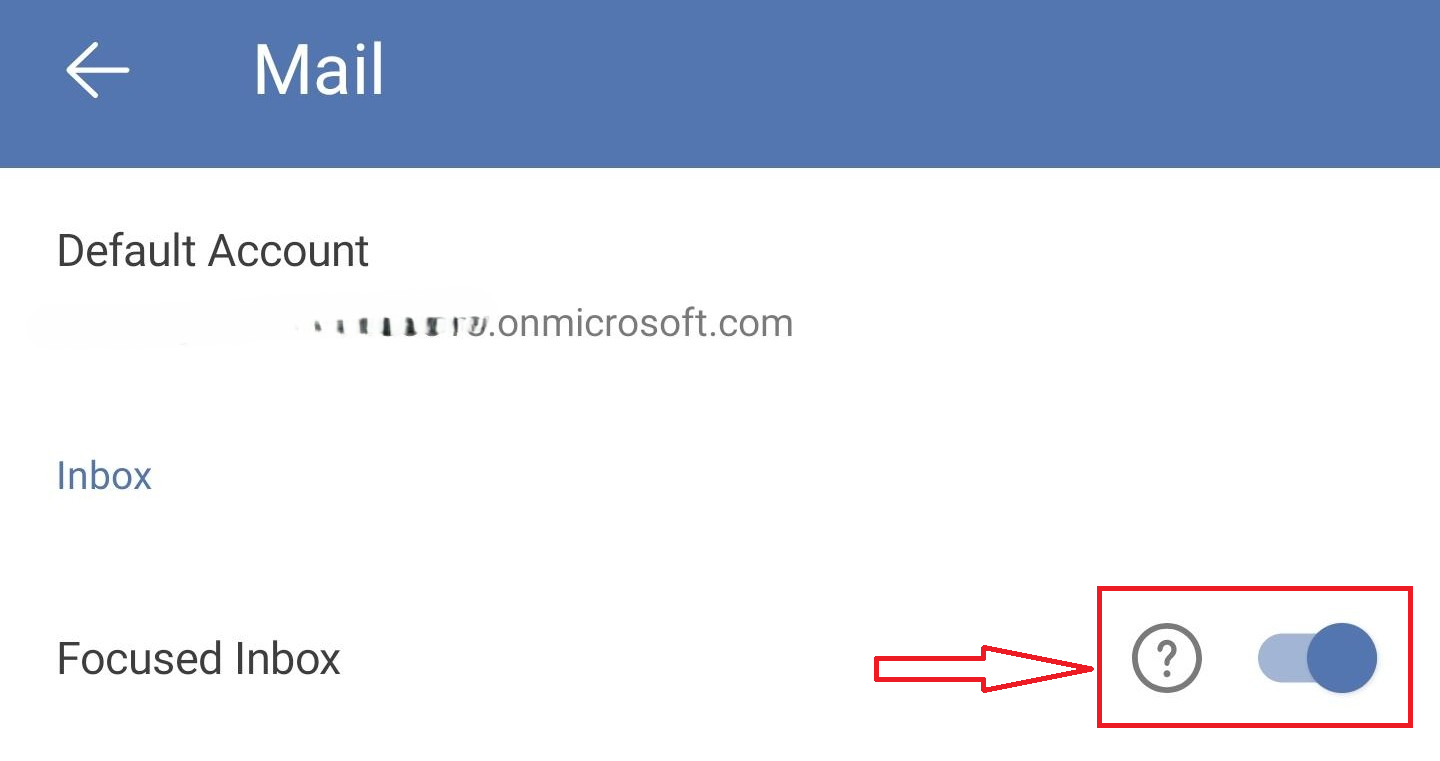
- Then return to your Inbox and ensure the filter is set to All (not Unread/Flagged). Check both Focused/Other (if visible), refresh the view, and confirm whether new messages appear.
2. Verify account sync (especially Outlook for Android/iOS)
Go to Settings > Accounts > choose your email account > Reset account; or Remove account > Add again.

- If you suspect a sync issue: Sync settings > Reset sync settings > Days of email to sync: select “No limit” (or at least 30 days) to ensure recent mail is fully downloaded.
3. Review Rules in Outlook on the web
- Settings (gear) > Mail > Rules.
- Check for rules that might move messages, mark them as read, or redirect them. Temporarily disable or delete any suspicious rules and test again.
If the issue persists after these steps, please let me know which account type you’re using (Microsoft 365/Exchange Online, Outlook.com, or Gmail/IMAP) so I can propose the most appropriate next troubleshooting actions.
I hope this information is at least partially helpful. If you have any concerns or questions or if anything I wrote is unclear or I’ve misunderstood your scenario. Please feel free to reply at any time. Thank you for your cooperation and support.
If the answer is helpful, please click "Accept Answer" and kindly upvote it. If you have extra questions about this answer, please click "Comment".
Note: Please follow the steps in our documentation to enable e-mail notifications if you want to receive the related email notification for this thread.
' cx='32' cy='32' r='32' /%3E%3Ctext x='50%25' y='55%25' dominant-baseline='middle' text-anchor='middle' fill='%23FFF' %3ECJ%3C/text%3E%3C/svg%3E)


' cx='32' cy='32' r='32' /%3E%3Ctext x='50%25' y='55%25' dominant-baseline='middle' text-anchor='middle' fill='%23FFF' %3ENP%3C/text%3E%3C/svg%3E)