Hi @SN. Panigrahi,
This behavior is usually related to how Microsoft Project calculates duration based on working time and the selected calendar. If your task starts on July 20, 2026 and the Finish date is showing as July 25, 2026 instead of July 24, 2026, please check whether the task is actually starting at the beginning of the working day or at a later time. In many cases, the date format displays only the date and hides the time portion, which can make a task appear to finish one day later than expected.
To verify this, please try the following:
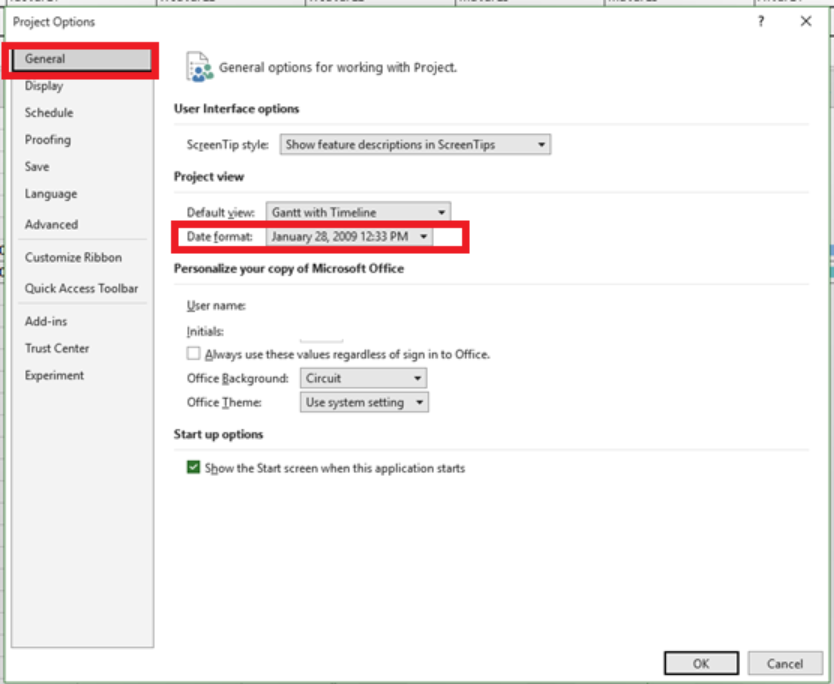
- Go to File > Options > General.
- Change the Date format to one that includes the time, for example: Jan 28, 2009, 12:33 PM.
- Review the task's exact Start and Finish times.
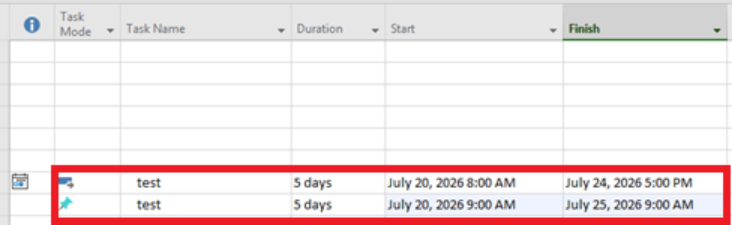
Additionally, please verify the project calendar settings:
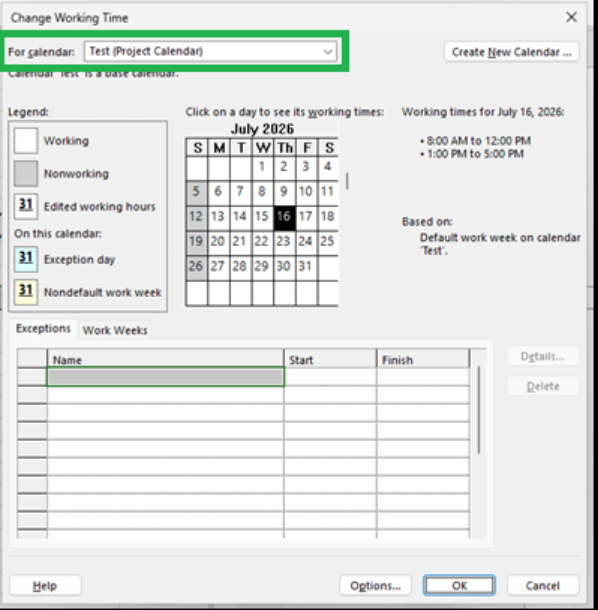
- Go to Project > Change Working Time and check whether Sunday is correctly configured as a non-working day according to your schedule.
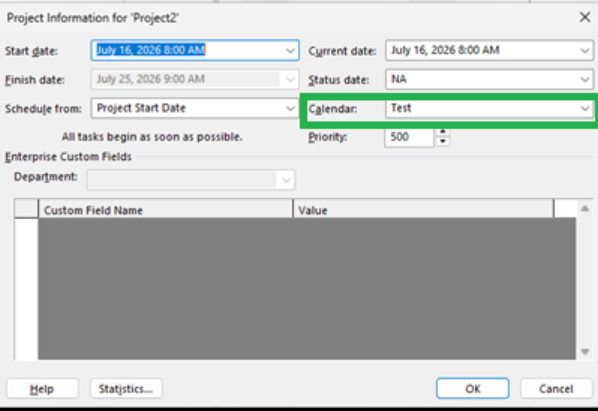
- Go to Project > Project Information > Calendar and confirm which calendar is assigned to the project.
Please take a look at these settings and let me know what you find. If you have any updates, please leave a comment under this post. This is the best way for me to receive notifications and follow up with you promptly.
I look forward to your response and will be happy to assist further. Thank you so much for taking time.
Note: Please follow the steps in our documentation to enable e-mail notifications if you want to receive the related email notification for this thread.
' cx='32' cy='32' r='32' /%3E%3Ctext x='50%25' y='55%25' dominant-baseline='middle' text-anchor='middle' fill='%23FFF' %3ESP%3C/text%3E%3C/svg%3E)

' cx='32' cy='32' r='32' /%3E%3Ctext x='50%25' y='55%25' dominant-baseline='middle' text-anchor='middle' fill='%23FFF' %3ERL%3C/text%3E%3C/svg%3E)