Microsoft Security | Microsoft Entra | Other
Additional Microsoft Entra services and features related to identity, access, and network security

This browser is no longer supported.
Upgrade to Microsoft Edge to take advantage of the latest features, security updates, and technical support.
' cx='32' cy='32' r='32' /%3E%3Ctext x='50%25' y='55%25' dominant-baseline='middle' text-anchor='middle' fill='%23FFF' %3EA%3C/text%3E%3C/svg%3E)
Hello experts,
I faced an issue when I tried to join the azure VM to the azure domain but I can't.
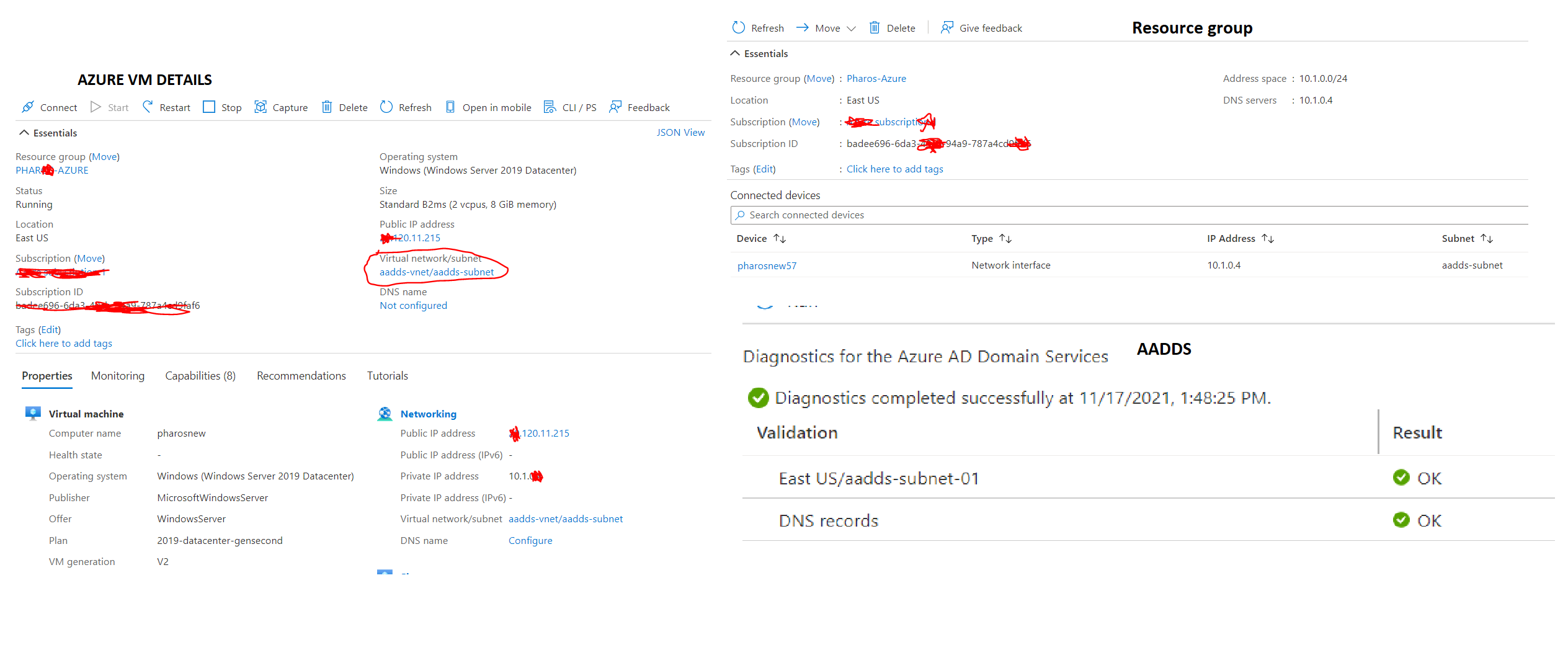
when I ping the DNS server I can ping but I can join it to the domain
I peered the two virtual networks even I cant
I notice that when I created ADDS I could find "update DNS Server setting for your virtual network - configure"
here am attaching the error and info for a clear view
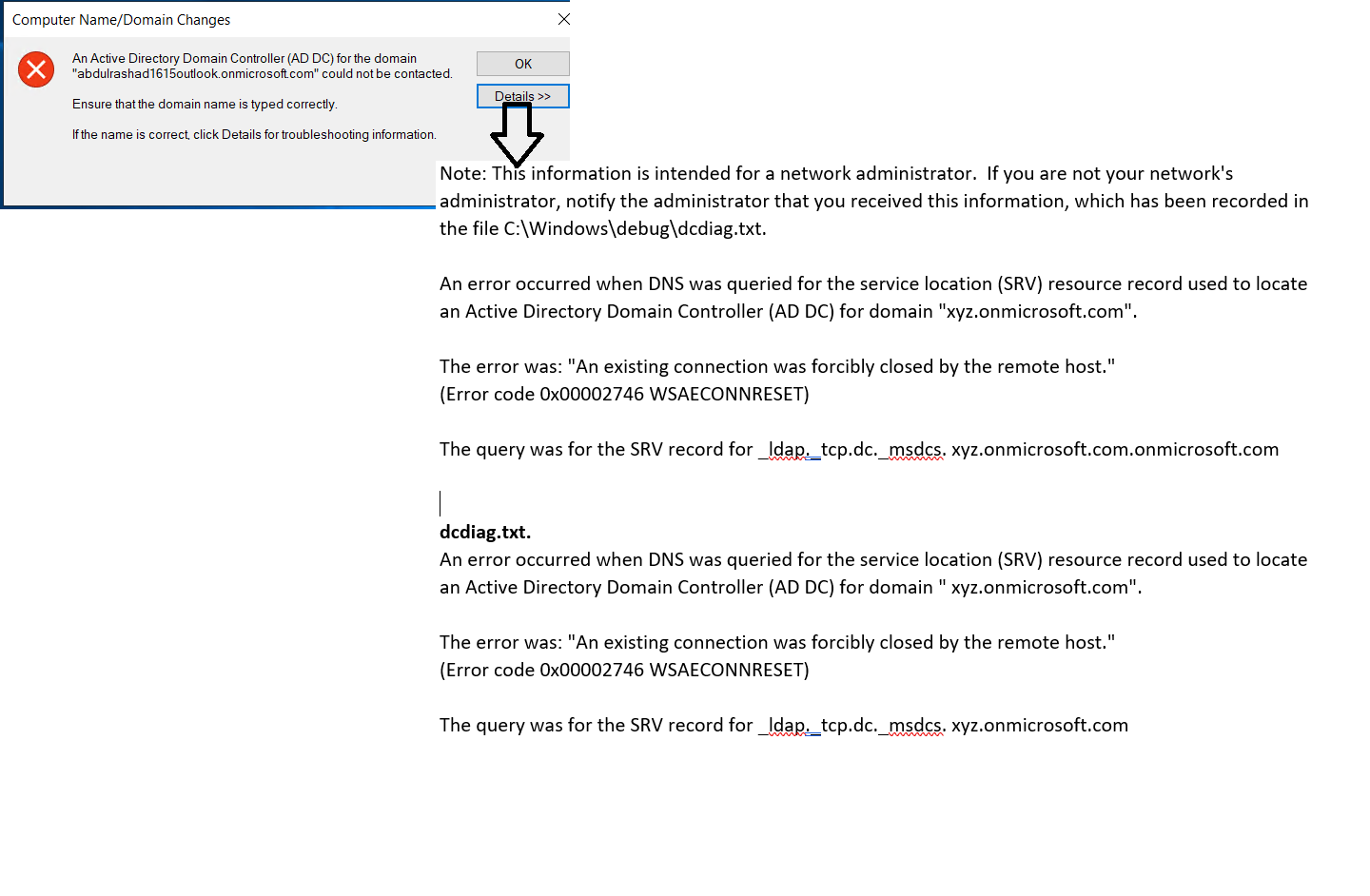
waiting for help from experts. thanks
I'd want to check in and see if you had any other questions or if you were able to resolve this issue? If you have any other questions, please let us know. Thank you for your time and patience throughout this issue.
---
Please remember to "Accept Answer" if any answer/reply helped, so that others in the community facing similar issues can easily find the solution.
Hello @AbdulRashad ,
My apologies for the delay in responding to your message.
Are the virtual machines (VMs) you've created utilizing the same VNet subnet (aadds-subnet) that Azure AD DS services use? when AADDS resources and VMs are in the same VNet, then peering isn't necessary.
The default virtual network subnet should only be used by the Azure platform to provide managed domain services. Rather than using default subnet for VMs, you should instead create new subnet within the existing VNet described in here or alternatively you could create new Vnet to place your VMs and then create VNet peering as detailed here.
Finally, you'll need to update DNS servers in the peered virtual network as detailed here. I hope this was helpful.
------
Please "Accept the answer" if the information helped you. This will help us and others in the community as well.