Azure Data Lake Storage
An Azure service that provides an enterprise-wide hyper-scale repository for big data analytic workloads and is integrated with Azure Blob Storage.
This browser is no longer supported.
Upgrade to Microsoft Edge to take advantage of the latest features, security updates, and technical support.
' cx='32' cy='32' r='32' /%3E%3Ctext x='50%25' y='55%25' dominant-baseline='middle' text-anchor='middle' fill='%23FFF' %3ES%3C/text%3E%3C/svg%3E)
i have a query .
I have 1 csv file in ADLS and i am sending that particular file as an attachment is it possible. If not what is the other alternative.
I am sorry i did not know where to post this.

Hello @Sudeep ,
Following up to see if the below suggestion was helpful. And, if you have any further query do let us know.
------------------------------
 or upvote
  button whenever the information provided helps you.
Hello @Sudeep ,
Thanks for the question and using MS Q&A platform.
You can use Azure Logic Apps to sent an email as an attachment from Azure Storage accounts to users email address.
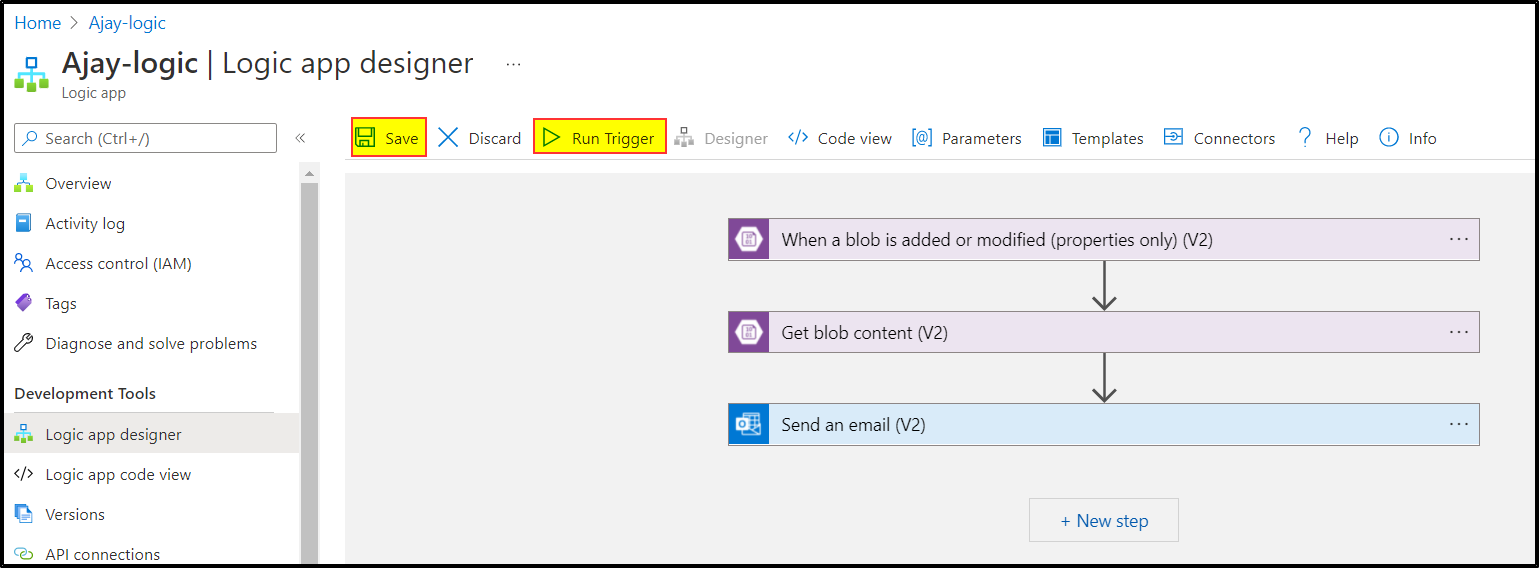
Here are the steps to create a Logic Apps to sent an email as an attachment from Azure Storage accounts to users email address:
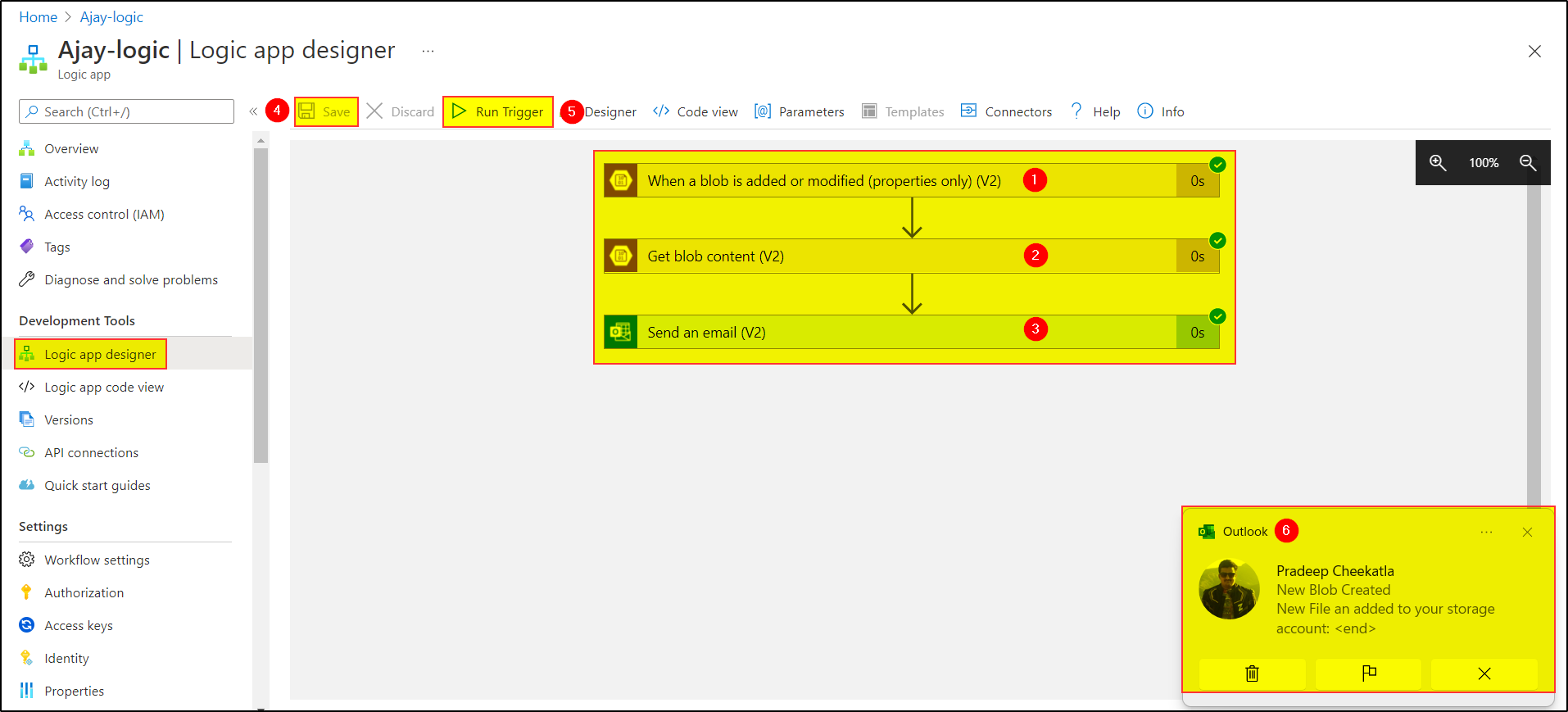
Step1: Add "When a blob is added or modified (properties only) (V2)" and enter the storage account details and container name and the occurrence to check:
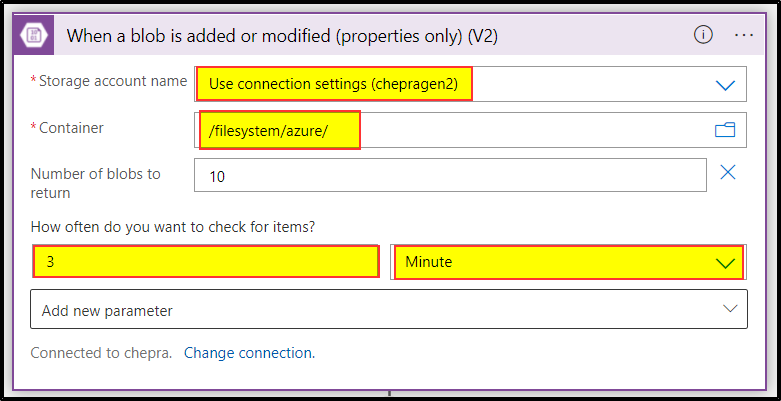
Step2: Add "Get blob content (V2)" and enter the required parameters like "List of Files Path"
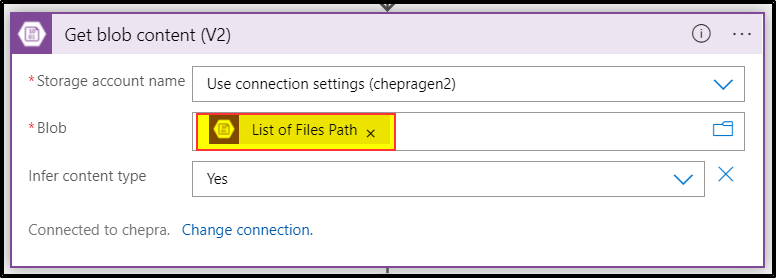
Step3: Add "Send an email (V2)" and enter the required details like Body, Subject, To, Attachment Name as "List of Files Name" and Content as "File Content".
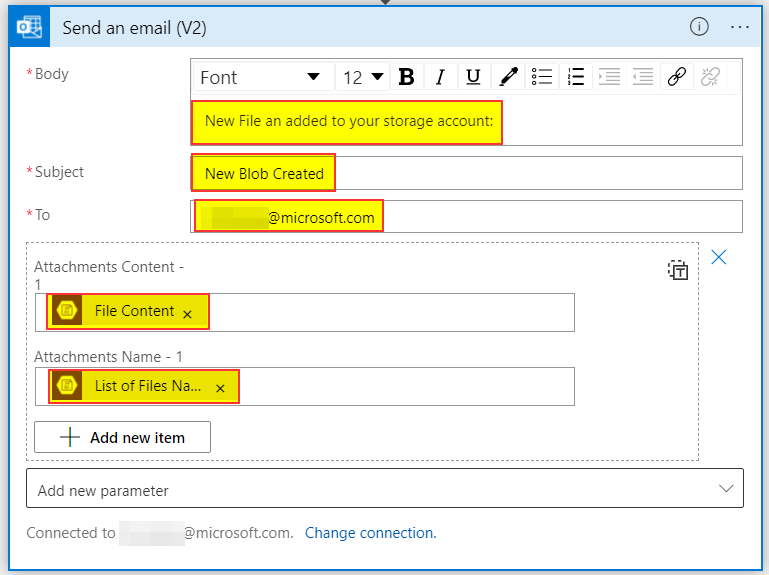
Step4: Save and Run Trigger the created logic app
Step5: For testing the logic app try to upload any files.
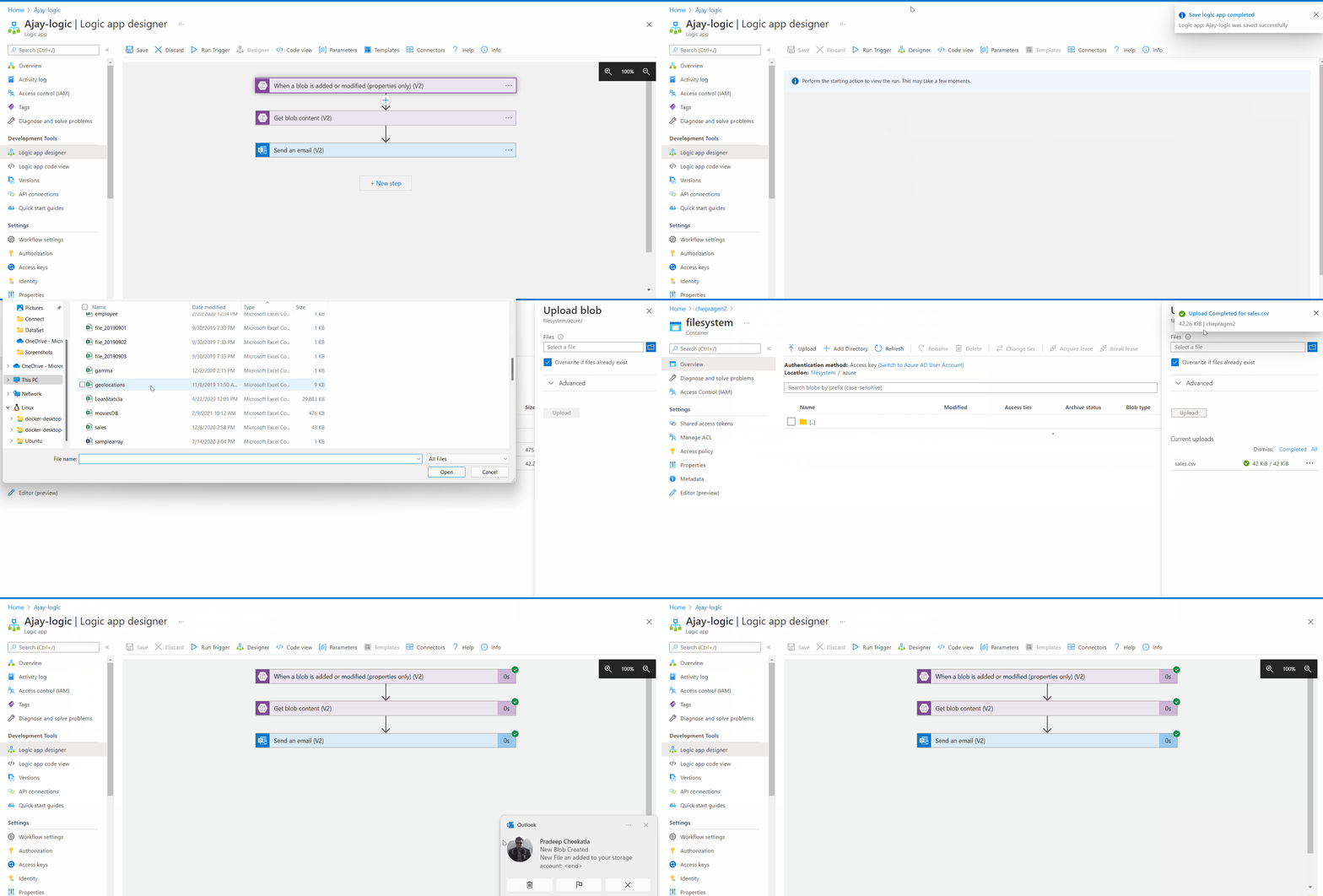
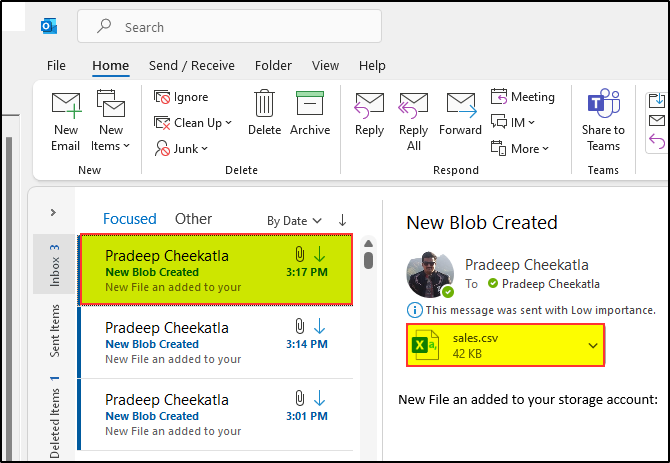
Step6: We are successfully able to send an attachment from Azure Storage accounts to users email address.
There is a nice video which clearly explains - How to Email File from Azure Blob Storage By using Azure Logic Apps.
Hope this will help. Please let us know if any further queries.
or upvote button whenever the information provided helps you. Original posters help the community find answers faster by identifying the correct answer. Here is how
Hello @Sudeep ,
Just checking in to see if the above answer helped. If this answers your query, do click Accept Answer and Up-Vote for the same. And, if you have any further query do let us know.