
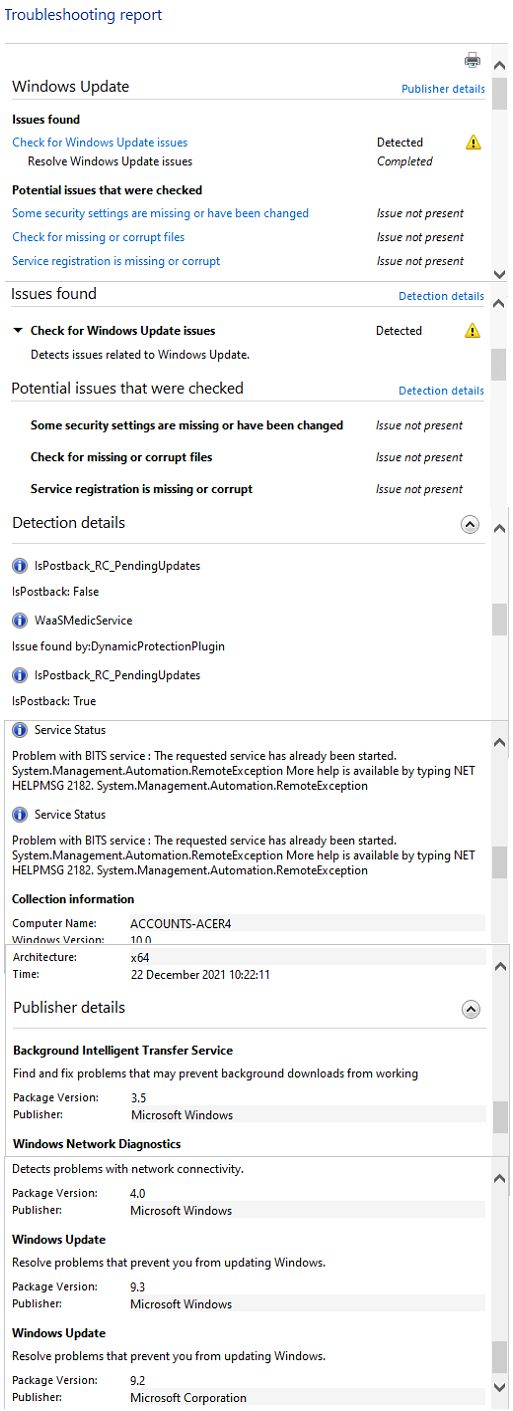
2 msdt.exe -id WindowsUpdateDiagnostic
This browser is no longer supported.
Upgrade to Microsoft Edge to take advantage of the latest features, security updates, and technical support.
' cx='32' cy='32' r='32' /%3E%3Ctext x='50%25' y='55%25' dominant-baseline='middle' text-anchor='middle' fill='%23FFF' %3EJC%3C/text%3E%3C/svg%3E)
Just recently, no changes to windows, my search is not working. Usually when you click on start then begin typing a list of apps appear - that has stopped. Also after clicking on the magnifying glass when the "Type here to search" appears, I cant type anything.
Looking at Event viewer I get two errors every time I try and search - shown below.
Any ideas?
Event ID 101
Fault bucket 1391963848283787150, type 5
Event Name: MoBEX
Response: Not available
Cab Id: 0
Problem signature:
P1: MicrosoftWindows.Client.CBS_1000.22000.348.0_x64__cw5n1h2txyewy
P2: praid:CortanaUI
P3: 421.22500.585.0
P4: 6171c1cf
P5: ucrtbase.dll
P6: 10.0.22000.1
P7: 00e78ce9
P8: 000000000007c648
P9: c0000409
P10: 0000000000000005
Attached files:
\?\C:\ProgramData\Microsoft\Windows\WER\Temp\WER.2591dfda-d7e6-4ed0-8334-b5ba7f7b5a3d.tmp.dmp
\?\C:\ProgramData\Microsoft\Windows\WER\Temp\WER.0c892493-3e01-4ada-8348-22057e7bc1ab.tmp.WERInternalMetadata.xml
\?\C:\ProgramData\Microsoft\Windows\WER\Temp\WER.98777a2f-7fb7-4bf0-baad-10a6e1a22d68.tmp.xml
\?\C:\ProgramData\Microsoft\Windows\WER\Temp\WER.21422060-7980-46d7-9717-771bc75a2b10.tmp.csv
\?\C:\ProgramData\Microsoft\Windows\WER\Temp\WER.72a03334-c5e3-4ebc-874d-834015a25469.tmp.txt
These files may be available here:
\?\C:\ProgramData\Microsoft\Windows\WER\ReportArchive\AppCrash_MicrosoftWindows_e910d486e95cff331258193c643011b285575089_dd83f082_bc6642b8-a639-4736-8dac-b48db8d01c09
Analysis symbol:
Rechecking for solution: 0
Report Id: 1779d3c0-3da7-4ce9-9244-16d0cb61e520
Report Status: 268435456
Hashed bucket: 70a882d75ed219b993513fbebd240f8e
Error Event ID 1000
Faulting application name: SearchHost.exe, version: 421.22500.585.0, time stamp: 0x6171c1cf
Faulting module name: ucrtbase.dll, version: 10.0.22000.1, time stamp: 0x00e78ce9
Exception code: 0xc0000409
Fault offset: 0x000000000007c648
Faulting process ID: 0x2bdc
Faulting application start time: 0x01d7f6534b936ad8
Faulting application path: C:\WINDOWS\SystemApps\MicrosoftWindows.Client.CBS_cw5n1h2txyewy\SearchHost.exe
Faulting module path: C:\WINDOWS\System32\ucrtbase.dll
Report ID: 1779d3c0-3da7-4ce9-9244-16d0cb61e520
Faulting package full name: MicrosoftWindows.Client.CBS_1000.22000.348.0_x64__cw5n1h2txyewy
Faulting package-relative application ID: CortanaUI
Hope that's what you need and thank you again
' cx='32' cy='32' r='32' /%3E%3Ctext x='50%25' y='55%25' dominant-baseline='middle' text-anchor='middle' fill='%23FFF' %3ED%3C/text%3E%3C/svg%3E)
Any change in performance?
Open administrative command prompt and type or copy and paste:
net user test /add
shutdown /r
When the computer reboots logon with the new user named test > report the status of windows search compared to the current user
Download and install: https://www.voidtools.com/
This search will be substantially faster than Windows search.
.
.
.
.
.
Please remember to vote and to mark the replies as answers if they help.
On the bottom of each post there is:
Propose as answer = answered the question
On the left side of each post there is /\ with a number: click = a helpful post
.
.
.
.
.
Hello again @Docs
I've run the test account and everything is fine. Obviously I've somehow mucked up search. I've also had a go at reinstalling windows keeping apps/files and that didn't work. I do keep getting an error in Event Viewer- Windows Log-Application each time I try and search - see attached.

Does search still malfunction with the administrative user?
And work normally with the user named test?
Did an in place upgrade repair fail to correct the malfunctioning search with the administrative user?
This can happen with a corrupt user profile.
If this were the case then you can attempt to repair or replace the corrupt user profile.
Or you can backup important computer files and clean install Windows.
Or you can use the third party software, Everything, instead of Windows search.
.
.
.
.
.
Please remember to vote and to mark the replies as answers if they help.
On the bottom of each post there is:
Propose as answer = answered the question
On the left side of each post there is /\ with a number: click = a helpful post
.
.
.
.
.