Developer technologies | ASP.NET | ASP.NET Core
A set of technologies in the .NET Framework for building web applications and XML web services.
This browser is no longer supported.
Upgrade to Microsoft Edge to take advantage of the latest features, security updates, and technical support.
' cx='32' cy='32' r='32' /%3E%3Ctext x='50%25' y='55%25' dominant-baseline='middle' text-anchor='middle' fill='%23FFF' %3EPP%3C/text%3E%3C/svg%3E)
Hi
I am trying to create a _Laout.cshtml page with the following format attached in asp.net core . I have created a layout but it is not working properly, Page content is showed above the fixed header. am using a fixed position header in my main layout page. But when I call an html page from an anchor tag , it is showed always above the header. How can I show the content inside 'Renderbody()' from all the pages. Here is the code in '_Layout.cshmtl'.
My default page is 'Index.cshmtl' has shown below .This index page is showed from 'Renderbody' section. But when I call another page 'projectdetails from Index page , it is showed above the header part of the layout. The content of the projectdetails should be showed after header part ,inside Renderbody() section. If I remove 'fixed-top' , from layout , it will show correctly. How can I show the views inside the render body section when I use fixed-top.
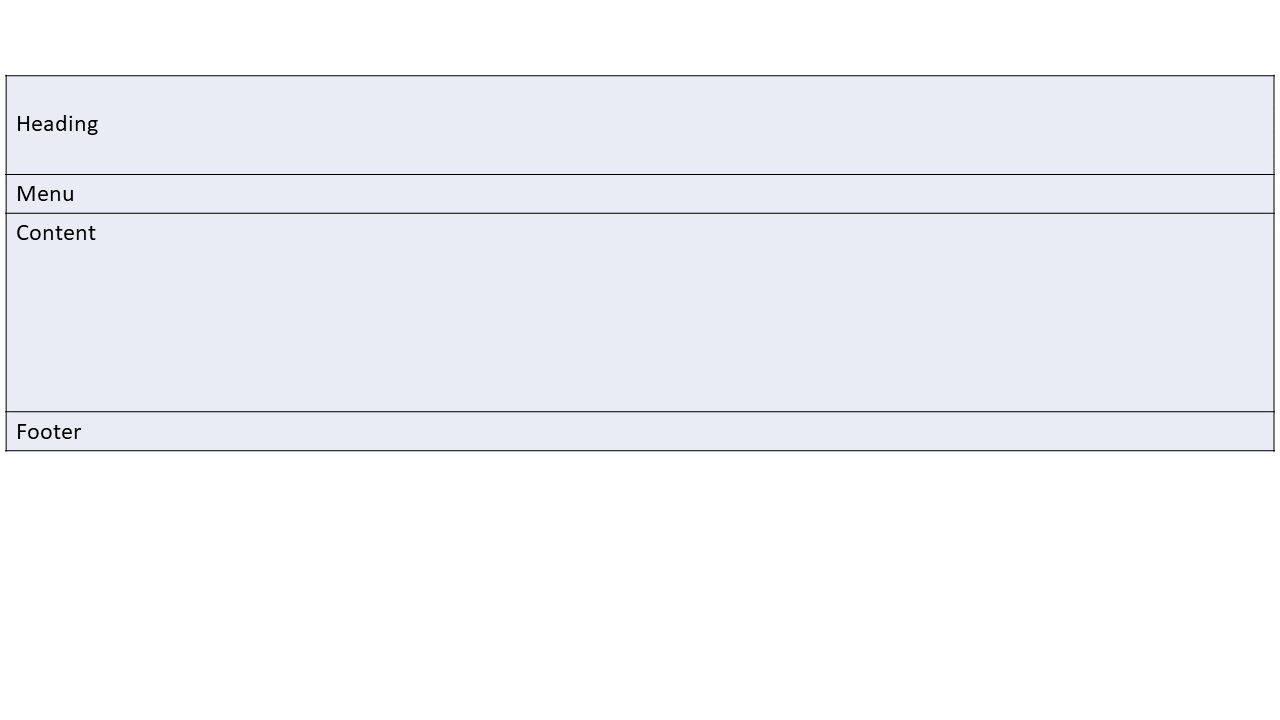
I have given my layout as an attachment . In my layout , the fixed-top should be applied for Heading , Menu rows only. @RenderBody should be applied only for content rows, Please help.
Here is my code
<body data-spy="scroll" data-target="#main-nav" id="home">
    <header id="header">
        <div class="fixed-top">
    </div>
    </header>
    <div class="body-container">
             @RenderBody()
        </div>
</body>
<footer>
</footer>

@{
    ViewData["Title"] = "Home Page";
    Layout = "~/Views/Shared/_Layout.cshtml";
}

<div>
    <a asp-controller="Home" asp-action="Projectdetails" asp-route-itemId= 1 class="card-link ">Read More</a>
</div>
' cx='32' cy='32' r='32' /%3E%3Ctext x='50%25' y='55%25' dominant-baseline='middle' text-anchor='middle' fill='%23FFF' %3EA%3C/text%3E%3C/svg%3E)
Hi @Polachan Paily ,
In the Index and Projectdetails page, please check whether they are using the same Layout page (_Layout.cshtml).
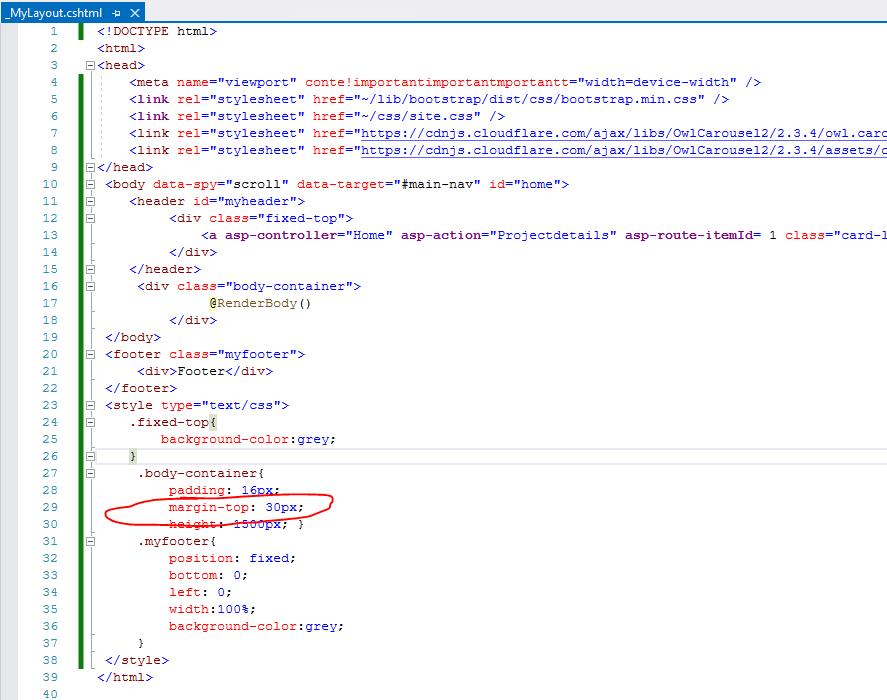
Since you are using the fixed-top class to fix the top, I assume you are using Bootstrap, if the is the case, please make sure the related CSS reference load success. And when using Bootstrap fixed-top class to fix the header, by default, the header will use position:fixed and top:0. Note that the fixed header will overlay your other content. To fix this, add a margin-top (to the content) that is equal or larger than the height of your header. If you check the official document and sample, you can see it also set the content's margin-top css style, like this sample.
Besides, for the menu rows, it should be at the header or the footer, so based on your description, I create a Layout page as below:
Custom Layout: _MyLayout.cshtml (you can view the whole html code and css style from this link):
<head>
    <meta name="viewport" conte!importantimportantmportantt="width=device-width" />
     @* the css reference *@
</head>
 <body data-spy="scroll" data-target="#main-nav" id="home">
    <header id="myheader">
         <div class="fixed-top">
             <a asp-controller="Home" asp-action="Projectdetails" asp-route-itemId= 1 class="card-link ">Read More</a>
         </div>
    </header>
     <div class="body-container">
              @RenderBody()
         </div>
 </body>
 <footer class="myfooter">
     <div>Footer</div>
 </footer>
And add the following CSS style: set the content's margin-top CSS style
Then, in the Index view or Projectdetails view, you should use the following code to use the custom layout page(_MyLayout.cshtml)
@{
    ViewData["Title"] = "Index3";
    Layout = "~/Views/Shared/_MyLayout.cshtml";
}
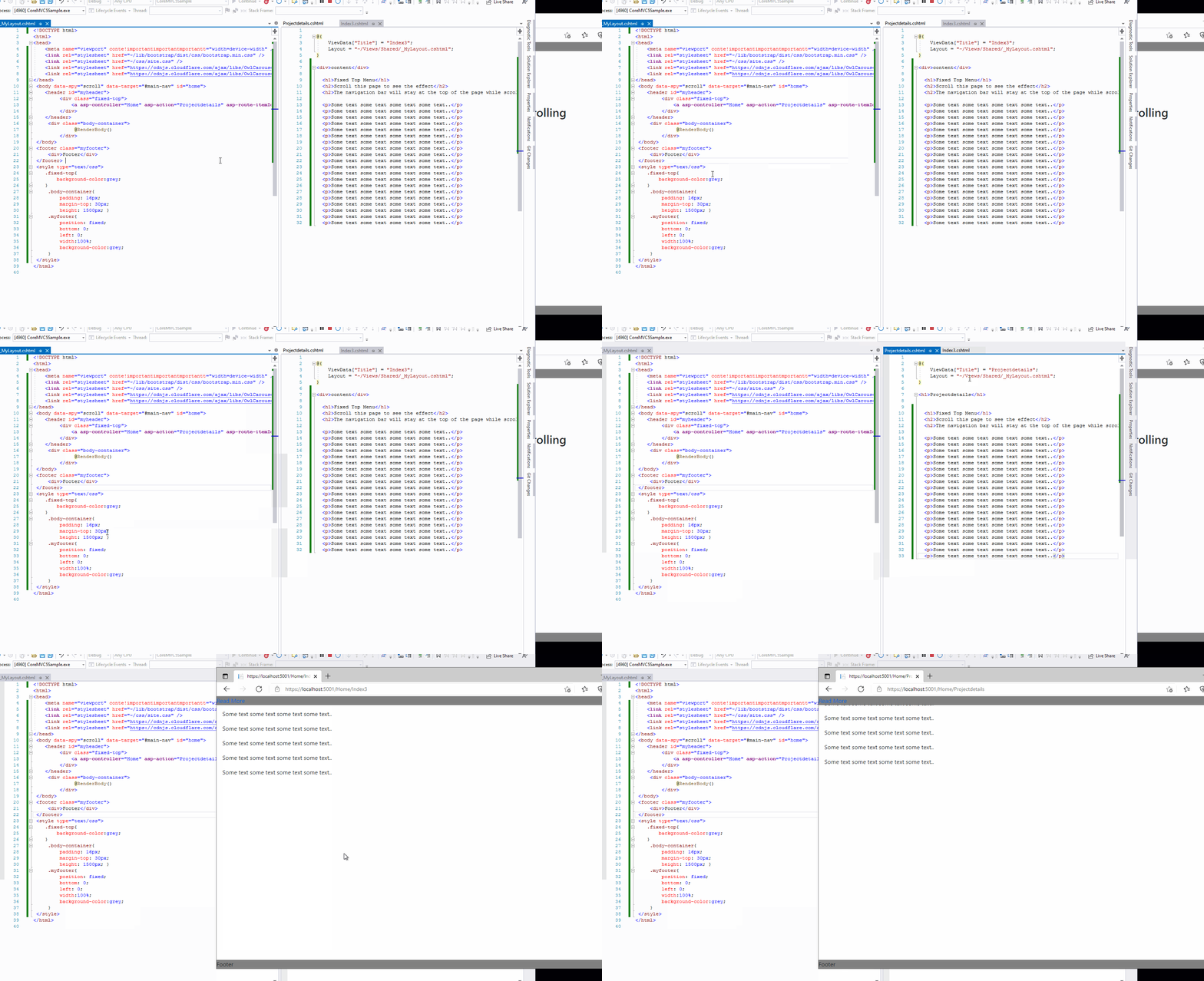
The result is like this:
If the answer is the right solution, please click "Accept Answer" and kindly upvote it. If you have extra questions about this answer, please click "Comment".
Note: Please follow the steps in our documentation to enable e-mail notifications if you want to receive the related email notification for this thread.
Best regards,
Dillion