Azure Data Factory
An Azure service for ingesting, preparing, and transforming data at scale.
This browser is no longer supported.
Upgrade to Microsoft Edge to take advantage of the latest features, security updates, and technical support.
' cx='32' cy='32' r='32' /%3E%3Ctext x='50%25' y='55%25' dominant-baseline='middle' text-anchor='middle' fill='%23FFF' %3EA%3C/text%3E%3C/svg%3E)
I am trying to map a JSON output into Azure SQL table.
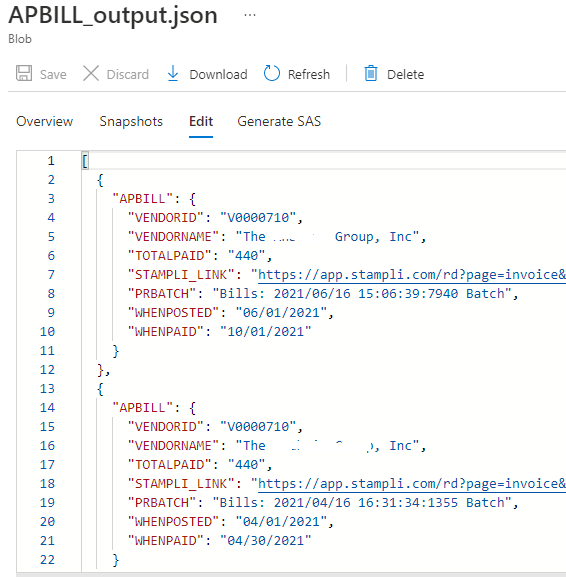
Currently, my JSON file looks like this:
(I validated the JSON format of the output file at https://jsonlint.com/ , and it looks fine ("Valid Json")).
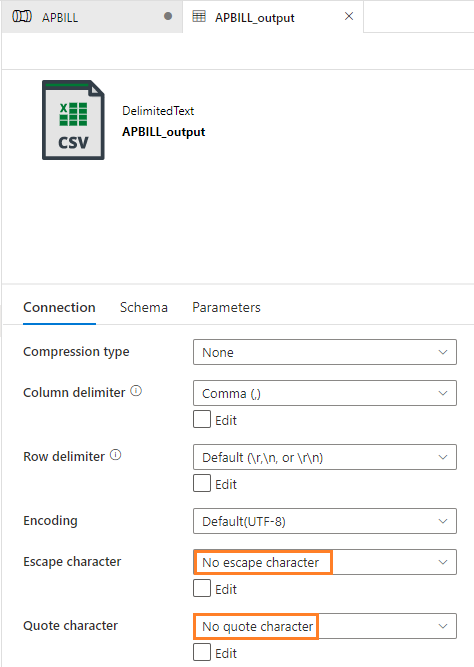
This is setting that I did for JSON file.
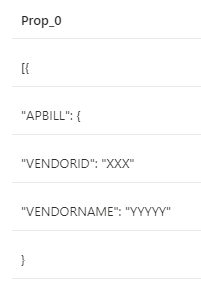
This is screenshot when I Preview source data (JSON). So I am trying to move data from JSON format to SQL table.
I am not sure why it shows as this (having row with "Prop_0".:

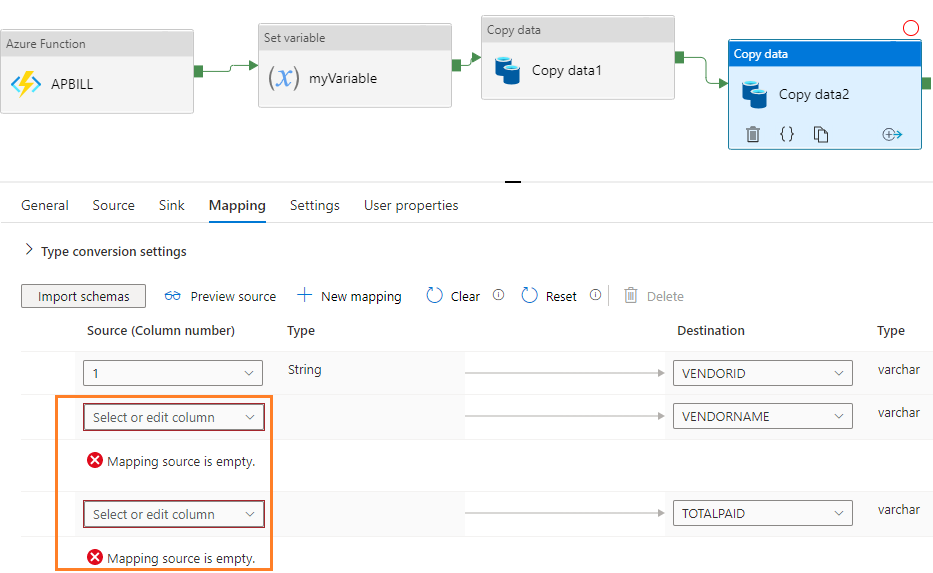
What could be the reason that JSON file does not show up with each columns (like "VENDORID", "VENDORNAME", "TOTALPAID" etc.) when I try to connect "Copy data" and map Json file (in Blob storage) to Azure SQL table?
Thanks.
@HimanshuSinha
Thank you. I got your point. :)
Yes, when I tested pulling from JSON file format into SQL table, it works fine, but my issue is now - how do I even move data into a JSON file from Http Response (not REST API).
The original file is coming from Http Response in JSON format.
So, I need to get the response of Http into some format of file (possibly text file), and then to JSON file.
What is best way to move data from Response of Http --> JSON file?
I had opened a new question:
https://learn.microsoft.com/en-us/answers/questions/689997/how-to-move-data-from-response-of-url-to-json-in-a.html
Thank you!
' cx='32' cy='32' r='32' /%3E%3Ctext x='50%25' y='55%25' dominant-baseline='middle' text-anchor='middle' fill='%23FFF' %3EH%3C/text%3E%3C/svg%3E)
Hello @KingJava ,
Thanks for the ask and using Microsoft Q&A platform .
The reason you are seeing this because when you have created the source dataset , I am sure you created a wrong format type ( most probably CSV) , please select JSON and it should work fine .

When I test this with CSV , I get the below error ( similar to yours )
When i go with JSON it works fine
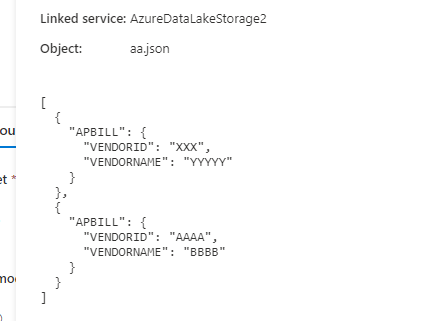
Please do let me know how it goes .
Thanks
Himanshu
-------------------------------------------------------------------------------------------------------------------------
 or upvote
  button whenever the information provided helps you. Original posters help the community find answers faster by identifying the correct answer. Here is how
Hello @KingJava ,
Since I had created a dummy data to reproduce the issue . I went ahead and tried to check on the ingestion also . Once you have fixed the JSON issue called out above , assuming that you have the sql table already created , please navigate to the Mapping tab and click on the Advance editor and set the mapping .I am sharing the screenshot below for clarity .
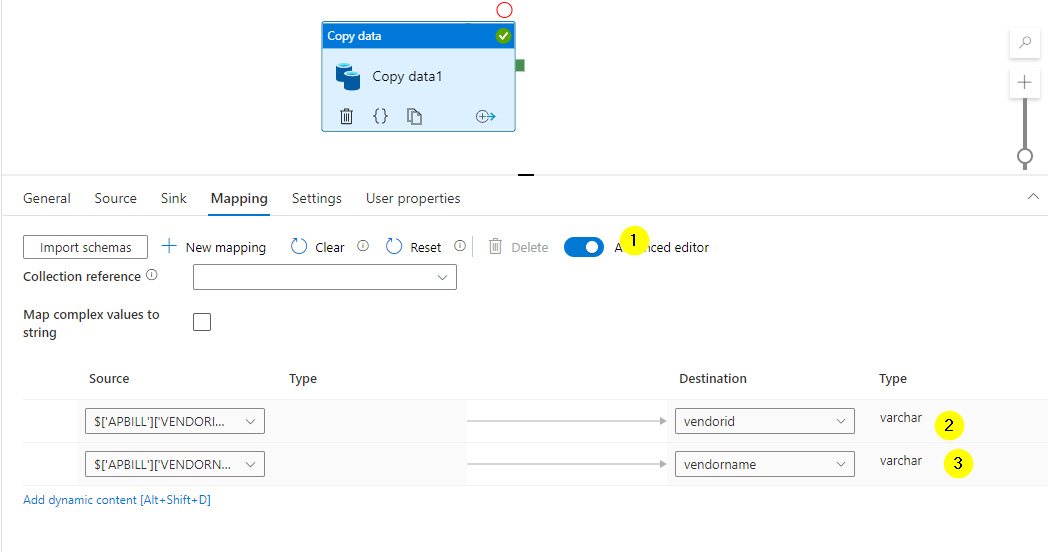
The records should flow to Sql .
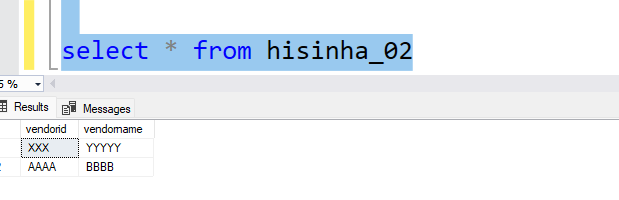
Please do let me know how it goes .
Thanks
Himanshu
-------------------------------------------------------------------------------------------------------------------------
or upvote button whenever the information provided helps you. Original posters help the community find answers faster by identifying the correct answer. Here is how