Exchange | Exchange Server | Management
The administration and maintenance of Microsoft Exchange Server to ensure secure, reliable, and efficient email and collaboration services across an organization.
This browser is no longer supported.
Upgrade to Microsoft Edge to take advantage of the latest features, security updates, and technical support.

Installed Exchange 2019 on a fresh Windows Server 2019 OS. After install when navigating to the /owa page and entering in the domain\username and password the webpage shows a HTTP 500 error.
Notes:
The domain used to have a Exchange 2016 server on it.
I am seeing the following errors in the Event Logs.
Event Viewer - Microsoft Exchange with Database Availability Group Events
Unable to find the certificate with thumbprint 353EC205BA282F571D97553F73985860B564A6D7 in the current computer or the certificate is missing private key. The certificate is needed to sign the outgoing token.
' cx='32' cy='32' r='32' /%3E%3Ctext x='50%25' y='55%25' dominant-baseline='middle' text-anchor='middle' fill='%23FFF' %3EMF%3C/text%3E%3C/svg%3E)
Hello, may I know how you solve the issue?

Looks like your Oauth Cert is missing or corrupted somehow.
See this to replace:
Resolved that issue. Now I am trying to restore mailboxes from one database to another. In the ECP Portal I can see the Test users mailbox, and when clicking on it I see "Database is mandatory on UserMailbox".
Running the below command to try and recover/import the mailbox for the test user:
New-MailboxRestoreRequest -SourceDatabase RecoveryDB01 -SourceStoreMailbox GUID -TargetMailbox test@keyman .com
I get this result back:
The operation couldn't be performed because 'test@keyman .com' couldn't be found.
' cx='32' cy='32' r='32' /%3E%3Ctext x='50%25' y='55%25' dominant-baseline='middle' text-anchor='middle' fill='%23FFF' %3EAX%3C/text%3E%3C/svg%3E)
Hi @Pie
I am glad to hear that your issue has been solved. :)
If the database isn't mounted would cause this isuee. Did you mount the database to solve the issue?
If the answer is helpful, please click "Accept Answer" and kindly upvote it. If you have extra questions about this answer, please click "Comment".
Note: Please follow the steps in our documentation to enable e-mail notifications if you want to receive the related email notification for this thread.
Hi @Pie ,
Glad to hear your issue has been solved and thanks for your sharing.
According to the latest policy.
https://learn.microsoft.com/en-us/answers/support/accepted-answers
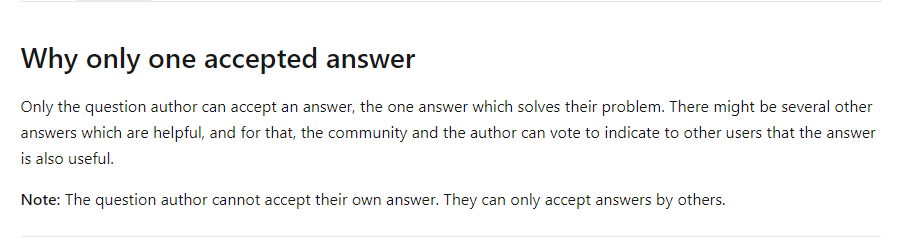
I am sorry for that you couldn’t mark yourself as the best answer.
I will convert your answer as a comment, and then you could mark it as the best answer, this will make answer searching in the forum easier and be beneficial to other community members as well.
Thanks for your understanding.
If the answer is helpful, please click "Accept Answer" and kindly upvote it. If you have extra questions about this answer, please click "Comment".
Note: Please follow the steps in our documentation to enable e-mail notifications if you want to receive the related email notification for this thread.
Solution was to delete the server and start over for me.