Azure Data Factory
An Azure service for ingesting, preparing, and transforming data at scale.
This browser is no longer supported.
Upgrade to Microsoft Edge to take advantage of the latest features, security updates, and technical support.
' cx='32' cy='32' r='32' /%3E%3Ctext x='50%25' y='55%25' dominant-baseline='middle' text-anchor='middle' fill='%23FFF' %3EA%3C/text%3E%3C/svg%3E)
Hello,
In data factory Dev environment, I have the datasets pointing to Dev.
When I strat creating release pipelines for the CI/CD process, then the pipelines will go to testing environment but what happens to the linkedservices.
How do the linkedservices point to test rather than Dev?
Thank you
An Azure service for ingesting, preparing, and transforming data at scale.
Answer accepted by question author

Hi @arkiboys ,
Thankyou for using Microsoft Q&A platform and posting your question.
1. Go to the variables tab in your release pipeline and add the connection string of your linked services there . Update it according to your higher environment connection details. You will find the connection string in the Json of your linked service from dev environment adf.
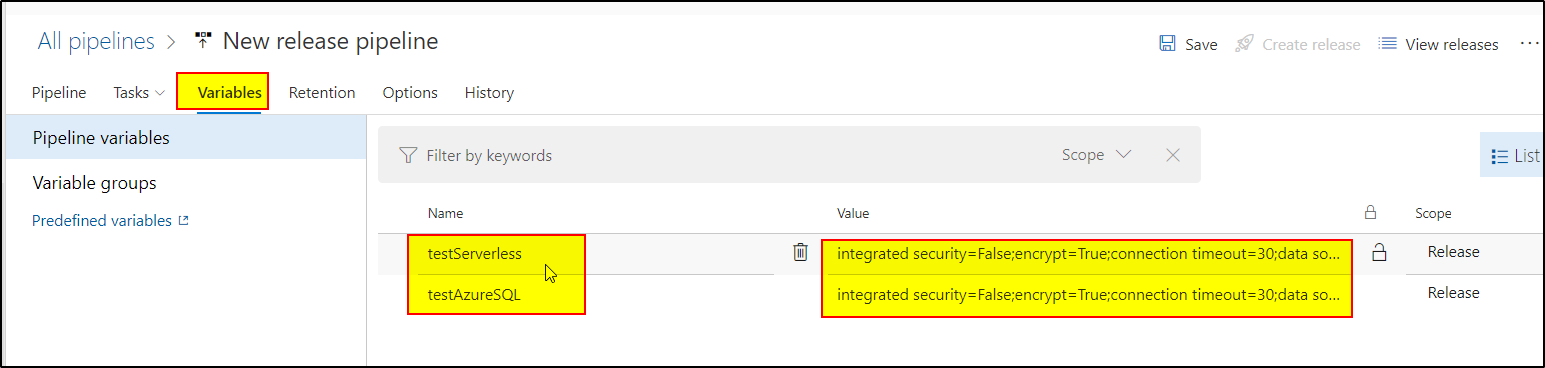

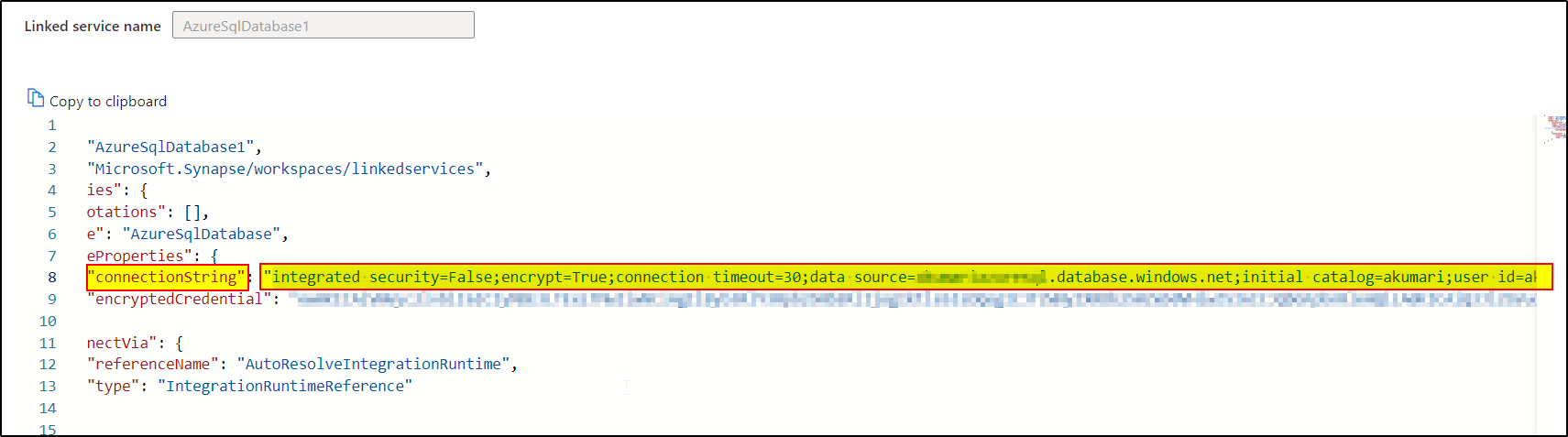
2. Now go to your deployment task , underneath there will be an override parameter option
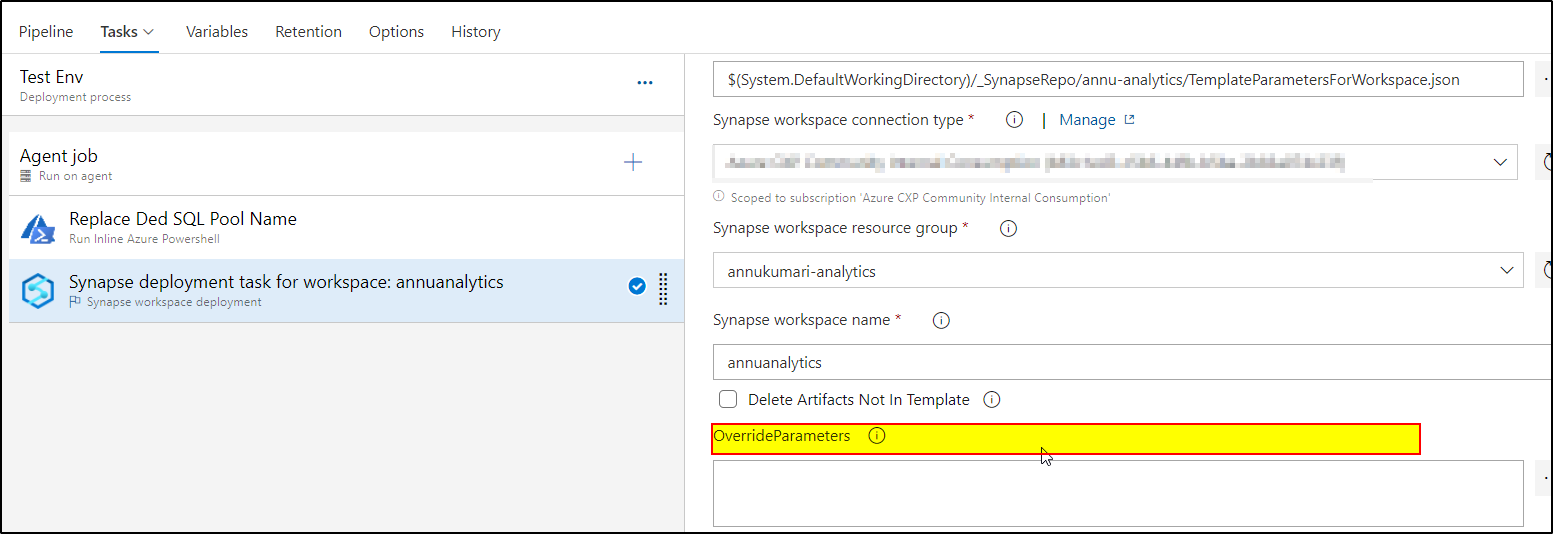
3. Click on the right side ellipses, and add name and value of the parameters . Once you click ok, it will generate the override parameter code automatically
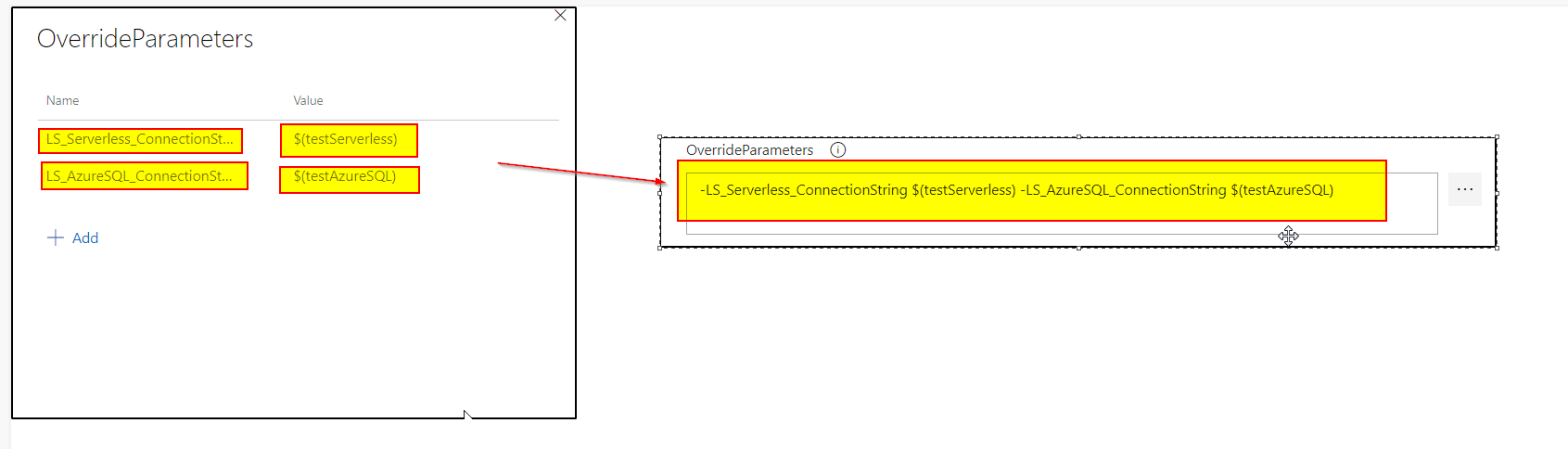
For more details, you can watch : https://www.youtube.com/watch?v=jJcikWOUqOk&t=2081s
Hope this will help. Please let us know if any further queries.
------------------------------
 or upvote
  button whenever the information provided helps you.