Azure Data Factory
An Azure service for ingesting, preparing, and transforming data at scale.
This browser is no longer supported.
Upgrade to Microsoft Edge to take advantage of the latest features, security updates, and technical support.
' cx='32' cy='32' r='32' /%3E%3Ctext x='50%25' y='55%25' dominant-baseline='middle' text-anchor='middle' fill='%23FFF' %3EA%3C/text%3E%3C/svg%3E)
Hello,
This is the path I would like to use inside the expression of dynamic source of a copy activity
folder1/subfolder1/subfolder2
@split(dataset().pFolderName,'/')[0] --> This gives folder1
Question:
How do I get the remaining of the path: subfolder1/subfolder2
I think what I really need is an expression to get everything after the first '/'
Thanks
An Azure service for ingesting, preparing, and transforming data at scale.
Answer accepted by question author

Try out something like this:
@substring(pipeline().parameters.paramMyFolder,
indexOf(pipeline().parameters.paramMyFolder,'/'),
sub(length(pipeline().parameters.paramMyFolder),indexOf(pipeline().parameters.paramMyFolder,'/')))
Please don't forget to Accept Answer and Up-vote if the response helped -- Vaibhav

Hey,
You can use a combination of IndexOf and Substring to achieve that.
@substring(pipeline().parameters.ABC,add(indexof(pipeline().parameters.ABC,'/'),1),sub(length(pipeline().parameters.ABC),add(indexof(pipeline().parameters.ABC,'/'),1)))
Sample code:
{
    "name": "pipeline1",
    "properties": {
        "activities": [
            {
                "name": "Set variable1",
                "type": "SetVariable",
                "dependsOn": [],
                "userProperties": [],
                "typeProperties": {
                    "variableName": "x",
                    "value": {
                        "value": "@string(indexof(pipeline().parameters.ABC,';'))",
                        "type": "Expression"
                    }
                }
            },
            {
                "name": "Set variable2",
                "type": "SetVariable",
                "dependsOn": [],
                "userProperties": [],
                "typeProperties": {
                    "variableName": "y",
                    "value": {
                        "value": "@substring(pipeline().parameters.ABC,add(indexof(pipeline().parameters.ABC,';'),1),sub(length(pipeline().parameters.ABC),add(indexof(pipeline().parameters.ABC,';'),1)))",
                        "type": "Expression"
                    }
                }
            },
            {
                "name": "Set variable3",
                "type": "SetVariable",
                "dependsOn": [],
                "userProperties": [],
                "typeProperties": {
                    "variableName": "z",
                    "value": {
                        "value": "@string(sub(length(pipeline().parameters.ABC),indexof(pipeline().parameters.ABC,';')))",
                        "type": "Expression"
                    }
                }
            }
        ],
        "parameters": {
            "ABC": {
                "type": "string",
                "defaultValue": "11;2;3;4"
            }
        },
        "variables": {
            "x": {
                "type": "String"
            },
            "y": {
                "type": "String"
            },
            "z": {
                "type": "String"
            }
        },
        "annotations": []
    }
}
folder1/subfolder1/subfolder2
Inside the source dataset of copy activity I am using:
into the first box I entered --> @split(dataset().pSourceDataStore,'/')[0]
into the second box I entered --> @substring(dataset().pSourceDataStore, indexOf(dataset().pSourceDataStore, '/'), length(dataset().pSourceDataStore))
error:
The function 'substring' parameters are out of range: 'start index' and 'length' must be non-negative integers and their sum must be no larger than the length of the string.",
I have updated my answer :)
' cx='32' cy='32' r='32' /%3E%3Ctext x='50%25' y='55%25' dominant-baseline='middle' text-anchor='middle' fill='%23FFF' %3EH%3C/text%3E%3C/svg%3E)
Hello @arkiboys ,
Thanks for the ask and using Microsoft Q&A platform .
As we understand the ask here is to get the string "subfolder1/subfolder2" from "folder1/subfolder1/subfolder2" . Please do let me know if that not accurate.
I am in agreement with @Nandan Hegde and anonymous userChaudhari answeer , but you do this way alaso since you are already using the split function
, you can
@markus.bohland@hotmail.de (split(pipeline().parameters.paramMyFolder,'/')1,'/',split(pipeline().parameters.paramMyFolder,'/')2)
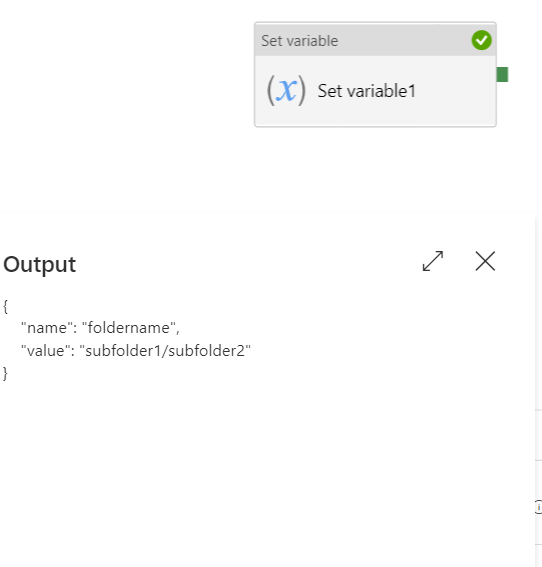
Please do let me if you have any queries .
Thanks
Himanshu
-------------------------------------------------------------------------------------------------------------------------
 or upvote
  button whenever the information provided helps you. Original posters help the community find answers faster by identifying the correct answer. Here is how