' cx='32' cy='32' r='32' /%3E%3Ctext x='50%25' y='55%25' dominant-baseline='middle' text-anchor='middle' fill='%23FFF' %3ERS%3C/text%3E%3C/svg%3E)



Hello RobertSoldano
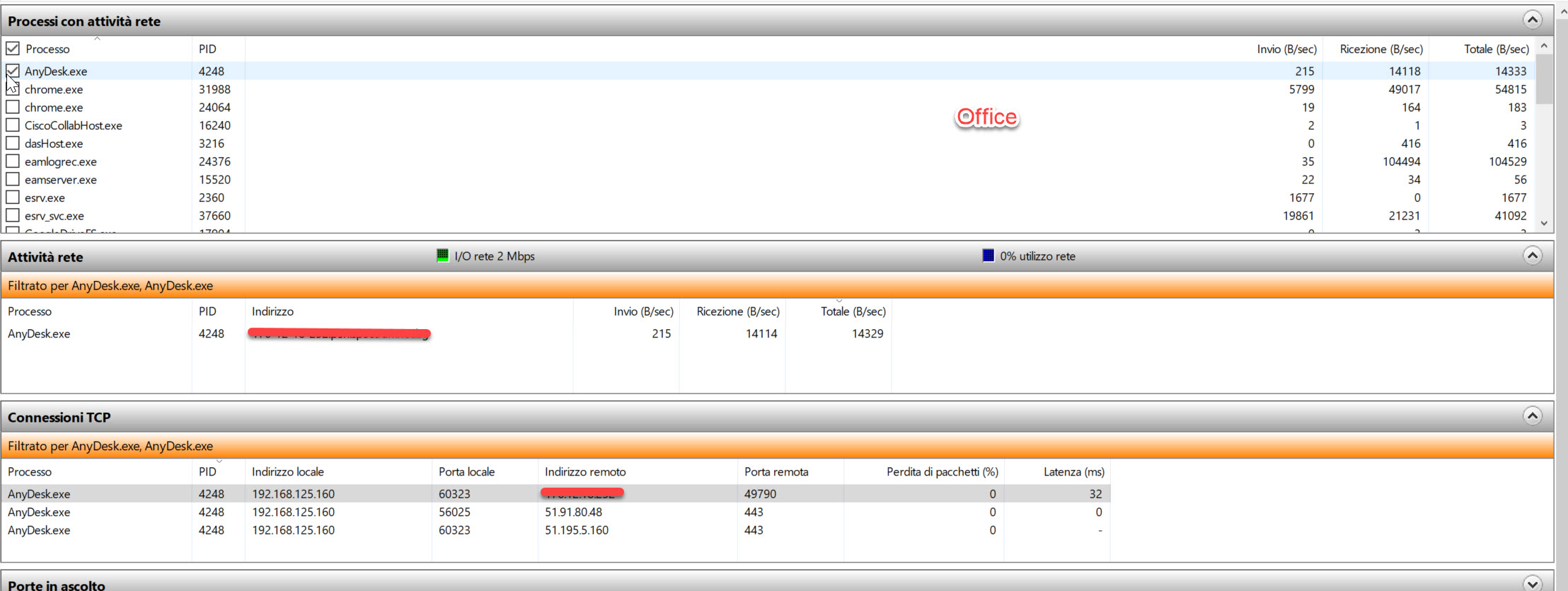
Yes, the local port is the one on your computer and the remote is the server of the application.
Both questions can be answered with the usage of Ephemeral Ports or Dynamic Ports. These are ports assigned after the port number 1024 up to the port 65535
Reference: https://learn.microsoft.com/en-US/troubleshoot/windows-server/networking/default-dynamic-port-range-tcpip-chang
These ports are a communications endpoint (port) of a transport layer protocol of the Internet protocol suite that is used for only a short period of time for the duration of a communication session. This is why you may see some "high" ports (for example 49790 or 50001 as in your pictures) changing number from time to time, even thought the remote server is always connected with the same port outbound. The server may still communicate outbound through its 443 port, but can open different connections to other ephimeral ports in the client.
Regarding the firewall, it highly depends how it is configured. Some ports may be blocked, some ephimeral port range may be limited, and for some specific ports such as 443 that can't be blocked, some firewalls can be set as Filtered in order to inspect the packages and block specific communications.
About testing your ports while connected to LTE, I can recommend the next took from Microsoft:
PortQryUI
https://www.microsoft.com/en-us/download/details.aspx?id=24009
--------------------------------------------------------------------------------------------------------------------
--If the reply is helpful, please Upvote and Accept as answer--