Azure Logic Apps
An Azure service that automates the access and use of data across clouds without writing code.
This browser is no longer supported.
Upgrade to Microsoft Edge to take advantage of the latest features, security updates, and technical support.
' cx='32' cy='32' r='32' /%3E%3Ctext x='50%25' y='55%25' dominant-baseline='middle' text-anchor='middle' fill='%23FFF' %3ESB%3C/text%3E%3C/svg%3E)
The Azure Logic App is not working as expected when we are trying to transfer a file from OneDrive or SPO to BLOB Storage container if the file size is above 50 MB.
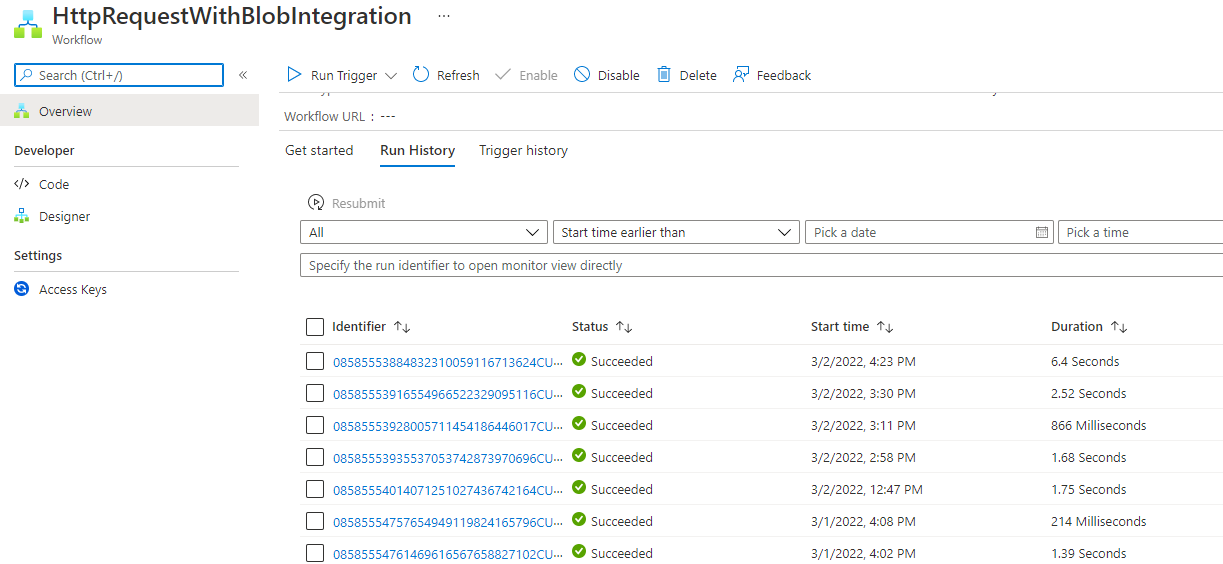
The run history section didn't show any detail of such failed flow.
We have tried to implement chunking by adding Range bytes=0-1023 (as prescribed by MS Azure helps https://learn.microsoft.com/en-us/azure/logic-apps/logic-apps-handle-large-messages) but still, it is not working.
How can this situation be handled in Logic App to transfer files of any size from SPO or One drive to the Azure BLOB Storage?
If it is not possible by using Logic App then how such a requirement can be catered to alternatively using Azure services.
Following are the files attached for reference of workflow :

Following is the screenshot of the run history showing no failed transaction:
Following is the Blob Storage linked in the workflow containing files of size less than 50 MB:

' cx='32' cy='32' r='32' /%3E%3Ctext x='50%25' y='55%25' dominant-baseline='middle' text-anchor='middle' fill='%23FFF' %3EMM%3C/text%3E%3C/svg%3E)
@Sukanta Bhattacharyya - Personal ,
Following up to see if @MayankBargali-MSFT answer helps. Do let us know if you have any queries.
Please 'Accept as answer' and ‘Upvote’ if it helped so that it can help others in the community looking for help on similar topics.

@Sukanta Bhattacharyya - Personal Thanks for reaching out. Unfortunately, When a file is created action will be skipped file greater than 50 MB as documented here.
Further, I don't see azure data factory having any one drive connector that can help you with your use case.
This operation triggers a flow when a new file is created in a folder. Files larger than 50 MB will be skipped and not returned by this trigger. Files moved within OneDrive are not considered new files.
I can see that Graph API does have the API to communicate with one drive and I don't see any limitation that is documented. You can explore the graph API if this can be used with your scenario to get the file greater than 50 MB. Looking into the One drive REST API document I can see this may help to retire the file where you need to write your own custom logic to get the data from one drive and uploaded it to the Azure storage account.
Alternatively, you can leverage the HTTP Native connector in logic app workflow to create any HTTP request and you can follow the One drive REST API document on building the request as per their documentation.
Hello @MayankBargali-MSFT
Thanks a lot for the update. We will try with the Graph APIs
@Sukanta Bhattacharyya - Personal Thanks for your response. Feel free to 'Accept as answer' and ‘Upvote’ so that it can help others in the community looking for help on similar topics.