Azure Internet of Things
A category of Azure services for internet of things devices.
This browser is no longer supported.
Upgrade to Microsoft Edge to take advantage of the latest features, security updates, and technical support.
' cx='32' cy='32' r='32' /%3E%3Ctext x='50%25' y='55%25' dominant-baseline='middle' text-anchor='middle' fill='%23FFF' %3EHK%3C/text%3E%3C/svg%3E)
Hello.
The firmware update appears to have been completed in the following tutorial.
I had assumed that the device would need to perform the firmware update using the "Device Upadate Agent" API as described in the following reference.
Does this mean that if the "Device Update Agent" is installed on the device side, it will automatically work with the "Device Update for IoT Hub" on the cloud side to complete the firmware update?
Am I correct in understanding that there is no need to implement using the "Device Upadate Agent" API, especially on the device side?
Thanks in advance.
' cx='32' cy='32' r='32' /%3E%3Ctext x='50%25' y='55%25' dominant-baseline='middle' text-anchor='middle' fill='%23FFF' %3EQ%3C/text%3E%3C/svg%3E)
Hello @HinataGrape-6694 Thanks for using this forum with great useful queries!
Am I correct in understanding that there is no need to implement using the "Device Upadate Agent" API, especially on the device side?
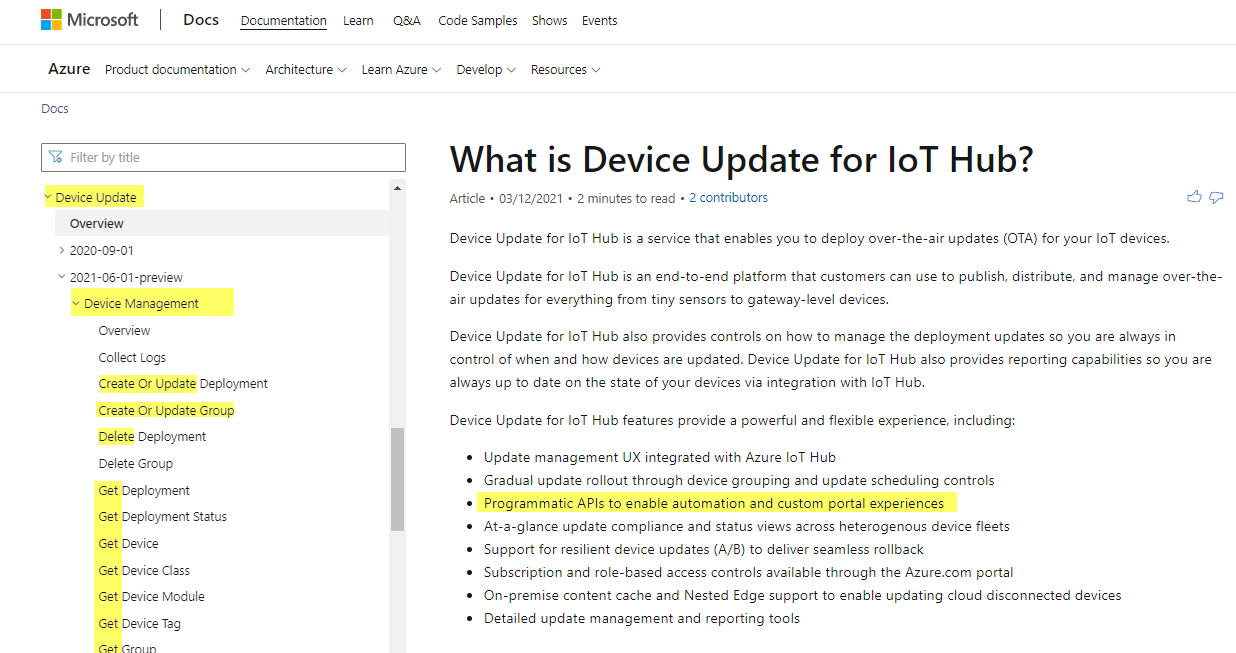
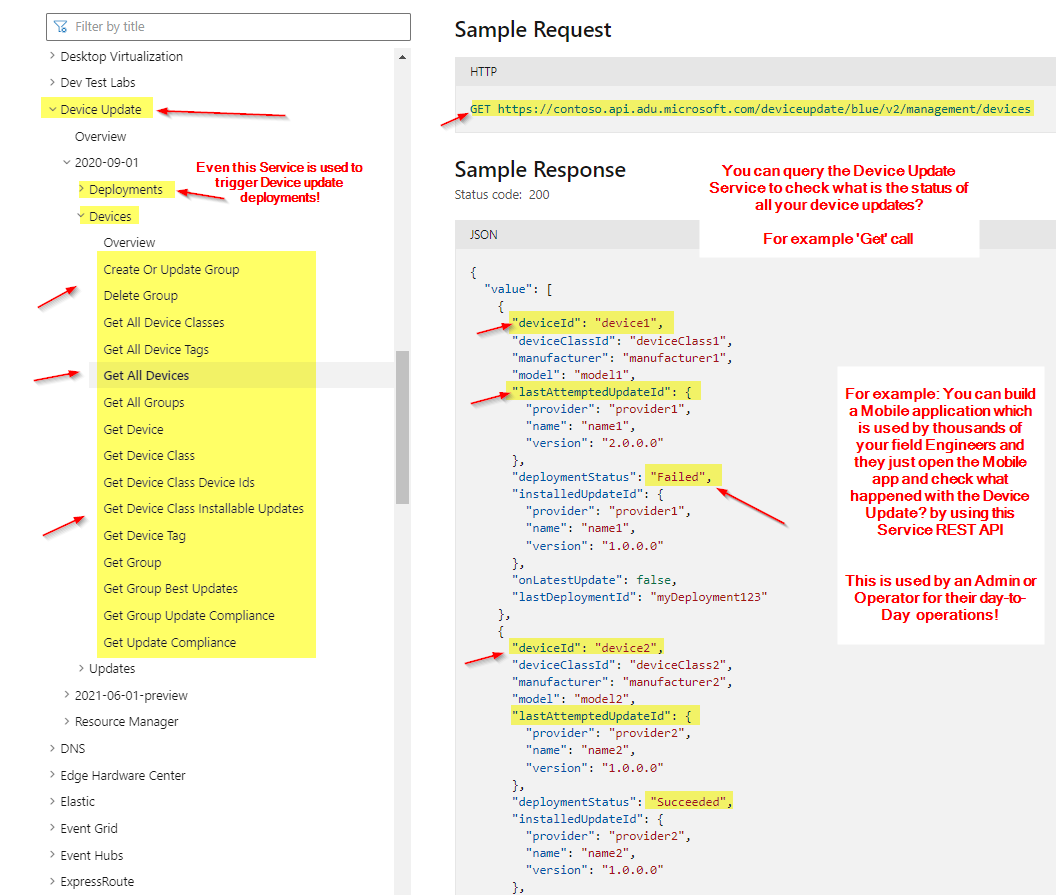
More clarity on this link-->What is Device Update for IoT Hub: REST API services are used to manage the devices from your applications(simple words: App running on your Laptop\Mobile to control various device updates), for Programmatic APIs to enable automation and custom portal experiences. Agent is required on device side & can run alongside other system processes that connect to your IoT Hub. another example: this REST API can be used from a Postman to trigger\delete the device Update.
For example, the RaspberryPi Tutorial show how the agent is configured on the device: Configure the Device Update agent on Raspberry Pi.
I would highly recommend completing this tutorial: Tutorial: Device Update for Azure IoT Hub using the Raspberry Pi 3 B+ reference image to get E2E basic understanding of this concept.
Workflow:
Point 1:
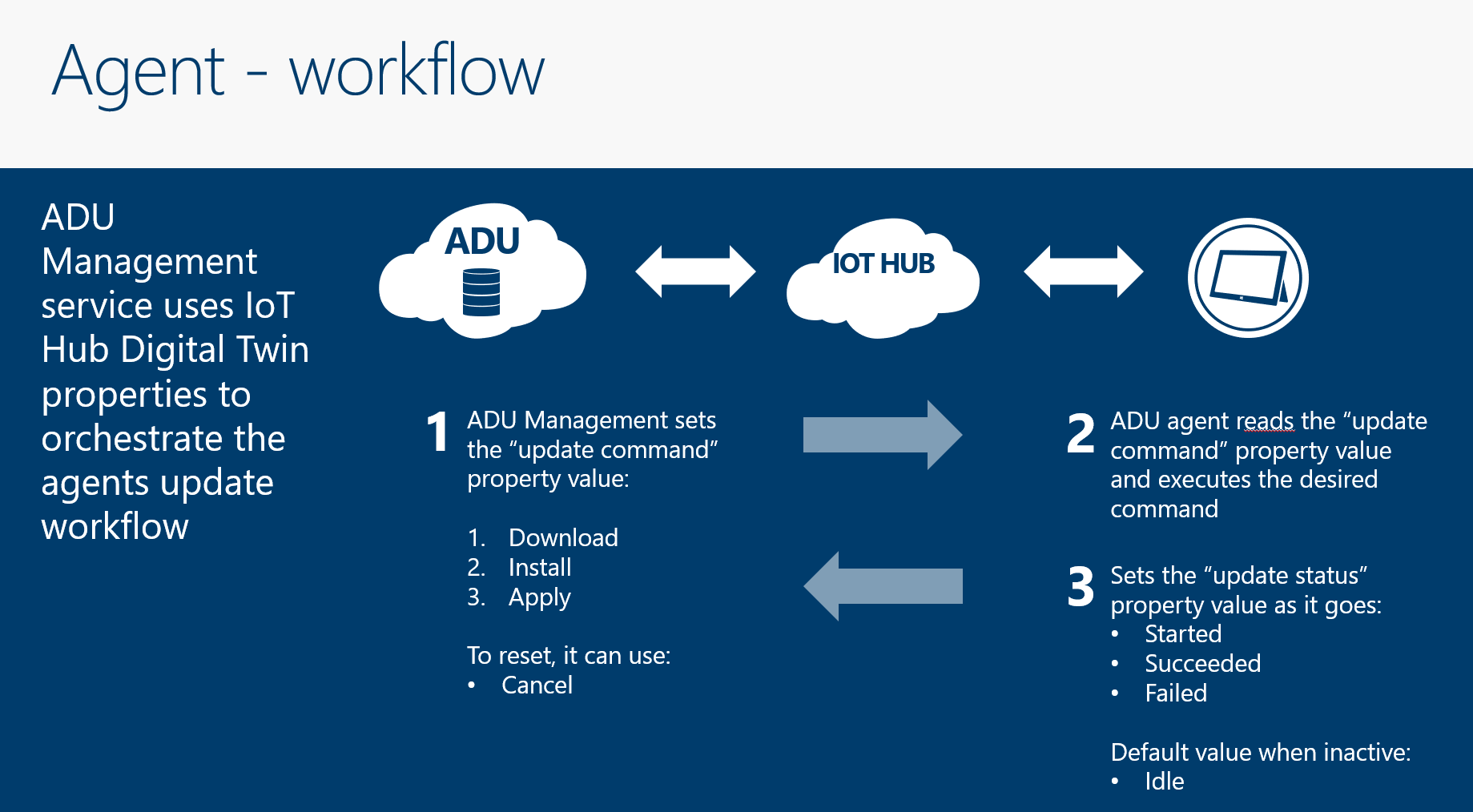
ADU gets the device information\List from the IoTHub.
So basically ADU uses the IoTHub to manage the device updates.
Point 2:
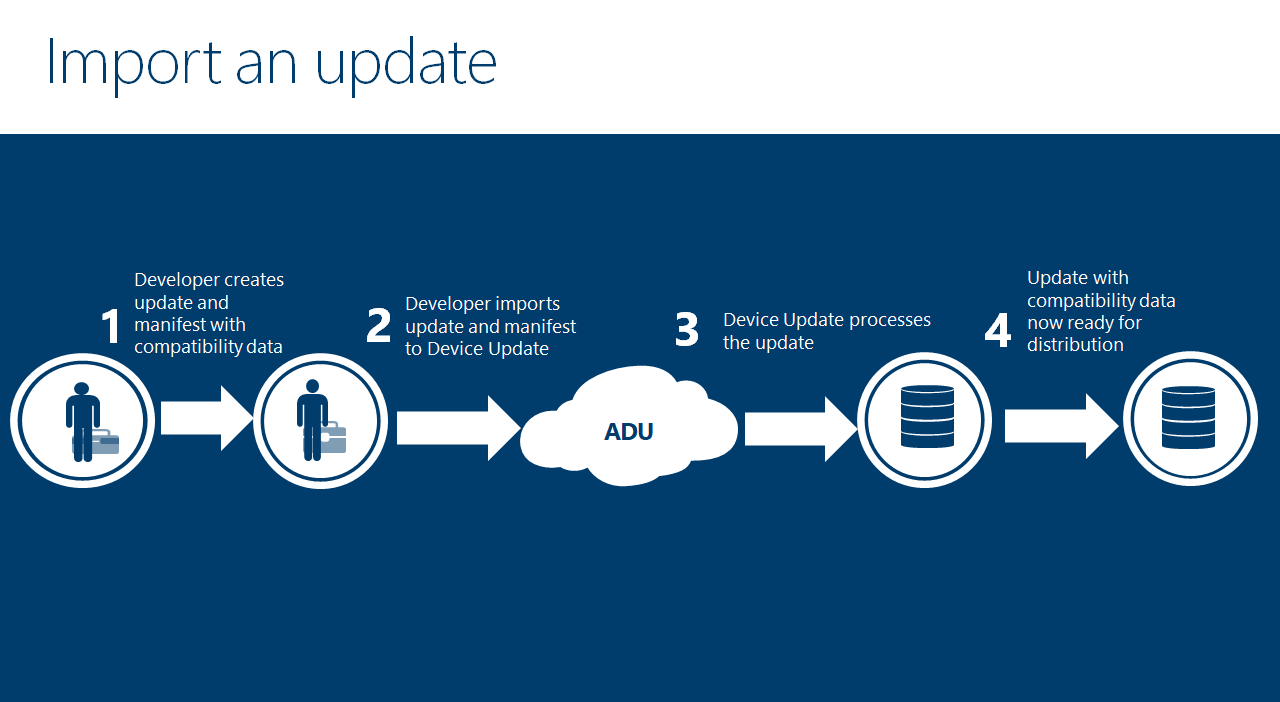
How ADU accepts the instructions?
Point 3:
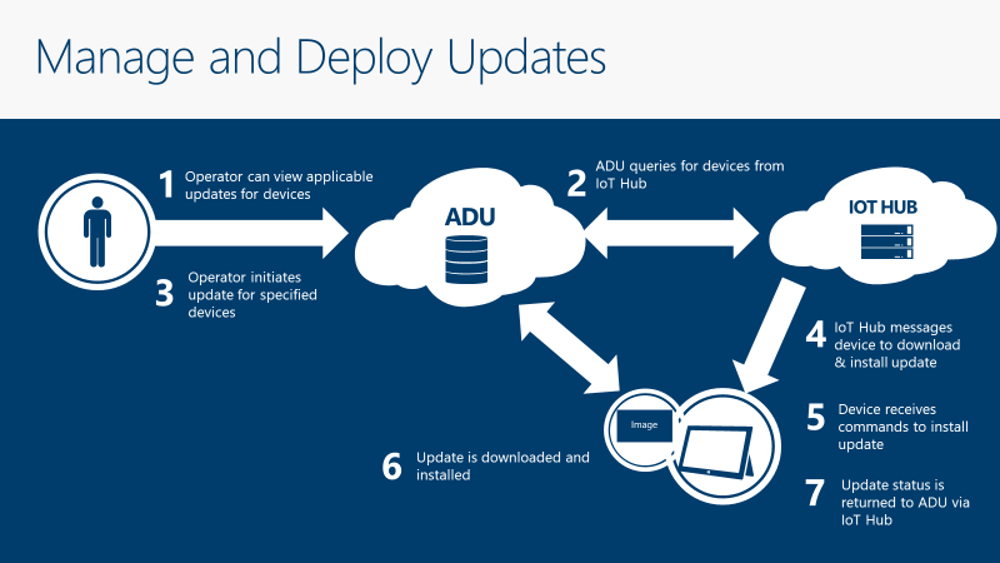
Once the Update imported to ADU, now IoTHub signal the devices to pull the 'Update Commands', here the Agent installed on the device does this pulling work.
Finally the update is downloaded and installed and the Success\Failure status is sent to ADU via IoTHub.
Please comment in the below section for further help in this matter!.
Please accept the helpful response as 'Answer', which will be helpful to others as well with similar questions
@QuantumCache
Thank you so much!
Let me check just to be sure.
Am I correct in understanding that the API introduced below is used internally by the Agent that received the update command passed via the IoT Hub?
Am I correct in understanding that this API is not for use by device-side software developers?
Thanks in advance.
Hello @HinataGrape-6694
Agent does not use REST API, the agent directly uses the MQTT connection to communicate with IoT Hub.
Coming to the Device Update REST API Service, please dont be confused with this, for example: this is particulary used by an operator. your Operator uses a mobile app to communicate with Device Update Service to check the status of different devices!!!
Pease comment in the below section,happy to help!
Please accept the helpful response as 'Answer', which will be helpful to others as well with similar questions, so that we can close this thread.
@QuantumCache
Thank you so much!
I understand that Device Update for IoT provides a REST API for operators.
It was helpful.