Azure SQL Database
An Azure relational database service.
This browser is no longer supported.
Upgrade to Microsoft Edge to take advantage of the latest features, security updates, and technical support.

I am trying to use Azure SQL Database as Reference Input for an Azure Streaming Analytics job.
Reference Input was added like so,

Connection to Db was tested successfully; sample input from database was also received successfully; and the test run of analytics query also completed successfully.
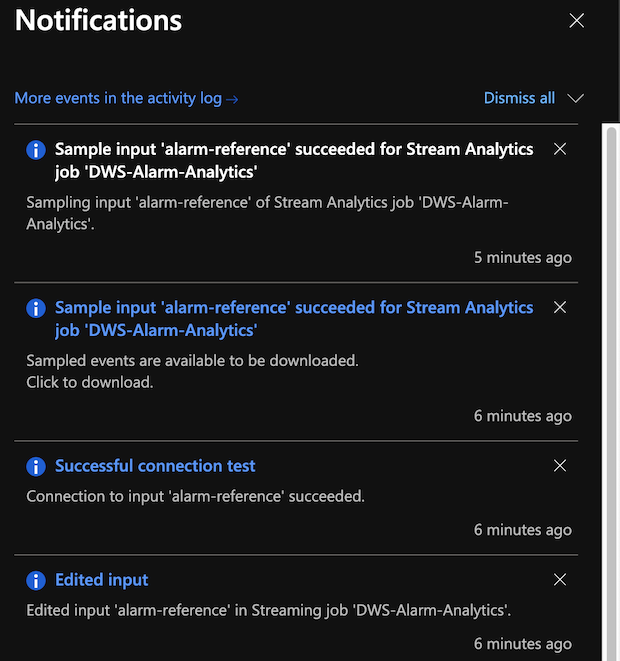
But when the Analytics Job is started, I get this error:
"Encountered error trying to discover new reference data snapshot. Error: Sql Error occurred while trying to take Sql full snapshot"
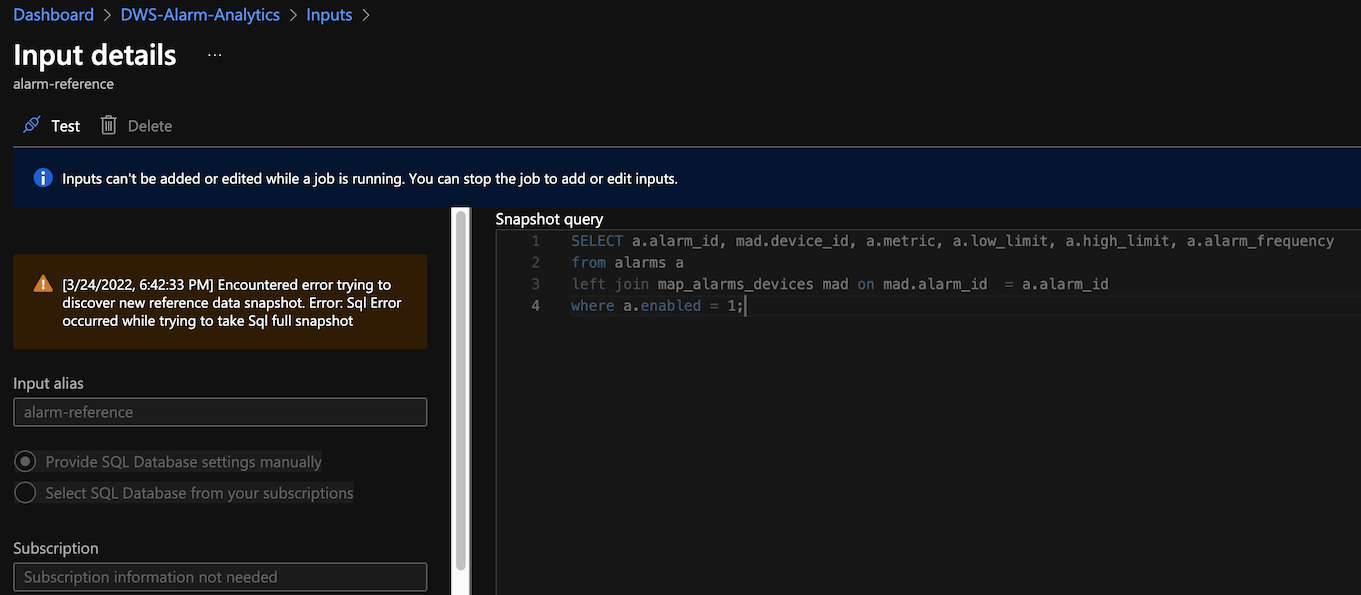
I am using 3 SUs for this job.

Hello @Prashanta Shrestha ,
Welcome to the MS Q&A platform.
In order to investigate further, could you please check that the IP address is whitelisted in the server network and check if you are able to login to the Azure SQL Database through the Azure Portal?
Hello @Prashanta Shrestha ,
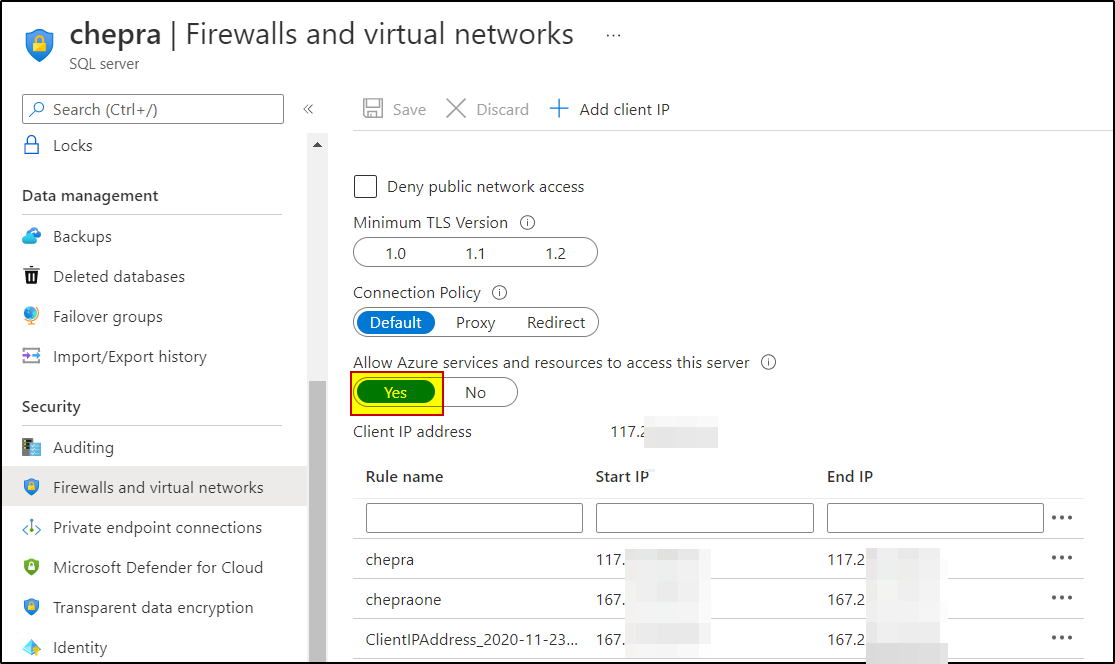
For Microsoft's Azure Active Directory to verify if the Stream Analytics job has access to the SQL Database, we need to give Azure Active Directory permission to communicate with the database. To do this, go to the "Firewalls and virtual network"/”Firewalls” page in Azure portal again, and enable "Allow Azure services and resources to access this server/workspace."
Hello @Prashanta Shrestha ,
Following up to see if the above suggestion was helpful. And, if you have any further query do let us know.
Hi @PRADEEPCHEEKATLA ,
Thanks for you response, it did help to clarify things.
One more question - Is the IP used by ASA static?
Hello @Prashanta Shrestha ,
Following up to see if the below suggestion was helpful. And, if you have any further query do let us know.
------------------------------
 or upvote
  button whenever the information provided helps you.
Hello @Prashanta Shrestha ,
Thanks for the question and using MS Q&A platform.
For Microsoft's Azure Active Directory to verify if the Stream Analytics job has access to the SQL Database, we need to give Azure Active Directory permission to communicate with the database. To do this, go to the "Firewalls and virtual network"/”Firewalls” page in Azure portal again, and enable "Allow Azure services and resources to access this server/workspace."

For more details, refer to Use managed identities to access Azure SQL Database or Azure Synapse Analytics from an Azure Stream Analytics job (Preview).
One more question - Is the IP used by ASA static?
Currently there are no public IP addresses for Stream Analytics.
Hope this will help. Please let us know if any further queries.
------------------------------
or upvote button whenever the information provided helps you. Original posters help the community find answers faster by identifying the correct answer. Here is how
Hello @Prashanta Shrestha ,
Just checking in to see if the above answer helped. If this answers your query, do click Accept Answer and Up-Vote for the same. And, if you have any further query do let us know.