Azure Data Factory
An Azure service for ingesting, preparing, and transforming data at scale.
This browser is no longer supported.
Upgrade to Microsoft Edge to take advantage of the latest features, security updates, and technical support.
' cx='32' cy='32' r='32' /%3E%3Ctext x='50%25' y='55%25' dominant-baseline='middle' text-anchor='middle' fill='%23FFF' %3ETP%3C/text%3E%3C/svg%3E)
Hi ,
We are able to execute SSIS Package 'P1' using Execute SSIS Task in Azure Data Factory successfully and it is creating logs in the specified file share folder.
Please refer the below ss for the configured settings.
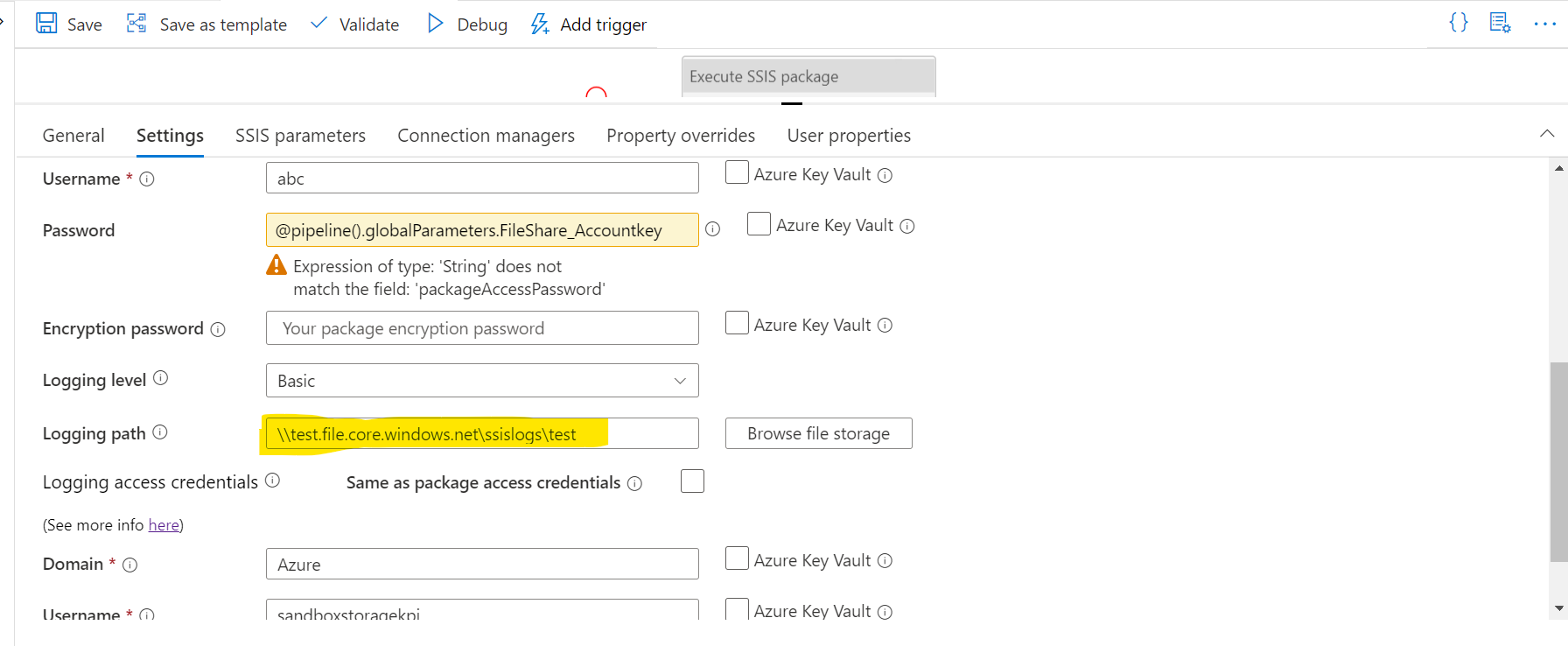
 But If we provide a logging path as dynamic content(using variables or parameters or some strings), it's not creating any logs under the file share and also the logging level information(below part of code) is getting disappeared in the Pipeline Json file(but not showing any error).

                "loggingLevel": "Basic",
                "logLocation": {
                    "logPath": @pipeline().globalParameters.FS_ConnectionString,
                    "type": "File",
                    "typeProperties": {
                        "accessCredential": {
                            "domain": "Azure",
                            "userName": "test",
                            "password": {
                                "type": "SecureString",
                                "value": "*******"
                            }
                        }
                    }
                }
Please refer to the below ss where we are using variables to set the value of the logging path.
Please help.
Thanks,
Thejaswini

' cx='32' cy='32' r='32' /%3E%3Ctext x='50%25' y='55%25' dominant-baseline='middle' text-anchor='middle' fill='%23FFF' %3EH%3C/text%3E%3C/svg%3E)
Hello @Thejaswini PM ,
Thanks for the question and using MS Q&A platform.
As we understand the ask here is how to create a dynamic logging path , please do let us know if its not accurate.
Unfortunately we are not getting the kind of response from the team here . if you have a support plan you may file a support ticket, else could you please send an email to azcommunity@microsoft.com with the below details, so that we can create a one-time-free support ticket for you to work closely on this matter.
Subscription ID:
Subject : Attn Himanshu
Please do let me if you have any queries.
Thanks
Himanshu
 or upvote
  button whenever the information provided helps you. Original posters help the community find answers faster by identifying the correct answer. Here is how
Hi Himanshu,
Yes you are right, we need help with dynamic logging path.
I have sent a mail to azcommunity@microsoft.com to raise a support ticket.
Please help us to resolve this issue.
Thanks,
Thejaswini
Hello @Thejaswini PM ,
I am sharing the details from the ticket for the benefit of the community .
On reviewing the ticket , it was identied as it needed a code fix which ADF has identified and will roll out a fix soon .
Thanks
Himanshu
or upvote button whenever the information provided helps you. Original posters help the community find answers faster by identifying the correct answer. Here is how