Azure App Service
Azure App Service is a service used to create and deploy scalable, mission-critical web apps.
This browser is no longer supported.
Upgrade to Microsoft Edge to take advantage of the latest features, security updates, and technical support.
' cx='32' cy='32' r='32' /%3E%3Ctext x='50%25' y='55%25' dominant-baseline='middle' text-anchor='middle' fill='%23FFF' %3EJW%3C/text%3E%3C/svg%3E)
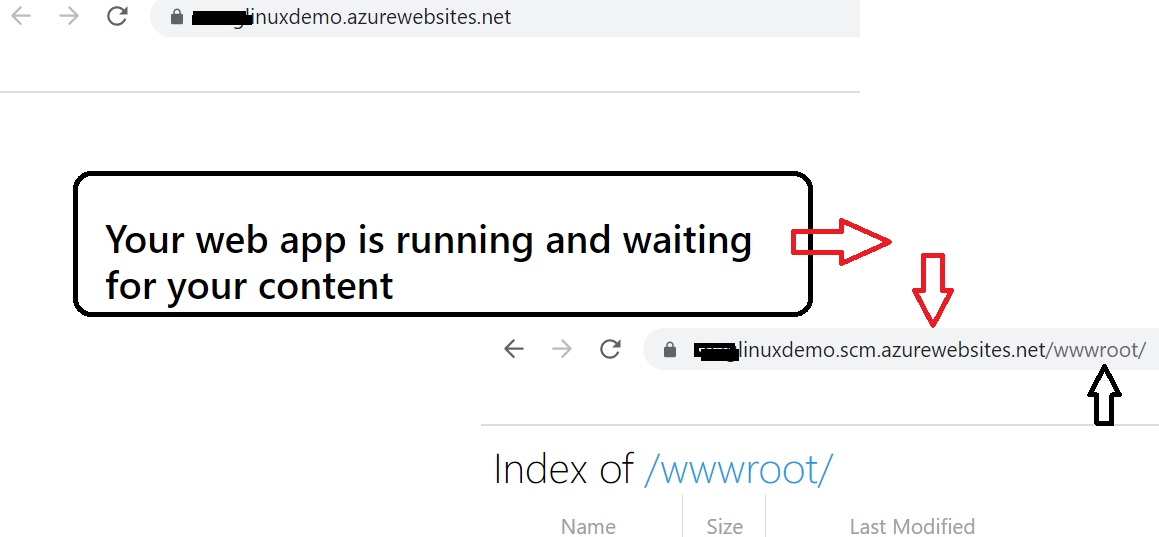
Hello, I am trying to deploy a simple web application to Azure. I have followed two tutorials (https://learn.microsoft.com/en-us/azure/app-service/quickstart-python?tabs=flask%2Cwindows%2Cazure-portal%2Cvscode-deploy%2Cterminal-bash%2Cdeploy-instructions-azportal%2Cdeploy-instructions-zip-azcli) and (https://medium.com/@GeekTrainer/deploying-python-web-apps-to-azure-app-services-413cc16d4d68) as well as a few youtube videos. I'm using a simple hello world python app (app.py and requirements.txt) with pycharm and Github. My app continues to fail to deploy (after about 8 hrs of trying) and says "Your web app is running and waiting for your content". Is there a better tutorial or method to try? Getting pretty beat up by this...and would appreciate any help.

Hi, @Jeff Williams
Are there any steps that differ from the tutorial URL you provided? You should be able to deploy if you do the same.
https://learn.microsoft.com/en-us/azure/app-service/quickstart-python
' cx='32' cy='32' r='32' /%3E%3Ctext x='50%25' y='55%25' dominant-baseline='middle' text-anchor='middle' fill='%23FFF' %3EA%3C/text%3E%3C/svg%3E)
Just following-up from TakahitoIwasa's post - checking in to see if the issue is resolved or you need further assistance.
I understand that you have already tried the suggestions outlined in the Azure docs and watched a few demo videos.
Apologies for any frustration with this.
-- For Flask, App Service looks for a file named application.py or app.py (as in your case) and starts Gunicorn as follows:
gunicorn --bind=0.0.0.0 --timeout 600 app:app
If you haven’t done these already, please validate these:
site/wwwroot. If your files don't exist, use the following steps: SCM_DO_BUILD_DURING_DEPLOYMENT with the value of 1, redeploy your code, wait a few minutes, then try to access the app again. -- For more information on creating app settings, see Configure an App Service app in the Azure portal.You should see app,linux as output; otherwise, recreate the App Service and choose Linux.
https://learn.microsoft.com/azure/app-service/configure-language-python#flask-app
Kindly let us know how it goes, we will be more than happy to follow-up further.
@Takahito Iwasa @Anonymous Thank you for your quick replies. For the quick start method I was able to run the quick start app locally using pycharm (I don't have flask or django on my local machine). I also pushed the quick start package to my github repo (not a local git).
For Step 2: I used the CLI but (az webapp up) threw an error (unable to find location and resource group). This method was also mentioned in a youtube video.
Then I tried the Azure portal method which worked find (other than having trouble finding a location to use westcentralus seemed to work)
For step 3: I dont have a local git or VS code...so I used the cli to deploy using this code from the second link as webapp up doesnt work for me. The deployments succeeded but visiting the web page after days says the app is waiting on my code
I did not have the server exposed using the gunicorn command above (I remember doing this for plotly). Is there an easy way to find the various error logs?
I will try the steps you mentioned above and report back. Thank you
JeffWilliams-7101, Thanks for the follow-up and sharing additional details, to each #points.
If you haven't done this already, you may leverage App Service diagnostics from Azure Portal> Navigate to your App Service app in the Azure Portal.
-- In the left navigation, click on Diagnose and solve problems - Review - “Configuration and Management and “Availability and Performance” options.
App Service ignores any errors that occur when processing a custom startup command or file, then continues its startup process by looking for Django and Flask apps. So, please check that your startup command or file is error-free and that a startup command file is deployed to App Service along with your app code.
If you're using a custom container, review the startup command, as outlined in this doc.
--yes, do try and let us know how it goes.
On my sample test app, I' tried the same repro: