
Have you tried?
https://www.microsoft.com/en-us/download/details.aspx?id=56051
--please don't forget to upvote and Accept as answer if the reply is helpful--
This browser is no longer supported.
Upgrade to Microsoft Edge to take advantage of the latest features, security updates, and technical support.
' cx='32' cy='32' r='32' /%3E%3Ctext x='50%25' y='55%25' dominant-baseline='middle' text-anchor='middle' fill='%23FFF' %3EAM%3C/text%3E%3C/svg%3E)
i have two Domain Controllers one DC - Win2019 and Second is BDC - Windows 2012 R2
DC - win2019 is Primary and BDC - win 2012 R2 is the Backup Domain Conroller
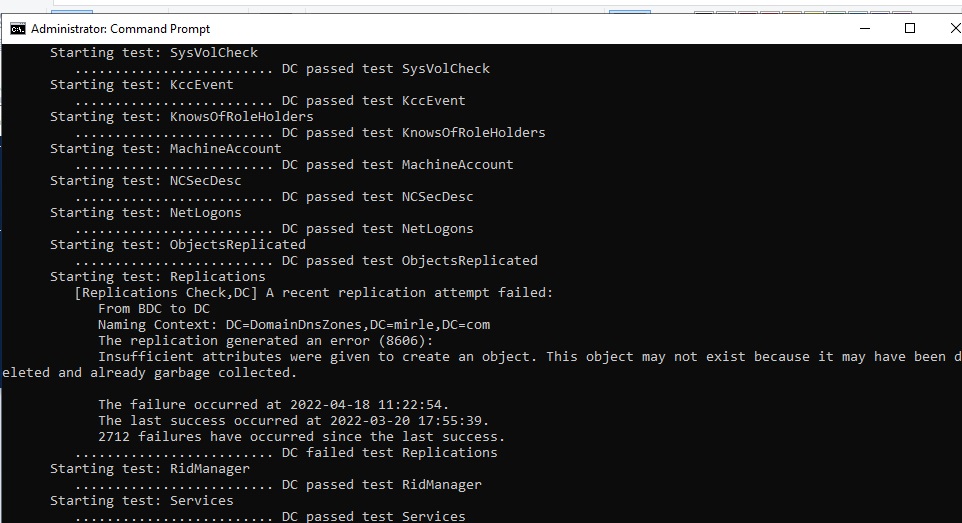
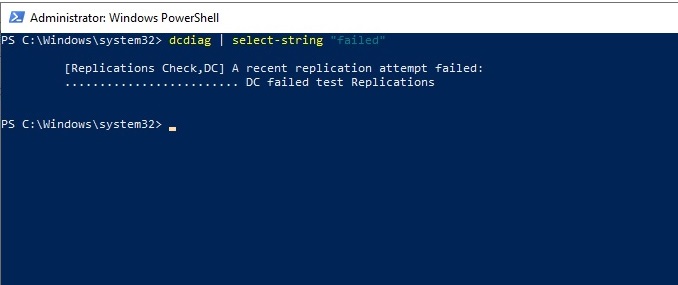
my Problem is that I got this error :- DCdiag.exe - on DC win2019
        From BDC to DC

        Naming Context: DC=DomainDnsZones,DC=domainnamehere,DC=com

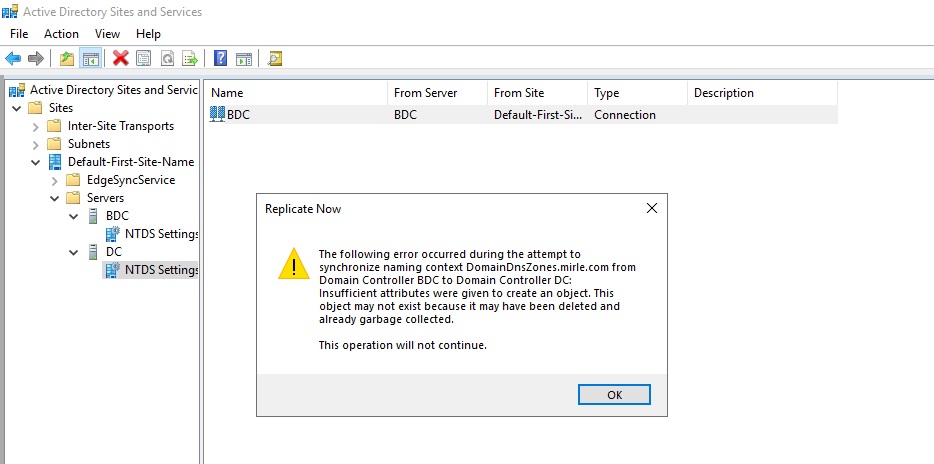
        The replication generated an error (8606):

        Insufficient attributes were given to create an object. This object may not exist because it may have been deleted and already garbage collected.

  The failure occurred at 2022-04-18 11:22:54.

        The last success occurred at 2022-03-20 17:55:39.

        2712 failures have occurred since the last success.

     ......................... DC failed test Replications
,check the snapshot below
and how to fix it?
' cx='32' cy='32' r='32' /%3E%3Ctext x='50%25' y='55%25' dominant-baseline='middle' text-anchor='middle' fill='%23FFF' %3EA%3C/text%3E%3C/svg%3E)
Have you tried?
https://www.microsoft.com/en-us/download/details.aspx?id=56051
--please don't forget to upvote and Accept as answer if the reply is helpful--
Just checking if there's any progress or updates?
--please don't forget to upvote and Accept as answer if the reply is helpful--
@Anonymous
at last i manager to make it open in a workstation ,I found that ,I'll delete it and see the results
Thanks for your support
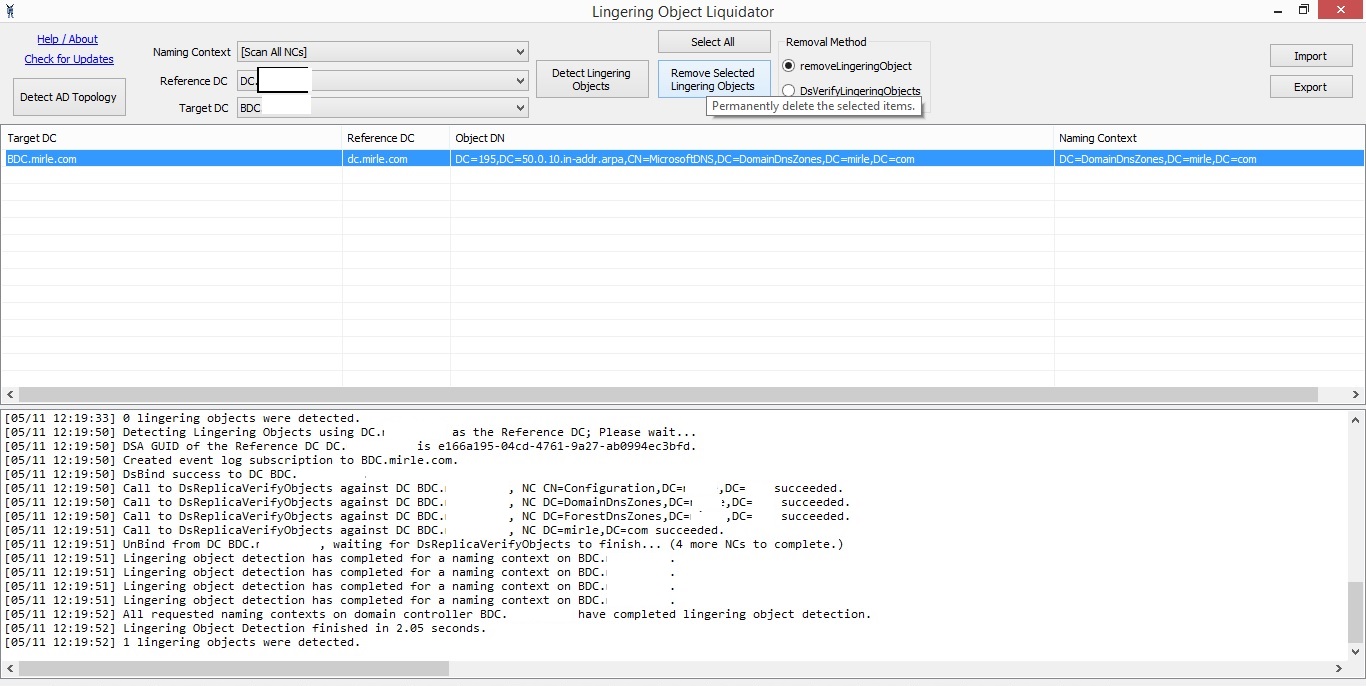
at last everything working fine , i restarted both server DC and BDC
Thanks you @Anonymous