Microsoft Security | Microsoft Authenticator
A Microsoft app for iOS and Android devices that enables authentication with two-factor verification, phone sign-in, and code generation

This browser is no longer supported.
Upgrade to Microsoft Edge to take advantage of the latest features, security updates, and technical support.
' cx='32' cy='32' r='32' /%3E%3Ctext x='50%25' y='55%25' dominant-baseline='middle' text-anchor='middle' fill='%23FFF' %3ELZ%3C/text%3E%3C/svg%3E)
Hello,
I'm attempting to reinstall the MS Authenticator app on a new device and this if the first time I'm unable to connect the backup.
When I try to restore it I get: "an error occurred, please send logs via the feedback option", and keep getting this error anytime I try. I've tried to add first the account then, going into settings and try to enable the backup and as soon as I touch the checkbox I get the same exact error too.
So I'm locked I can't either restore my backup but I start adding new accounts I can't enable backup. The error is quite generic and I've the impression probably something is corrupted / wrong on my account / my backup.
Unfortunately I don't have available anymore the old device but I've tried to install the app also on an older device I have and same exact issue. I never had any problems before with backups.
This is an extract of the logs (the error message is printed in Italian) which I sent multiple times via the feedback but I need a resolution to know if I can restore the backup or setup new accounts but enable again the backup.
2022-05-07 14:02:35,517 WARN/App: Logs have been deleted: true RemoveLogsUseCase$removeLogs$2.invokeSuspend()@45 [DefaultDispatcher-worker-7]2022-05-07 14:02:35,525 INFO/App: Dialog task CallbackDialogTask, id = RestoreFlowActivity.[null].[Ripristino dal backup].[PROGRESS_DIALOG] was closed. DialogFragmentManager$Companion.dismissProgressDialog()@28 [main]2022-05-07 14:02:35,525 INFO/App: Dialog task RestoreFlowActivity.[null].[Ripristino dal backup].[PROGRESS_DIALOG] has finished. DialogTaskQueue.tryCloseDialog()@104 [main]2022-05-07 14:02:35,526 INFO/App: Task CallbackDialogTask, id = RestoreFlowActivity.[Non è possibile ripristinare].[Si è verificato un errore. Inviare i log tramite l'opzione Invia log.].[INFO_DIALOG] has been put to the queue. DialogFragmentManager.enqueueCustomDialogFragment()@115 [main]2022-05-07 14:02:35,526 INFO/App: Proceed to showing: CallbackDialogTask, id = RestoreFlowActivity.[Non è possibile ripristinare].[Si è verificato un errore. Inviare i log tramite l'opzione Invia log.].[INFO_DIALOG] DialogTaskQueue.enqueueTask()@62 [main]2022-05-07 14:02:35,528 WARN/App: Attempted to finish taskId = RestoreFlowActivity.[null].[Ripristino dal backup].[PROGRESS_DIALOG] but it's not shown by DialogTaskQueue now. DialogFragmentManager$enqueueCustomDialogFragment$1.run()@107 [main]2022-05-07 14:02:35,562 INFO/App: Merging broker accounts into accounts list BrokerAccountUseCase$mergeBrokerAccounts$2.invokeSuspend()@84 [DefaultDispatcher-worker-2]2022-05-07 14:02:35,702 INFO/Broker: [com.microsoft.identity.client.api.BrokerApiController] [2022-05-07 14:02:35 - thread_name : DefaultDispatcher-worker-9, correlation_id : UNSET] Android 31 Broker Strategies added : ContentProviderStrategy, AccountManagerUpdateCredentialStrategy, ThreadPoolExecutor$Worker.run()@641 [pool-18-thread-1]2022-05-07 14:02:35,702 INFO/Broker: [BrokerOperationExecutor:getBrokerAccounts] [2022-05-07 14:02:35 - thread_name : DefaultDispatcher-worker-9, correlation_id : UNSET] Android 31 Executing with IIpcStrategy: ContentProviderStrategy ThreadPoolExecutor$Worker.run()@641 [pool-18-thread-1]2022-05-07 14:02:35,702 INFO/Broker: [com.microsoft.identity.common.internal.broker.ipc.ContentProviderStrategyBROKER_API_HELLO] [2022-05-07 14:02:35 - thread_name : DefaultDispatcher-worker-9, correlation_id : UNSET] Android 31 Request to BrokerContentProvider for uri path /brokerApi/hello ThreadPoolExecutor$Worker.run()@641 [pool-18-thread-1]2022-05-07 14:02:35,710 INFO/Broker: [com.microsoft.identity.common.internal.broker.ipc.ContentProviderStrategyBROKER_API_HELLO] [2022-05-07 14:02:35 - thread_name : DefaultDispatcher-worker-9, correlation_id : UNSET] Android 31 Received successful result from Broker Content Provider. ThreadPoolExecutor$Worker.run()@641 [pool-18-thread-1]2022-05-07 14:02:35,710 INFO/Broker: [com.microsoft.identity.common.internal.result.MsalBrokerResultAdapter:verifyHelloFromResultBundle] [2022-05-07 14:02:35 - thread_name : DefaultDispatcher-worker-9, correlation_id : UNSET] Android 31 Able to establish the connect, the broker protocol version in common is [2.0] ThreadPoolExecutor$Worker.run()@641 [pool-18-thread-1]2022-05-07 14:02:35,710 INFO/Broker: [com.microsoft.identity.common.internal.broker.ipc.ContentProviderStrategyBROKER_API_GET_BROKER_ACCOUNTS] [2022-05-07 14:02:35 - thread_name : DefaultDispatcher-worker-9, correlation_id : UNSET] Android 31 Request to BrokerContentProvider for uri path /brokerApi/getBrokerAccounts ThreadPoolExecutor$Worker.run()@641 [pool-18-thread-1]2022-05-07 14:02:35,722 INFO/Broker: [com.microsoft.identity.common.internal.broker.ipc.ContentProviderStrategyBROKER_API_GET_BROKER_ACCOUNTS] [2022-05-07 14:02:35 - thread_name : DefaultDispatcher-worker-9, correlation_id : UNSET] Android 31 Received successful result from Broker Content Provider. ThreadPoolExecutor$Worker.run()@641 [pool-18-thread-1]2022-05-07 14:02:35,722 INFO/App: Total number of broker accounts: 0 BrokerAccountUseCase$mergeBrokerAccounts$2.invokeSuspend()@88 [DefaultDispatcher-worker-2]2022-05-07 14:02:35,724 INFO/App: hasDosPreventer = false AccountStorageCustomQueries.hasMfaAccountsConfiguredForNotifications()@99 [DefaultDispatcher-worker-2]2022-05-07 14:02:35,865 INFO/MSA: ManageApproverResponse: <?xml version="1.0" encoding="utf-8" ?><S:Envelope xmlns:S="http://www.w3.org/2003/05/soap-envelope" xmlns:wsse="http://docs.oasis-open.org/wss/2004/01/oasis-200401-wss-wssecurity-secext-1.0.xsd" xmlns:wsu="http://docs.oasis-open.org/wss/2004/01/oasis-200401-wss-wssecurity-utility-1.0.xsd" xmlns:wsa="http://www.w3.org/2005/08/addressing"><S:Header></S:Header><S:Body xmlns:ps="http://schemas.microsoft.com/Passport/SoapServices/PPCRL"><ps:ManageApproverResponse Success="true"><ps:ServerInfo ServerTime="2022-05-07T14:02:37Z">(35)</ps:ServerInfo></ps:ManageApproverResponse></S:Body></S:Envelope> AbstractStsResponse.parse()@45 [DefaultDispatcher-worker-7]2022-05-07 14:02:35,868 INFO/MSA: Account is unregistered for session approval. SessionManager.unregister()@280 [DefaultDispatcher-worker-7]2022-05-07 14:02:35,869 INFO/App: Successfully unregistered MSA account MsaAccountUseCase$unregisterAccount$2.invokeSuspend()@146 [DefaultDispatcher-worker-7]2022-05-07 14:02:35,872 INFO/App: Unregister account for session approval result = Success RestoreFlowViewModel$cleanUpAfterUnsuccessfulRestore$1.invokeSuspend()@54 [DefaultDispatcher-worker-7]2022-05-07 14:02:36,433 INFO/App: Dialog task RestoreFlowActivity.[Non è possibile ripristinare].[Si è verificato un errore. Inviare i log tramite l'opzione Invia log.].[INFO_DIALOG] has finished. DialogFragmentManager$enqueueCustomDialogFragment$1.run()@107 [main]2022-05-07 14:02:36,465 INFO/App: Request code: [1720431897]. Result Code: [20]. Intent is null: [true] MainActivity.onActivityResult()@369 [main]2022-05-07 14:02:36,466 INFO/App: onActivityResult: requestCode = 1720431897, resultCode = 20 BackupModule.onActivityResult()@129 [main]2022-05-07 14:02:36,466 INFO/App: onActivityResult: requestCode = 1720431897, resultCode = 20 RootActivityBase.onActivityResult()@53 [main]2022-05-07 14:02:36,466 ERROR/App: Unknown request. MainActivity.onActivityResult()@393 [main]2022-05-07 14:02:36,467 INFO/App: onResume MainActivity.onResume()@260 [main]2022-05-07 14:02:36,470 INFO/App: Task IntentTask, id = com.microsoft.authenticator.commonuilibrary.ui.AppLockActivity has been put to the queue. AppLockManager.enqueueAppLock()@124 [main]
Thank you very much.


Hi all!
I suggest everyone following / having this same issue here to upvote this topic!
Hi @Erwin ,
I see your logs are pretty similar to mine, I think we have the same thing.
@risolis it might be (although the article is quite old and the app gets updated very often) but I don't see how this can be helpful to us because it is pretty developer stuff, so eventually there is an issue it is for the MS Authenticator team to fix.
I've noticed many comments on this same issue already here, it seems to be a wider issue. Btw I've tried to reinstall it on some older devices I have (example a Samsung S9) and same issue there too, so not device dependent.
' cx='32' cy='32' r='32' /%3E%3Ctext x='50%25' y='55%25' dominant-baseline='middle' text-anchor='middle' fill='%23FFF' %3EE%3C/text%3E%3C/svg%3E)
Hi, yes indeed. I am gonna try an iOS device right now, i will let you know. I really need these codes for work at monday. I already switched to Aegis (with this app you can export/import the codes yourself so save them on a cloud or nas) I can't ever have this happening again.
Perhaps iOS will go well because I read they use different backup storage, and you won't find your backup unless this has been implemented nowadays.
Same thing here, I need some of them on Monday and can't choice what way to do .. recreate them? But same error on enabling backup as well, worth or switching to another app? But then I have some company MS stuff which would be better with its authenticator and login notification .. what a mess!
I really think it is something on MS side, maybe something is changed under specific conditions. How to forward this to the team? Have sent I think more than 10 feedbacks hopefully somebody might take it.
Hi,
iOS not working as well but that's because I did not have an iCloud backup.
I already switched most of my codes to Aegis, with Aegis you can download backups yourself and store on cloud / usb. I can't effort this to happen one more time. It took me 5 hours to contact admins to remove my 2FA and still im missing some accounts so frustrating.
Very bad Microsoft.
Oeps! Yes iOS is different storage so it won't make any help for this issue.
I see more people reporting this and still MS not acknowledging there is an issue, I've tried older APK and gives the same error so I guess they updated something server side and didn't reflect changes in the app.
The fact is that even if I create new ones backup cannot be enabled as well with the same error, so backup is completely not functional hence why it should be address with quite some urgency.
I'm thinking as well to switch to another app since no-one from the team gives a proper solution related to the issue and I need to go on with either having my backup or create a new one on a app where backup is functional to avoid such issue!
The fact is that I'm blocked in what to do and this is quite critical... backup doesn't restore, ok I'll setup all the accounts (quite a lot!) but then I can't enable backup because it gives the same error, is it a good choice to do or I'll be locked not being able to backup them? But if backups are available, well I would like to restore them because as said I have quite some accounts there .. and on Monday I'll need some of them :-(.
May I please know what accounts are? Work account, personal account and so on...
I mean the 2FA accounts backed up into the MS Authenticator app, it is a mix of everything since I have 2FA enabled everywhere is possible.
For the MS authenticator of course I do use a personal MS account since backup was available only with personal accounts.
For instance, we need to understand that when you use your personal account "outlook/Hotmail/Apple cloud ID" or any other... There is something called TRUSTED DEVICES
If you were log in before using any other mobile or PC device and you logged in successfully this is considered trusted devices .
Besides that, if can have trusted location which is kind of similar for what I explained previously but you will need to enable GPS on the device.
If you sync your devices for backup your data , you shall be able to see it from this tab on your email account.

Hi,
See the reviews on the Play Store, its a bloodbath. Lots of people with this problem.
Switch to Aegis bro, dont let microsoft control your backup anymore.
Hi @risolis ,
thank you.
no device has been anytime part of this "trusted devices" for using the authenticator app, in fact I have no trusted devices at all ever in my MS personal account and I don't think this now is changed because it is not very well sense as I login to access the backups and it should be "trusted" when doing that. Btw on the same device I'm logged in into OneDrive as well successfully, so no login issues.
For the backup section I believe that section is related to the device sync and not MS authenticator backups (same as when you see in google drive / backups, here you find phone sync backups and eventually WA). In the docs it always says that iOS will backup on iCloud and Android will backup on Android (not well specified what "on Android" means), in fact I have nothing here because I don't sync my phone with OneDrive, never.

Can someone have a look at this specific issue reported by many rather than suggest items picked up from general threads?
The Microsoft Authenticator app backs up your account credentials and related app settings, such as the order of your accounts, to the cloud. You can then use the app to recover your information on a new device, potentially avoiding getting locked out or having to recreate accounts.
Each backup storage location requires you to have one personal Microsoft account, and iOS requires you to also have an iCloud account. You can have multiple accounts stored in that single location. For example, you can have a personal account, a work or school account, and a personal, non-Microsoft account like for Facebook, Google, and so on.
Ok that's clear but how does it help now with this error we are having? It completely fails when attempting to connect to the backup giving this "error occurred, send logs", and in logs something related to the requests made to MS API seems to fail... perhaps under certain conditions and not general but there is.
If I recreate the accounts and add my MS account first all seems to work but can't switch on backup as well here with the same exact error, so again connecting to the backup and now not during restore.
Did you see any icon on your storage account?

Yep I do see it, can open and can access it without problems, empty inside.
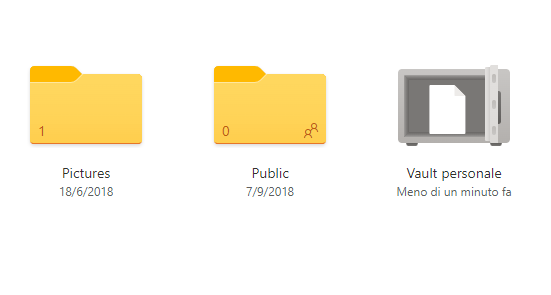
Review the info on it please and try to get it as .csv file and then import it on your app.
By the way, for any account that belong to your work space your admin can do a register MFA....
Re-register MFA from the active directory server/instance.
Review which info and import where sorry?
Yes of course I can register MFA everywhere again but as said above I've tried to add the account into the authenticator app instead of recovering and that works, but as soon as I try to enable the backup from the settings it gives the same exact error. So yes I can readd the accounts from scratch but I won't be able to enable backup which means there is something wrong in general when connecting to the backup and not specifically restoring .. perhaps I'm able to restore it if it would not give that error! And anyway I can't use backup and a resolution is needed here whatever I may restore my backup or re-create new one.
Considering the fiddler trace provided by @Tim OuY in the other thread it seems consistent a request error (my logs show a generic "Unknown request"), which let us think something wrong in the app communication with that.
There is no .csv file. You can't backup export/import Microsoft Authenticater other than the official way, thats why I switched to Aegis (open source and full custody over backups)
Bye Microsoft (will delete my account tomorrow)
' cx='32' cy='32' r='32' /%3E%3Ctext x='50%25' y='55%25' dominant-baseline='middle' text-anchor='middle' fill='%23FFF' %3EH%3C/text%3E%3C/svg%3E)
I use ms authenticator about 4 years. But this time i have same problem "backup doesn't restore".
Please check Google Play's Microsoft Authenticator app's recently reviewes. A lot of people have same problem with restoring accounts. 2022 May 7 and newer.
When I try to restore it I get: "an error occurred, please send logs via the feedback option"
I need to recover my authenticator accounts. Now I can't login to my important accounts like binance and others.
I switched to Aegis, you can download backups yourself to cloud or an usbstick for example.
f*ck this, it took me 6 hours to switch
Removing 2FA on Binance is quite easy actually, done that in less than 5 minutes.
Guys, Microsoft fixed the problem. I have recoverd all my accounts.
But it's to late, i have switched to Authy.