Azure Data Factory
An Azure service for ingesting, preparing, and transforming data at scale.
This browser is no longer supported.
Upgrade to Microsoft Edge to take advantage of the latest features, security updates, and technical support.
' cx='32' cy='32' r='32' /%3E%3Ctext x='50%25' y='55%25' dominant-baseline='middle' text-anchor='middle' fill='%23FFF' %3EHS%3C/text%3E%3C/svg%3E)
I am fetching data from CRM system and trying to put in blob storage using Azure Data factory - copy activity.
I wanted to store each record in separate file with primary key as file name...
Any Suggestion please?
' cx='32' cy='32' r='32' /%3E%3Ctext x='50%25' y='55%25' dominant-baseline='middle' text-anchor='middle' fill='%23FFF' %3EKM%3C/text%3E%3C/svg%3E)
Hello @Harvail Singh ,
Thanks for the question and using MS Q&A platform.
As lookup activity support Dynamics CRM, you can leverage it to make a lookup of your primary keys and have a subsequent ForEach activity to loop through the list of primary keys (each item in the loop == each Primary Key from CRM ), then inside For Each you can have a copy activity point to your source CRM and sink Azure Storage and in the source use a query to get the record for that particular primary key of that iteration and in the sink settings use that @concat(item.PrimaryKeyValue, '.csv') as file name while saving the data in your storage. (Please note you will be using @item.PrimaryKeyValue both in the source query and in the sink file name settings)
Reference doc: Use the Lookup activity result
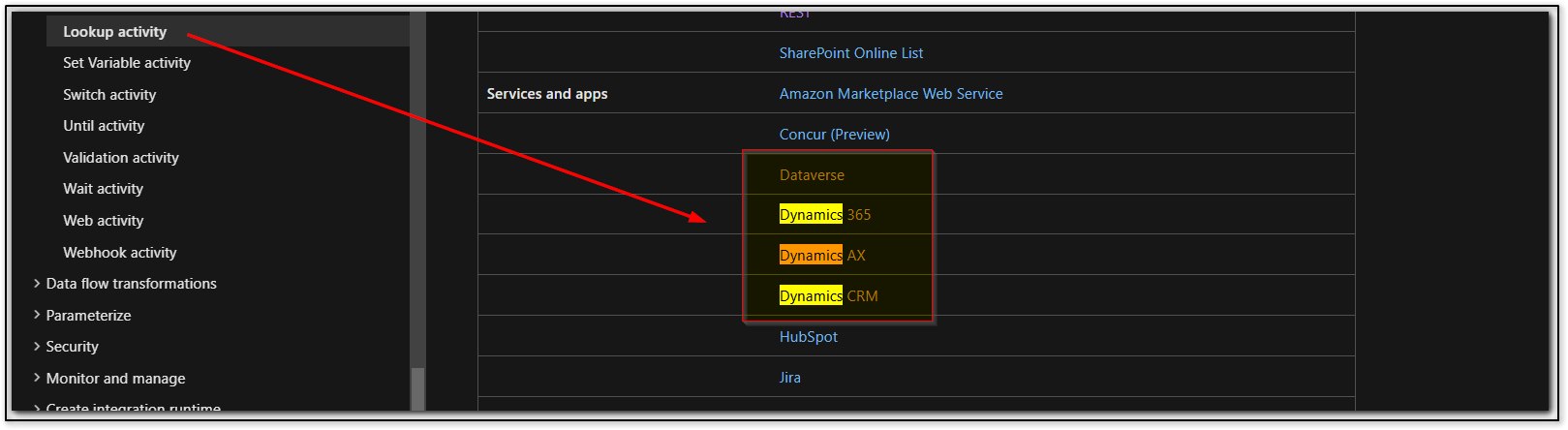
Note: Below are current known limitations and possible workaround with lookup activity:
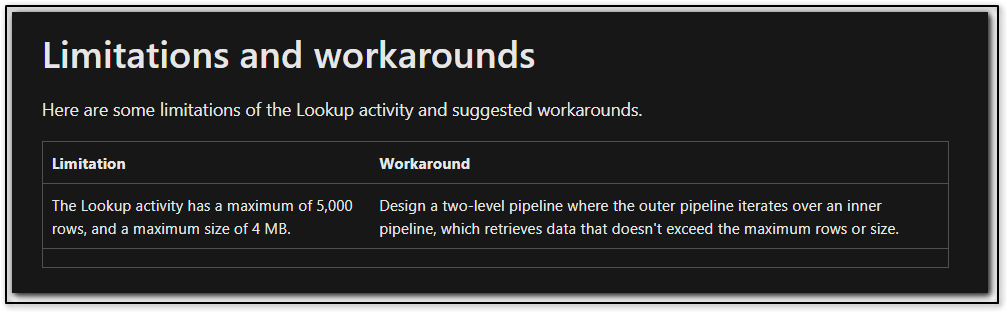
Hope this will help. Please let us know if any further queries.
------------------------------
 or upvote
  button whenever the information provided helps you. Original posters help the community find answers faster by identifying the correct answer. Here is how
@KranthiPakala-MSFT Thanks For replying.There is lot of valuable information.
I am able to use @item.PrimaryKeyValue in source of the copy activity..but this option is not available in sink.
My CRM System is Salesforce, so in source I am using Salesforce connection, it is working as you describes but in sink, I am not able parametrised file name using Foreach activity current item.