Azure Databricks
An Apache Spark-based analytics platform optimized for Azure.
This browser is no longer supported.
Upgrade to Microsoft Edge to take advantage of the latest features, security updates, and technical support.
' cx='32' cy='32' r='32' /%3E%3Ctext x='50%25' y='55%25' dominant-baseline='middle' text-anchor='middle' fill='%23FFF' %3ERH%3C/text%3E%3C/svg%3E)
I'm relatively new to Databricks and I'm looking to create a workbook flow where data preparation and modelling are performed in separate notebooks using R. The final cell of the data preparation results in a dataframe called "rdf_all" with around 4.7 million rows and 13 columns. I'm then looking to call this dataframe in the modelling notebook, please can you advise how best to do this? I've found various answers using db.utils but that this only works for Python and Scala and I'm also unsure how to go about saving the dataframe in DBFS as an alternative.
Many thanks for your help!
An Apache Spark-based analytics platform optimized for Azure.
' cx='32' cy='32' r='32' /%3E%3Ctext x='50%25' y='55%25' dominant-baseline='middle' text-anchor='middle' fill='%23FFF' %3EH%3C/text%3E%3C/svg%3E)
Hello @Ross Hamilton ,
We haven’t heard from you on the last response and was just checking back to see if you have a resolution yet .In case if you have any resolution please do share that same with the community as it can be helpful to others . Otherwise, will respond back with the more details and we will try to help .
Thanks
Himanshu
Hello @Ross Hamilton ,
We haven’t heard from you on the last response and was just checking back to see if you have a resolution yet .In case if you have any resolution please do share that same with the community as it can be helpful to others .
If you have any question relating to the current thread, please do let us know and we will try out best to help you.
In case if you have any other question on a different issue, we request you to open a new thread .
Thanks
Himanshu
Hello @Ross Hamilton ,
Thanks for the question and using MS Q&A platform.
As we understand the ask here is how to read one dataframe which is in a different notebook , please do let us know if its not accurate.
Well since the dataframe in question is not small , I think one way is to write it to a intermediate storage and then read it from the other notebook .
Writing such an huge data in DBFS is not recommended .
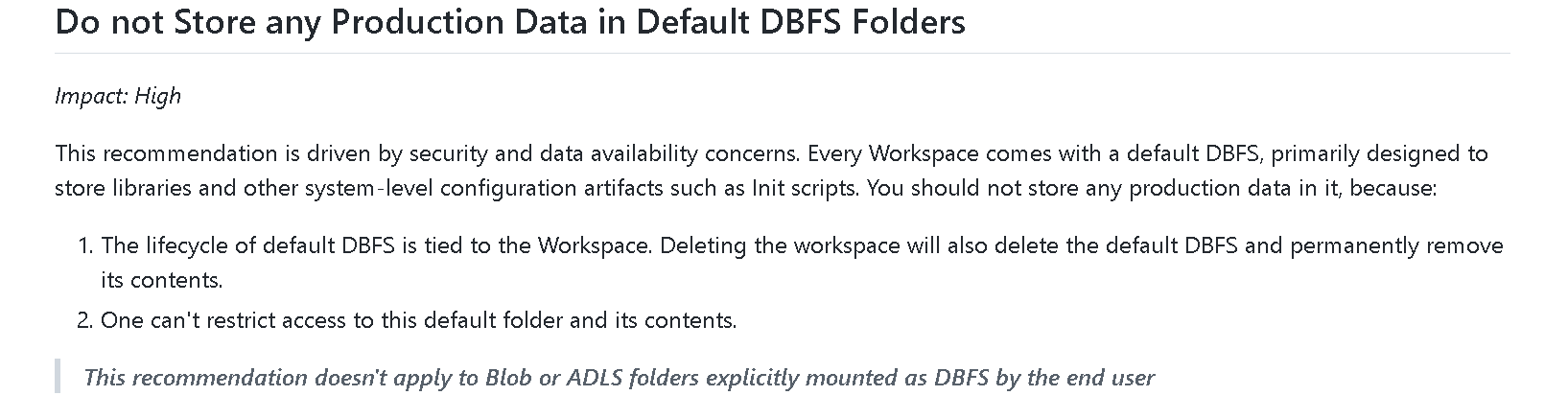
Please read here
https://stackoverflow.com/questions/62028296/what-is-the-data-size-limit-of-dbfs-in-azure-databricks#:~:text=For%20Azure%20Databricks%20Filesystem%20(DBFS,less%20than%202GB%20in%20size.
Please do let me if you have any queries.
Thanks
Himanshu
 or upvote
  button whenever the information provided helps you. Original posters help the community find answers faster by identifying the correct answer. Here is how