Azure Logic Apps
An Azure service that automates the access and use of data across clouds without writing code.
This browser is no longer supported.
Upgrade to Microsoft Edge to take advantage of the latest features, security updates, and technical support.
' cx='32' cy='32' r='32' /%3E%3Ctext x='50%25' y='55%25' dominant-baseline='middle' text-anchor='middle' fill='%23FFF' %3EA%3C/text%3E%3C/svg%3E)
I have a Logic App that is working fine when it moves one file from SFTP to Azure File share.
But I am not sure how to modify this Logic App so that it could move multiple files whenever there is/are update from source area (SFPT).
This is what I have in Logic app:

There is going to be average 2 new files moving into a SFTP folder from third party on a daily basis.
I guess I could try by running every 12 hours, but I am not sure that is only solution.
What I am trying to do is, run once a day and grab everything (at least 2 new files) at once.
How do I go about doing this?
Also, I am curious how does Logic App understand/recognize which one is a new file? What is the technology behind which one to grab?
@MayankBargali-MSFT I am putting your attention here just in case.

Hi @KingJava ,
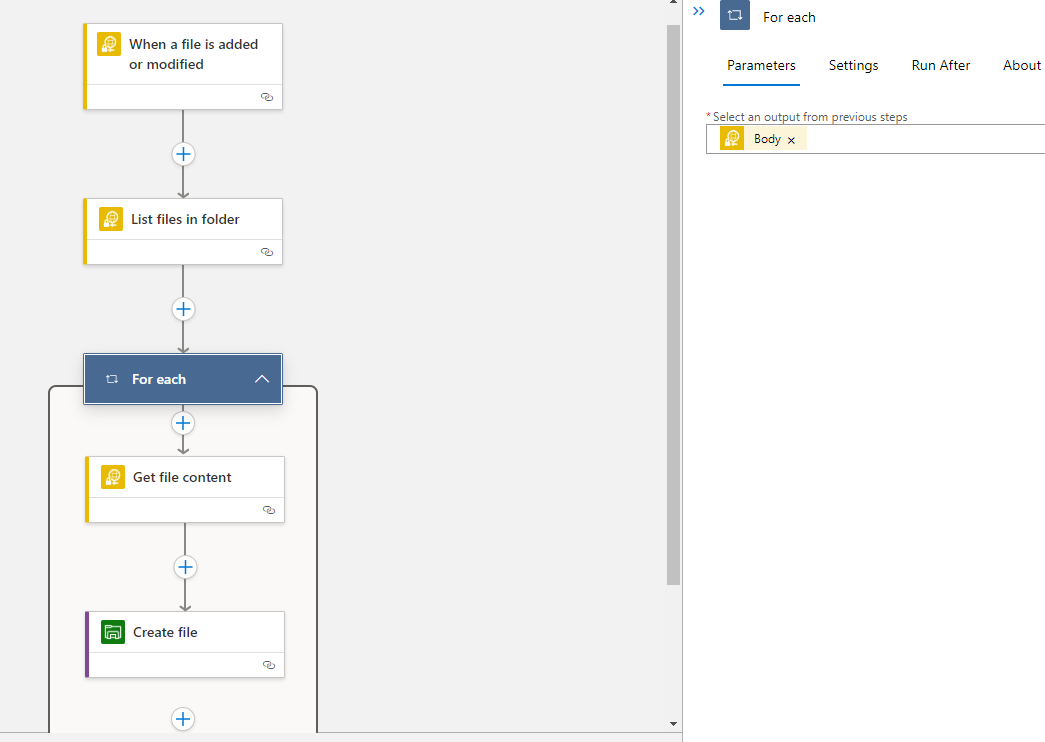
Did you try to get the list of files and then using the loop create files to Azure File Share?
Something like below flow it should work.
@Kamlesh Kumar
Thank you for your help.
I have three questions:
1) What is point of indicating "Body" on the "For each"?
2) This is what I have. Does it look ok?

3) What does "Infer Content Type" mean?
@Kamlesh Kumar
Thank you for your help.
It really helped!
I have three questions:
1) What is point of indicating "Body" on the "For each"?
2) Bottom is what I have. Does it look ok?

3) What does "Infer Content Type" mean?
Hi @KingJava Thanks for an update and glad to know given solution helped you.
Please find my comment for asked 3 questions,

Thanks for help. I have two questions.
1)
On the "Get file content", if I change from "File name" to "Path", what is difference/what is going to happen?
I guess my bottom line question is 'what is purpose of "Get file content" step '?
2) I am going to try "Yes" on the Infer Content Type. I read the article, but I did not understand the implication between "No" and "Yes".
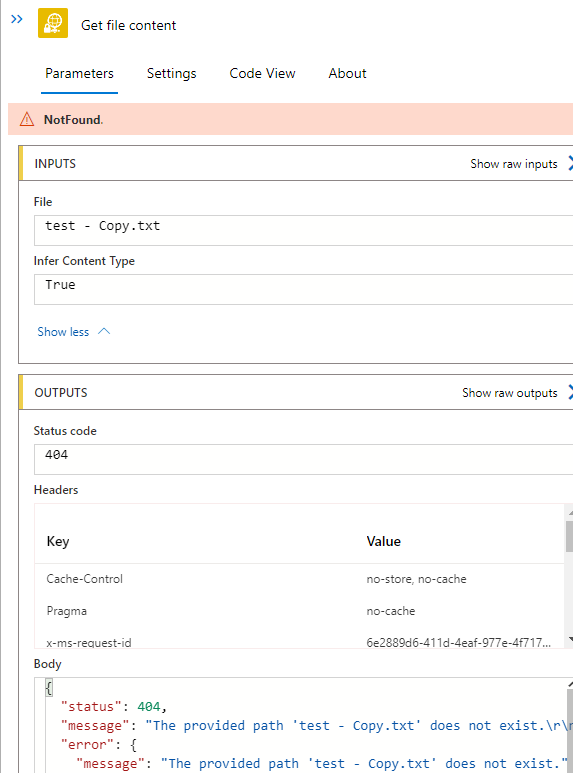


@MayankBargali-MSFT
I am still having an issue with the process as somehow, For Each does not work.
Can we possibly have a session?
Thanks!
Thank you so much for your help.
As per your chat, this was the reason that my previous pipeline did not work.
https://learn.microsoft.com/en-us/azure/connectors/connectors-sftp-ssh#polling-behavior

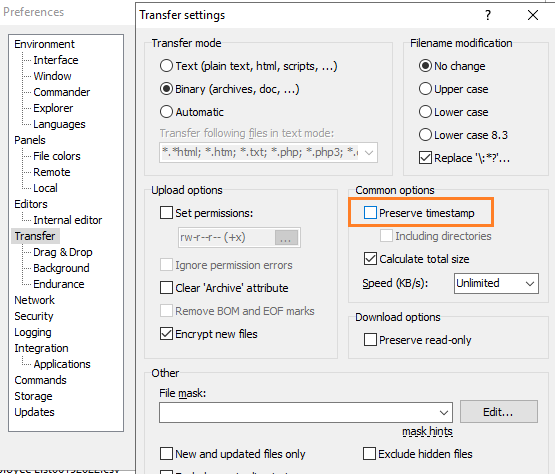
This is configuration that I modified (uncheck/disable "Preserver timestamp") in Winscp.
This is current pipeline that works: (I did not have to use Loop).

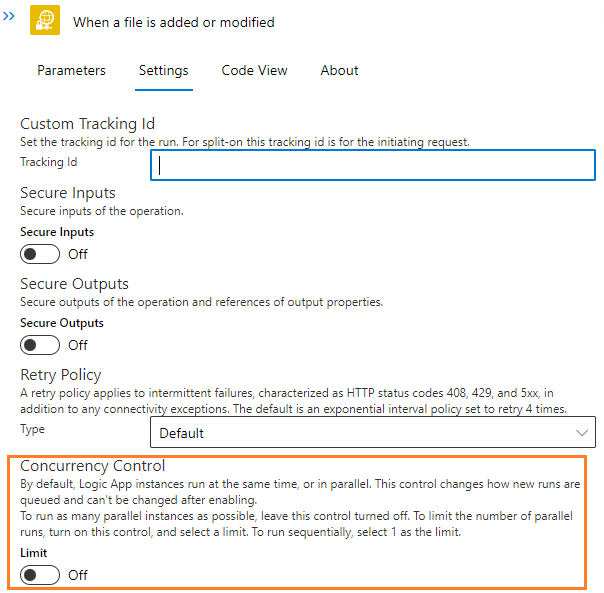
This is setting (no need to change anything, just leave as Default on Concurrency):