Azure Logic Apps
An Azure service that automates the access and use of data across clouds without writing code.
This browser is no longer supported.
Upgrade to Microsoft Edge to take advantage of the latest features, security updates, and technical support.
' cx='32' cy='32' r='32' /%3E%3Ctext x='50%25' y='55%25' dominant-baseline='middle' text-anchor='middle' fill='%23FFF' %3EV%3C/text%3E%3C/svg%3E)
Hi,
I want to create a new file in Fileshare but im gettion connection error.
I tried with new connection but im getting error.
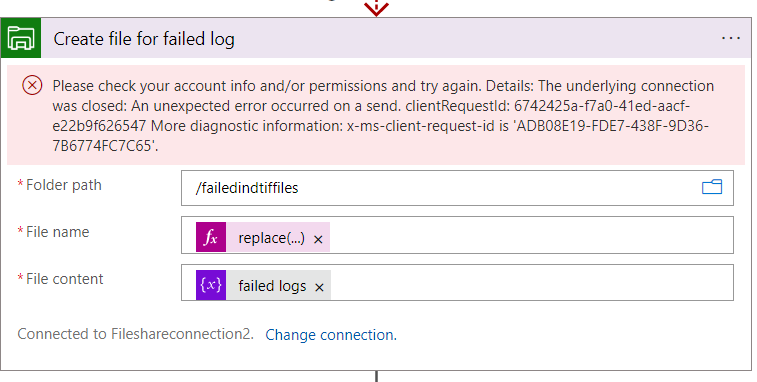
Please help me to solve this issue

Hi There,
Thank you for asking this question on the Microsoft Q&A Platform.
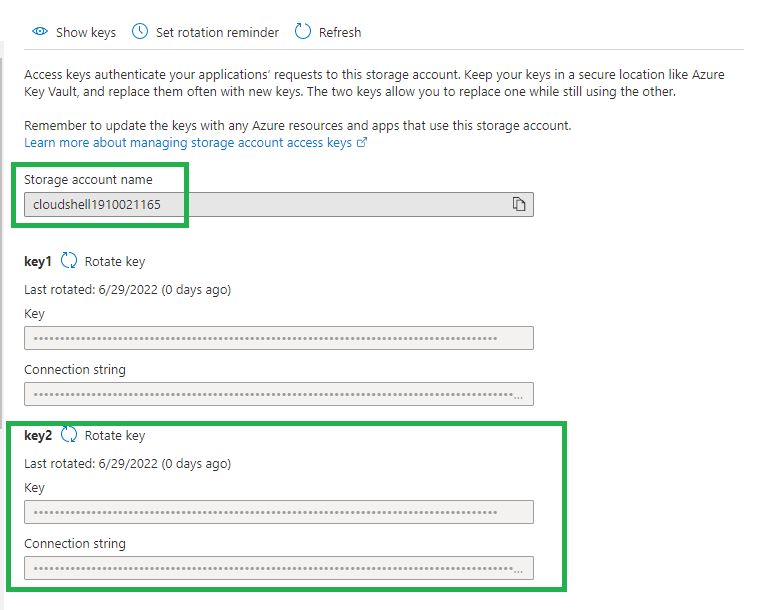
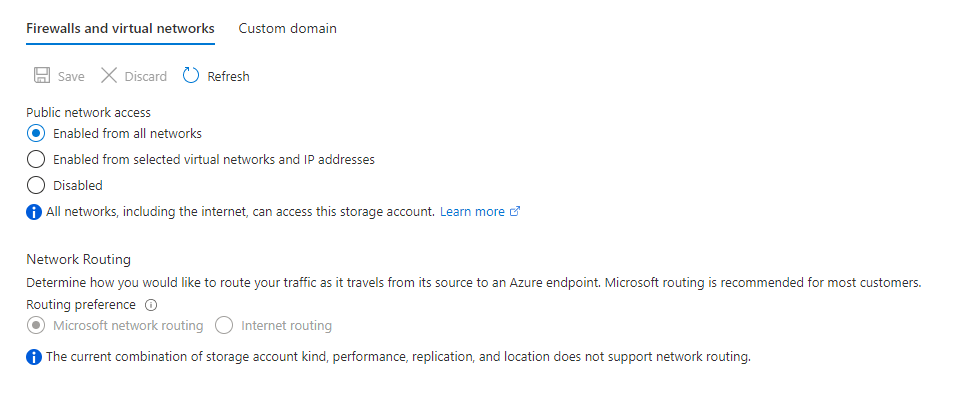
Please try to use the Key2 if it's not working with Key1. Also validate the networking configuration, is this allowed from all network or have any restriction.
Regards,
Kamlesh Kumar
BizTalk Techie
Please don't forget to click on  or upvote
  button whenever the information provided helps you. Original posters help the community find answers faster by identifying the correct answer. Here is How
Want a reminder to come back and check responses? Here is how to subscribe to a Notification
If you are interested in joining the VM program and help shape the future of Q&A: Here is how you can be part of Q&A Volunteer Moderators
' cx='32' cy='32' r='32' /%3E%3Ctext x='50%25' y='55%25' dominant-baseline='middle' text-anchor='middle' fill='%23FFF' %3EBL%3C/text%3E%3C/svg%3E)
Hi,
How did you create the connection?
What tasks do you have before and after?
It works for me when I enter the "Manually enter connection information"
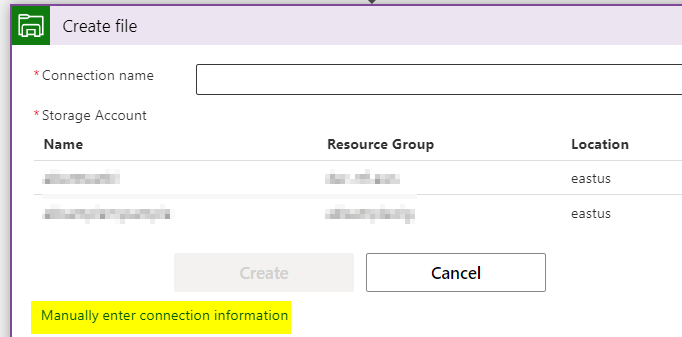
For that you use the azure storage access key:
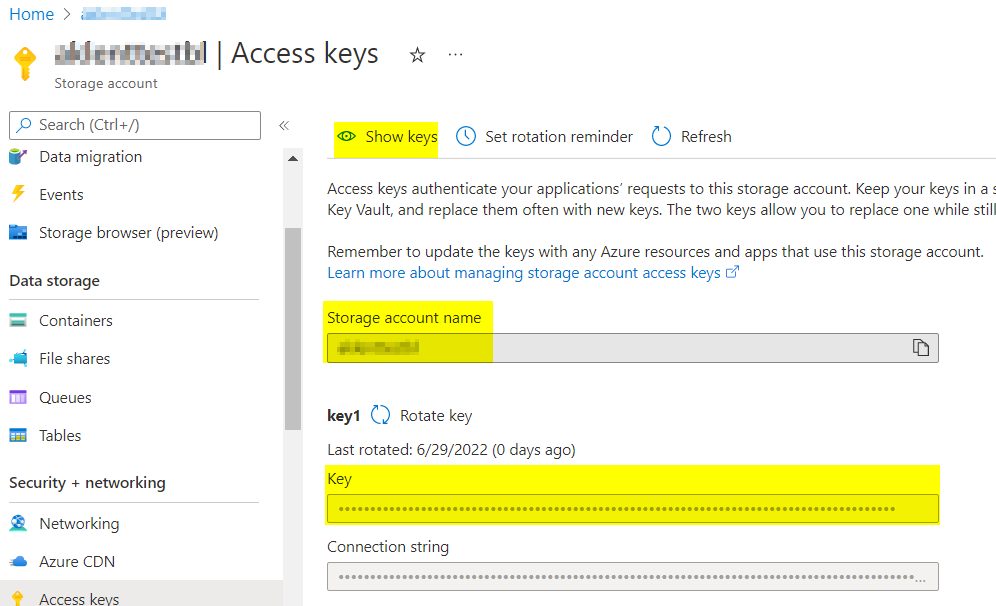
I tried this method also but im facing error.
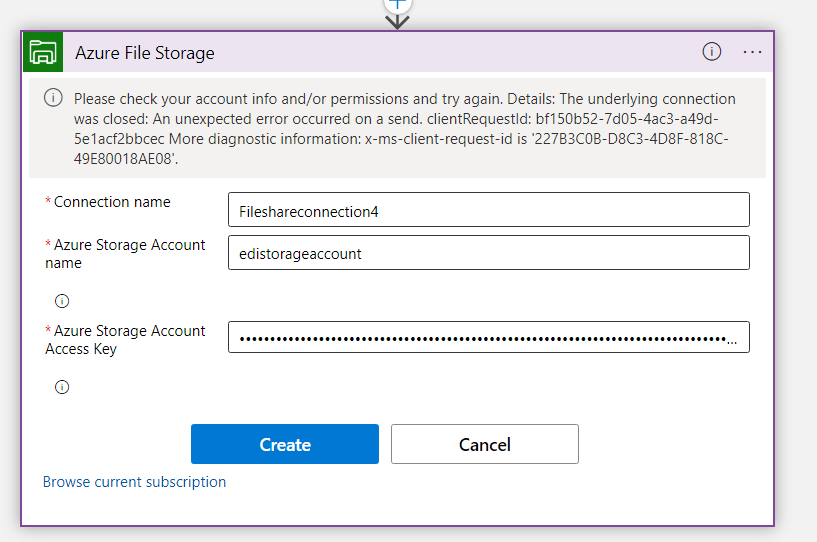
This error is generic. The connection may be working, the cause may be how you invoke or another global setting. something like this:
https://social.msdn.microsoft.com/Forums/azure/en-US/f254c1b9-7118-452a-8e7d-2bb52f3d50e5/the-underlying-connection-was-closed-an-unexpected-error-occurred-on-a-send?forum=azurelogicapps
Do you have an http Triger before. May need to see the rest of your logic app to look for clues