Extended Events Issue

Mikhail Firsov 1,881 Reputation points
2022-07-04T13:03:44.81+00:00

Hello!

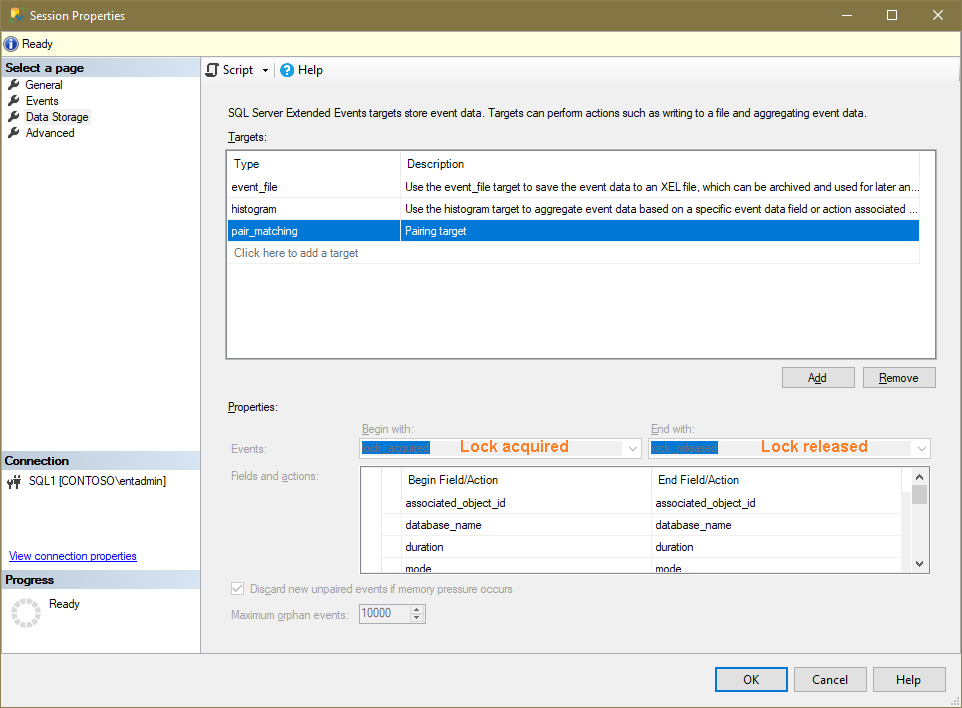
I've configured Locks Acquired/Released extended event session using (along with others) the pair-matching target...
217402-03.png

...and I can

  1. view live data
  2. view the target data for the file and histogram targets

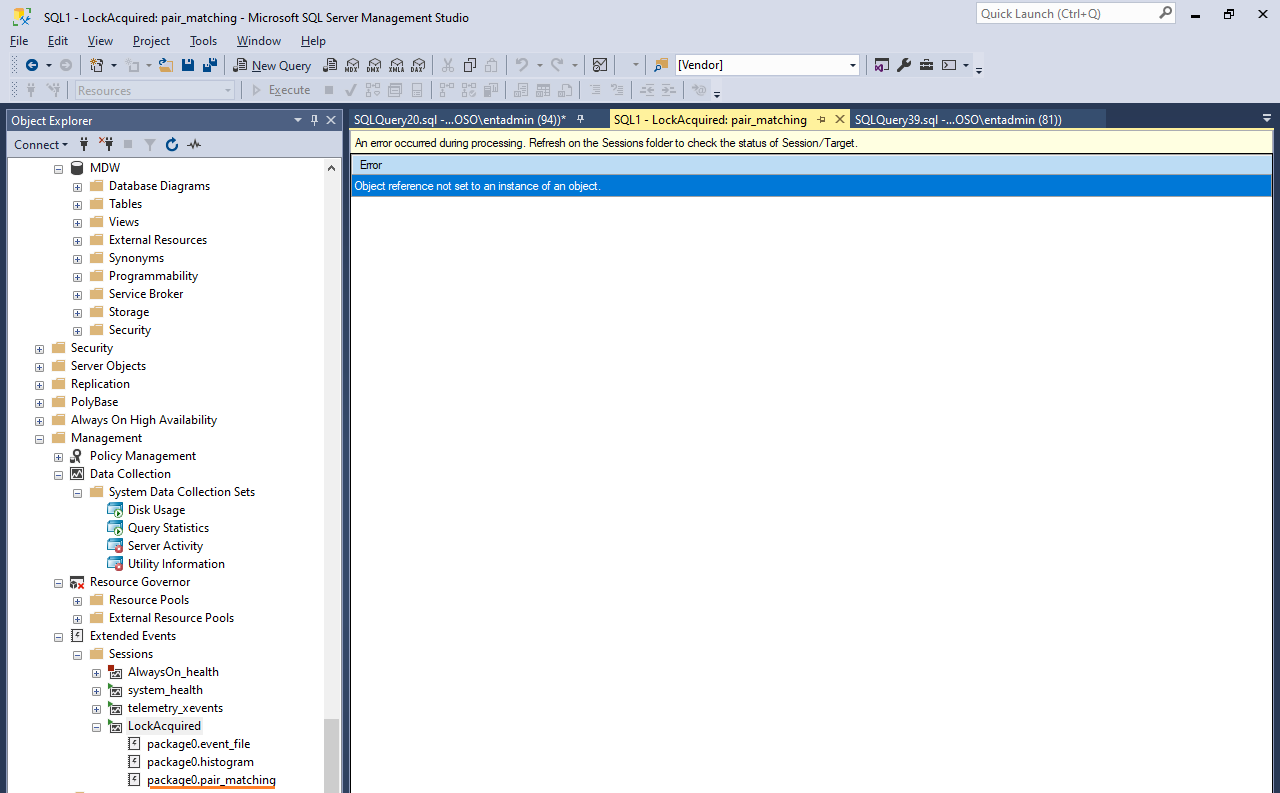
...but I can almost never view the pair-matching target data:
217382-05.png

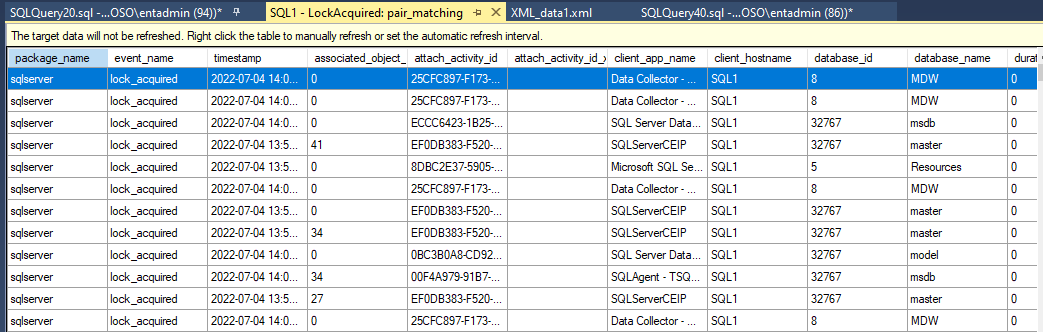
Only after 3-4-5...refreshing attempts does this target reveal its data:
217383-06.png

Is it a bug or am I missing anything here? Why does (ussually) the first n attempts result in the "Object reference not set ..." error while the n+1th attempt does display the data?

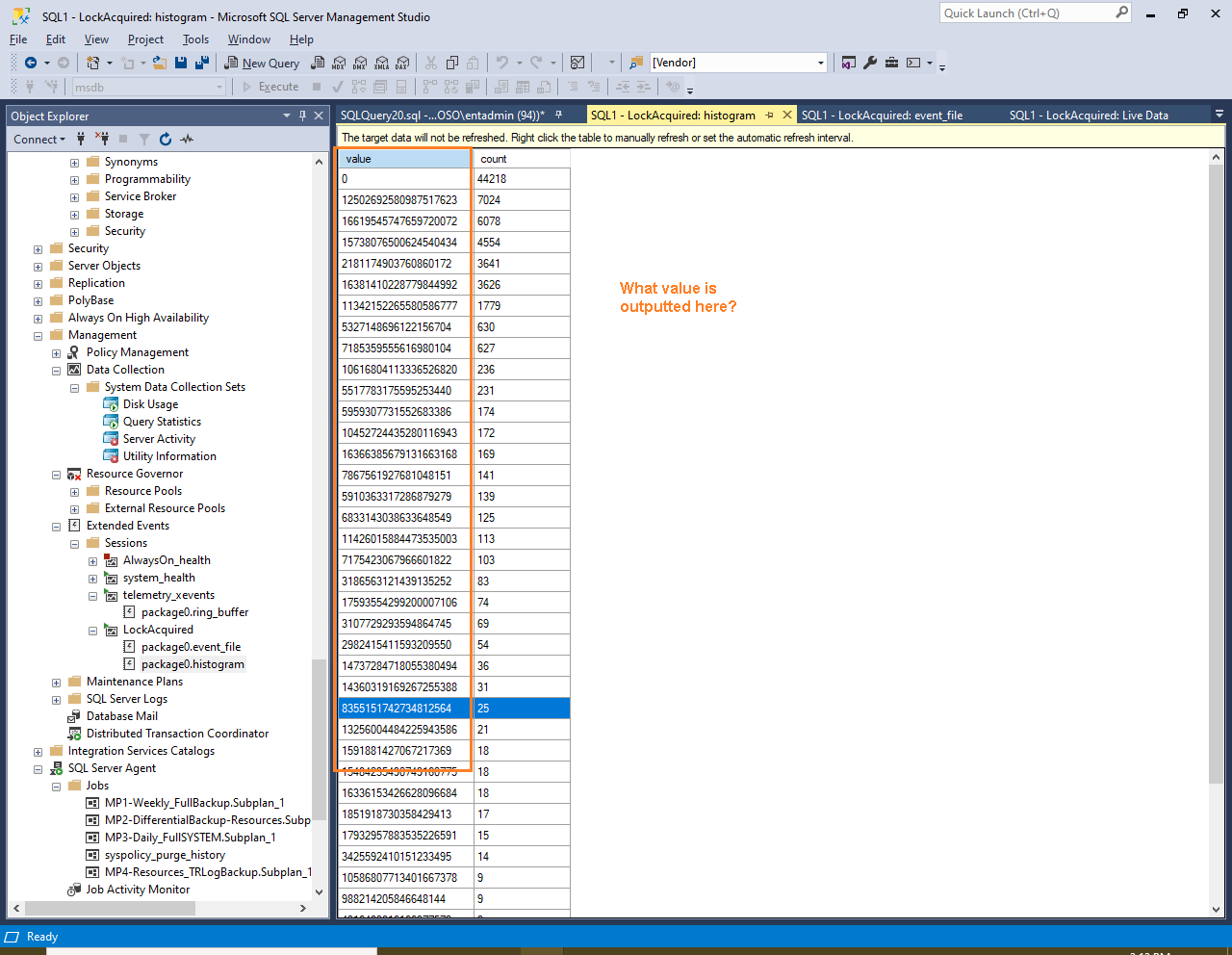
And Q2, please: it's strange but I failed to find the information on what does this Value field mean in the Histogram target:
217384-01.png

Thank you in advance,
Michael

SQL Server | Other
0 comments No comments
{count} votes

5 answers

Sort by: Most helpful
  1. YufeiShao-msft 7,156 Reputation points
    2022-07-05T08:42:55.283+00:00

    Hi @Mikhail Firsov ,

    If you encount error, it is best to check your error log for more information, you can check if your configuration options have some issue

    https://www.sqlskills.com/blogs/jonathan/an-xevent-a-day-9-of-31-targets-week-pair_matching/

    For histogram, the value is object_id that you monitor the session

    https://www.scarydba.com/2020/02/10/extended-events-histogram-output/

    -------------

    If the answer is the right solution, please click "Accept Answer" and kindly upvote it. If you have extra questions about this answer, please click "Comment".

    Note: Please follow the steps in our documentation to enable e-mail notifications if you want to receive the related email notification for this thread.

    0 comments No comments

  2. Mikhail Firsov 1,881 Reputation points
    2022-07-05T13:12:04.177+00:00

    Yufeishao-msft, thank you for the reply!

    "If you encount error, it is best to check your error log for more information, you can check if your configuration options have some issue" - I haven't found any XE-related errors in the logs and providing at least sometimes the pair-matching does return data I guess there're no configuration errors.

    "For histogram, the value is object_id that you monitor the session" - I thought about it but
    there was no any value that would resemble the values in the histogram's output:

    • I mean there was no any value that was displayed as a 20-digit number in either Live Data output or in the file-target output.

    According to the article you mentioned it's become obvious that the histogram's value field is derived from the Source parameter of the sqlserver.lock_acquired event only:

    CREATE EVENT SESSION [LockAcquired] ON SERVER
    ADD EVENT sqlserver.lock_acquired(
    ACTION(package0.last_error,sqlserver.client_app_name,sqlserver.client_hostname,sqlserver.database_name,sqlserver.is_system,sqlserver.query_hash,sqlserver.server_principal_name,sqlserver.session_id,sqlserver.session_nt_username)
    WHERE ([package0].greater_than_uint64 AND [package0].equal_boolean)),
    ADD EVENT sqlserver.lock_released(
    ACTION(sqlserver.client_app_name,sqlserver.client_hostname,sqlserver.database_name,sqlserver.is_system,sqlserver.nt_username))
    ADD TARGET package0.event_file(SET filename=N'C:\TEST\LockAquired.xel'),
    ADD TARGET package0.histogram(SET filtering_event_name=N'sqlserver.lock_acquired',source=N'sqlserver.query_hash'),
    ADD TARGET package0.pair_matching(SET begin_event=N'sqlserver.lock_acquired',begin_matching_actions=N'sqlserver.session_nt_username',begin_matching_columns=N'associated_object_id,database_name,duration,mode,resource_0,resource_1,resource_2,resource_description,transaction_id',end_event=N'sqlserver.lock_released',end_matching_actions=N'sqlserver.nt_username',end_matching_columns=N'associated_object_id,database_name,duration,mode,resource_0,resource_1,resource_2,resource_description,transaction_id',respond_to_memory_pressure=(1))
    WITH (MAX_MEMORY=4096 KB,EVENT_RETENTION_MODE=ALLOW_SINGLE_EVENT_LOSS,MAX_DISPATCH_LATENCY=30 SECONDS,MAX_EVENT_SIZE=0 KB,MEMORY_PARTITION_MODE=NONE,TRACK_CAUSALITY=ON,STARTUP_STATE=OFF)
    GO

    • so thank you for the article!

    Regards,
    Michael

    0 comments No comments

  3. Mikhail Firsov 1,881 Reputation points
    2022-07-15T11:10:50.047+00:00

    Tested the same extended event on SQL Server 2017 : no single "Object reference not set..." error... On SQL 2019 (see the picture above) - doesn't work at all.

    0 comments No comments

  4. Mikhail Firsov 1,881 Reputation points
    2022-07-18T10:20:20.527+00:00

    P.S. There was just one such error (on 2017) so far.

    0 comments No comments

  5. YufeiShao-msft 7,156 Reputation points
    2022-08-01T09:28:29.263+00:00

    Hi,
    There is a similar thread, it seems to be related to SSMS, you can try to check your the version of SSMS
    https://techcommunity.microsoft.com/t5/sql-server/quot-object-reference-not-set-to-an-instance-of-an-object/m-p/2889011

    0 comments No comments

Your answer

Answers can be marked as 'Accepted' by the question author and 'Recommended' by moderators, which helps users know the answer solved the author's problem.