Microsoft Security | Microsoft Purview
A unified data governance solution that helps manage, protect, and discover data across your organization

This browser is no longer supported.
Upgrade to Microsoft Edge to take advantage of the latest features, security updates, and technical support.
' cx='32' cy='32' r='32' /%3E%3Ctext x='50%25' y='55%25' dominant-baseline='middle' text-anchor='middle' fill='%23FFF' %3ECP%3C/text%3E%3C/svg%3E)
Create a classification rule (dictionary) with the REST API
Hi all trying to create a classification rule by using the Purview REST API and while I could create a rule using Regex for a dictionary based rule I am getting an error.
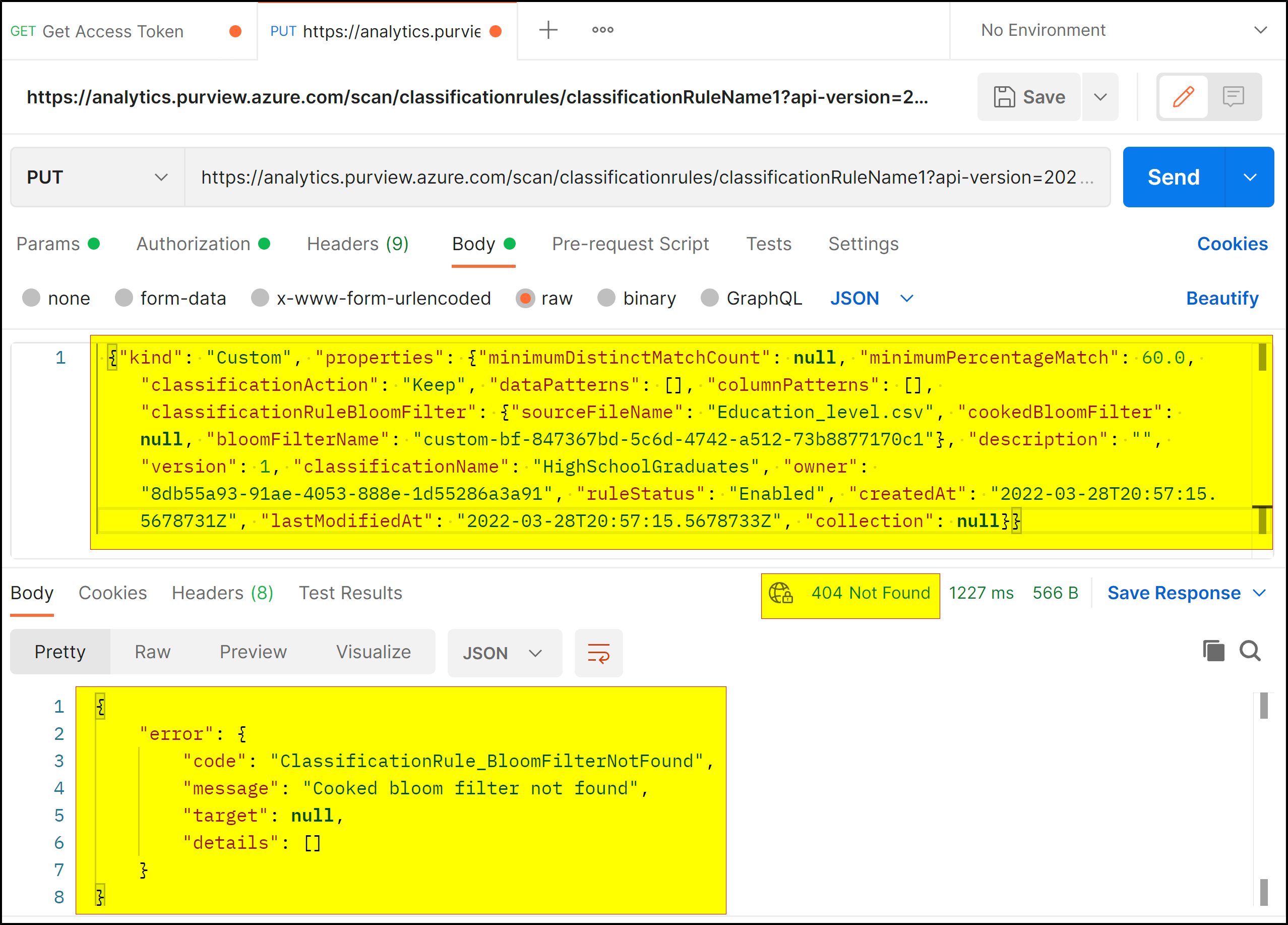
{"kind": "Custom", "properties": {"minimumDistinctMatchCount": null, "minimumPercentageMatch": 60.0, "classificationAction": "Keep", "dataPatterns": [], "columnPatterns": [], "classificationRuleBloomFilter": {"sourceFileName": "Education_level.csv", "cookedBloomFilter": null, "bloomFilterName": "custom-bf-847367bd-5c6d-4742-a512-73b8877170c1"}, "description": "", "version": 1, "classificationName": "HighSchoolGraduates", "owner": "8db55a93-91ae-4053-888e-1d55286a3a91", "ruleStatus": "Enabled", "createdAt": "2022-03-28T20:57:15.5678731Z", "lastModifiedAt": "2022-03-28T20:57:15.5678733Z", "collection": null}}
Got the previous JSON from one of my already existing dictionary rules hoping i could just reuse it but got a response like the following:
<Response [404]>
{
  "error": {
    "code": "ClassificationRule_BloomFilterNotFound",
    "message": "Cooked bloom filter not found",
    "target": null,
    "details": []
  }
}
The Bloomfilter I assumed it meant the dictionary from the Classification rule i copied from, so I wanted to check, is there a way to add/create/get a new BloomFilter so it does not return an error or is the API not enough to create dictionary classification rules just yet? Maybe I am missing something?

Hello @Constantino Pearl ,
Following up to see if the below suggestion was helpful. And, if you have any further query do let us know.
------------------------------
 or upvote
  button whenever the information provided helps you.
Hello @Constantino Pearl ,
Thanks for the question and using MS Q&A platform.
As per the repro, we have faced the same error message as shown above - it looks like there is an issue with the request body which you have passed.
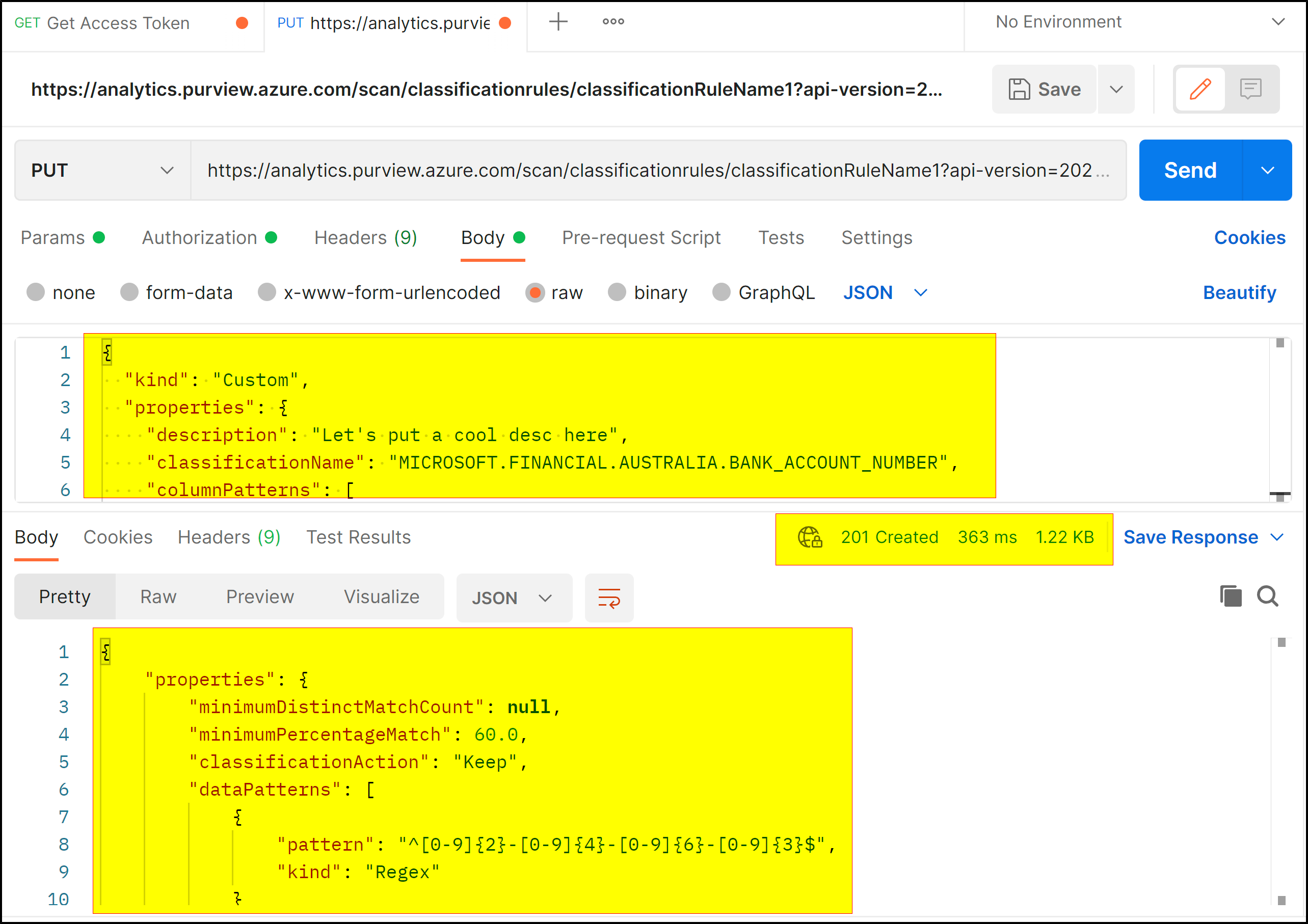
When I tried the same request body provided in the official document it works as excepted.
For more details, refer to the REST API - Classification Rules - Create Or Update.
Hope this will help. Please let us know if any further queries.
or upvote button whenever the information provided helps you. Original posters help the community find answers faster by identifying the correct answer. Here is how
thanks @PRADEEPCHEEKATLA
But the issue is in trying to create a classsification rule with a dictionary pattern instead of a regex pattern. I tried the one from the official documentation but there seems theres not a way of creating a classification rule with a dictionary pattern as of now with the API.
Hello @Constantino Pearl ,
I'm able to create the classification rule as shown above. What do you mean by there's not a way of creating a classification rule with a dictionary pattern as of now with the API?