Azure Data Factory
An Azure service for ingesting, preparing, and transforming data at scale.
This browser is no longer supported.
Upgrade to Microsoft Edge to take advantage of the latest features, security updates, and technical support.
' cx='32' cy='32' r='32' /%3E%3Ctext x='50%25' y='55%25' dominant-baseline='middle' text-anchor='middle' fill='%23FFF' %3EAA%3C/text%3E%3C/svg%3E)
I want to share the self-hosted integration runtime (IR) logs with Microsoft. But when I try to access the log in Activity run window all I see is the below message. I have also attached the screenshot.
To display these logs, we would be accessing your event logs located on the machine(s) where the self-hosted integration runtime is setup.
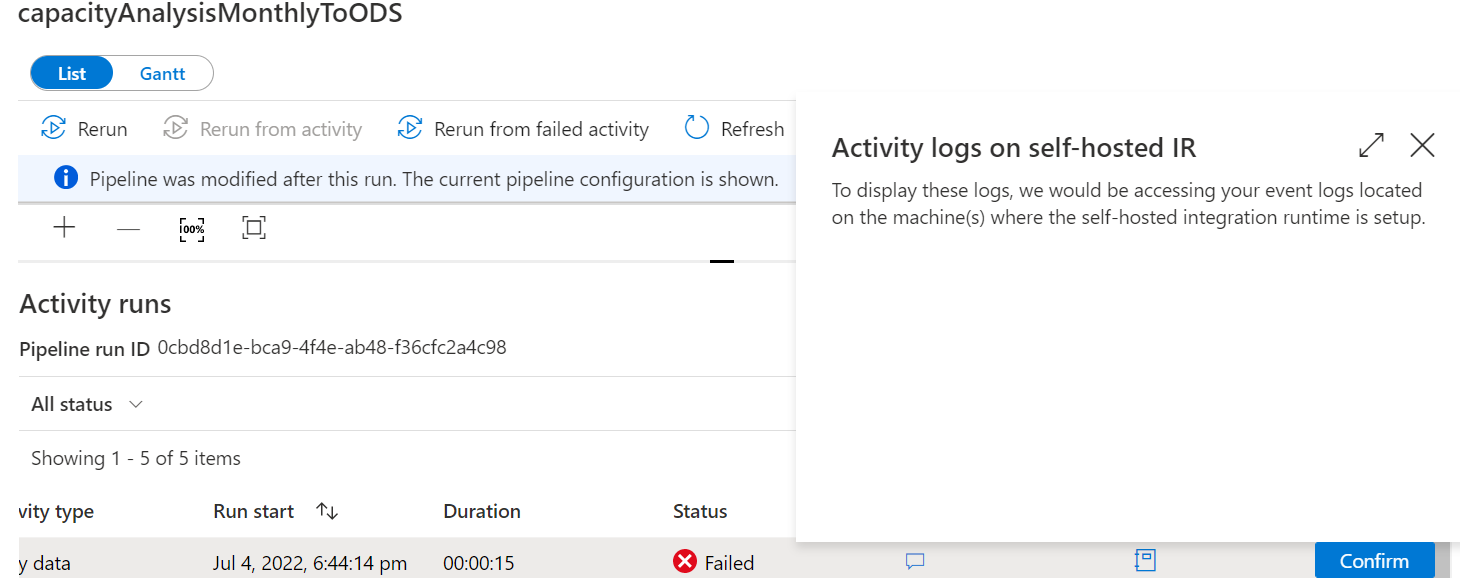
Could you please tell why would I not see the log and the option to send logs.
An Azure service for ingesting, preparing, and transforming data at scale.

Hi Arya,
After this pop-up do you see any button that requests you to confirm/yes?
No Vinodh. Only see the message I shared in screenshot.
' cx='32' cy='32' r='32' /%3E%3Ctext x='50%25' y='55%25' dominant-baseline='middle' text-anchor='middle' fill='%23FFF' %3EKM%3C/text%3E%3C/svg%3E)
Hello @Arya, Ayushi ,
Thanks for using MS Q&A platform and bringing this to our attention.
As per my understanding, you were not able to see the Send Logs button in ADF UI -> Monitor -> Pipeline Runs - > Activity Runs as described in this document: Gather self-hosted IR logs. Please correct if I'm wrong.
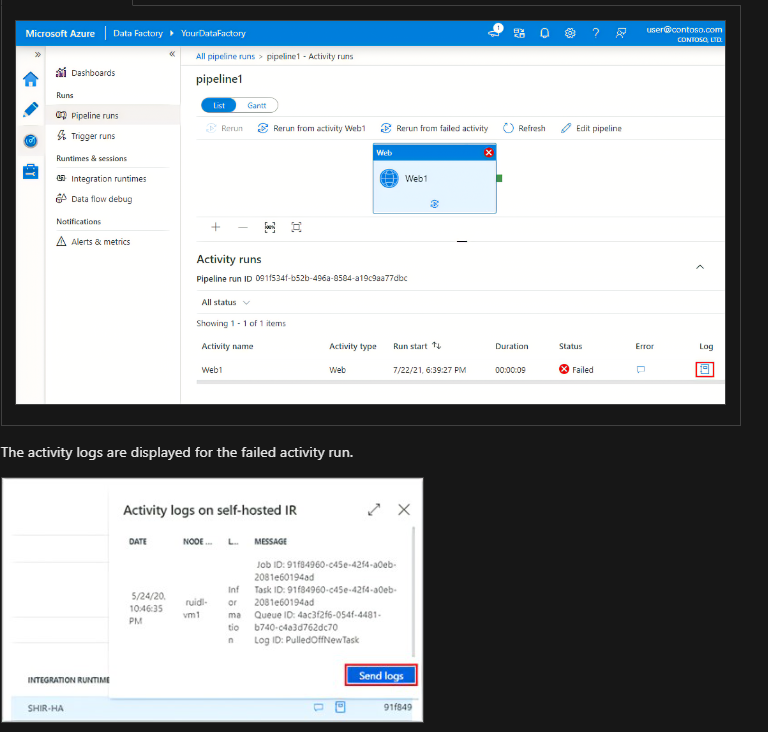
I tried to check if I'm able to see that button in my ADF UI and noticed that the button isn't available and hence, I have reached out to internal team to check if we are missing anything as prerequisites or if it a UI bug. I am waiting for a response from the team and will keep you posted as soon as we have an update.
Thank you for your patience.
Thanks Kranthi for looking into my query. When I go to activity run window and click to see the self-hosted integration runtime logs it would just show me the message "To display these logs, we would be accessing your event logs located on the machine(s) where the self-hosted integration runtime is setup" . I have shared the screenshot of it initially. It is not showing the block of detailed log like in your screenshot where you see date, node, message , send logs option.
Hello @Arya, Ayushi ,
Just wanted to let you know that I'm still working with respective product owners on this issue and will keep you posted as soon as I have an update.
Thank you for your patience.
' cx='32' cy='32' r='32' /%3E%3Ctext x='50%25' y='55%25' dominant-baseline='middle' text-anchor='middle' fill='%23FFF' %3EMV%3C/text%3E%3C/svg%3E)
I ran into exactly same problem yesterday (missing "Send logs" button). Any updates @KranthiPakala-MSFT ?
Hi @Markku Vahter ,
Thanks for reaching out in MS Q&A forum. We have escalated this issue to respective product team, and they are looking into it. Will keep you posted as soon as we have an update from the team.
Thank you for your patience.
Hello @Arya, Ayushi , @Markku Vahter ,
I just heard back from the product team that they have identified it as a bug and actively working on it to fix. The tentative ETA is end of next week. I will keep you posted as soon as I get the fix is rolled out.
Thank you for your patience.
Hello @Arya, Ayushi , @Markku Vahter ,
The Product team had fixed this UI bug early last week and now you can see a Confirm button as shown below. Once you click on it it will provide you additional details as described in the troubleshooting document.
I did verify this on my subscription and was able to see the button.
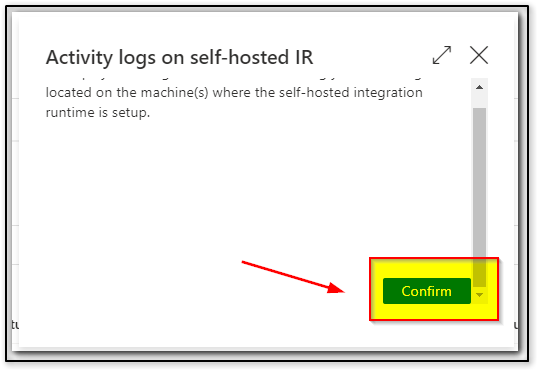
Could you please confirm the same.
Thank you