Microsoft 365 and Office | SharePoint | For business | Windows
A group of Microsoft Products and technologies used for sharing and managing content, knowledge, and applications.

This browser is no longer supported.
Upgrade to Microsoft Edge to take advantage of the latest features, security updates, and technical support.

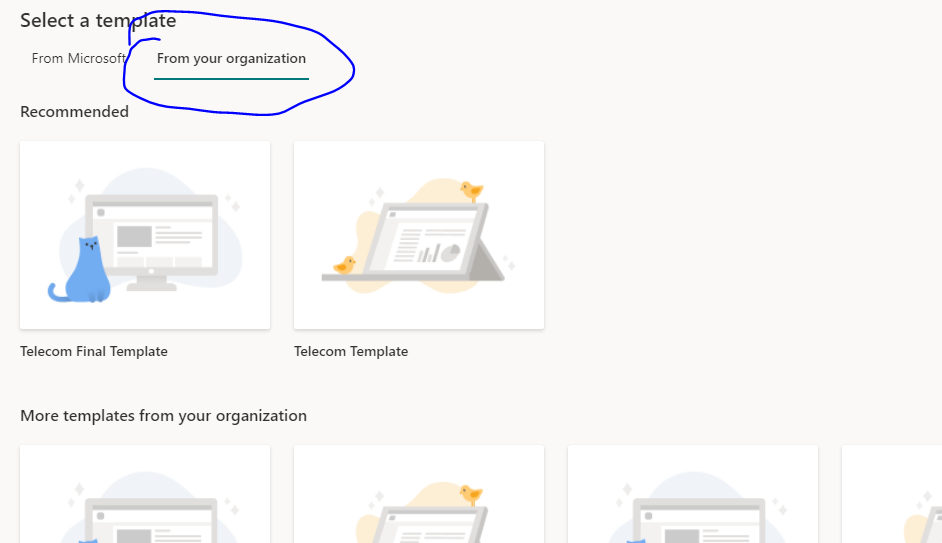
I have an xml template taken from existing site using pnp powershell module and want to upload in SharePoint Template section (pic attached) so user can use them or apply them on their sites. Is there any way?
Regards,
' cx='32' cy='32' r='32' /%3E%3Ctext x='50%25' y='55%25' dominant-baseline='middle' text-anchor='middle' fill='%23FFF' %3EED%3C/text%3E%3C/svg%3E)
I'm glad to hear you solve the problem ,if you have any issue about SharePoint, you are welcome to raise a ticket in this forum.
By the way, since the Microsoft Q&A community has a policy that "The question author cannot accept their own answer. They can only accept answers by others.". and according to the scenario introduced here: Answering your own questions on Microsoft Q&A, I would make a brief summary of this thread:
[Upload custom sharepoint site template in Sharepoint online APPLY Template Section]
Issue Symptom:
I have an xml template taken from existing site using pnp powershell module and want to upload in SharePoint Template section (pic attached) so user can use them or apply them on their sites. Is there any way?
Current status:
I end up using Powershell PNP module to create site template which offers copying webparts as well. thanks
You could click the "Accept Answer" button for this summary to close this thread, and this can make it easier for other community member's to see the useful information when reading this thread. Thanks for your understanding!
If the answer is helpful, please click "Accept Answer" and kindly upvote it. If you have extra questions about this answer, please click "Comment".
Note: Please follow the steps in our documentation to enable e-mail notifications if you want to receive the related email notification for this thread.
You should create a site script by using JSON template with desired actions such as creating lists, applying a theme and etc. Then add the site script into your tenant.
After adding the site script into your tenant, you could choose the custom template from your organization in Apply a site template.
References:
https://learn.microsoft.com/en-us/sharepoint/dev/declarative-customization/get-started-create-site-design
https://www.sharepointdiary.com/2019/10/sharepoint-online-site-design-and-site-scripts.html
Note: Microsoft is providing this information as a convenience to you. The sites are not controlled by Microsoft. Microsoft cannot make any representations regarding the quality, safety, or suitability of any software or information found there. Please make sure that you completely understand the risk before retrieving any suggestions from the above link.
If the answer is helpful, please click "Accept Answer" and kindly upvote it. If you have extra questions about this answer, please click "Comment".
Note: Please follow the steps in our documentation to enable e-mail notifications if you want to receive the related email notification for this thread.
@Emily Du-MSFT The problem with that is its not creating complete template i.e. webpart and layout is not coming with template using this method. thanks
Per my knowledge, you could use JSON to create layout but not web part in the site template.
I’m checking how the things are going on about this issue. Whether the answer helps you?
If there is any problem with this issue, feel free to let me know.
hi @Emily Du-MSFT I end up using Powershell PNP module to create site template which offers copying webparts as well. thanks