Microsoft Security | Microsoft Entra | Microsoft Entra ID
A cloud-based identity and access management service for securing user authentication and resource access

This browser is no longer supported.
Upgrade to Microsoft Edge to take advantage of the latest features, security updates, and technical support.
' cx='32' cy='32' r='32' /%3E%3Ctext x='50%25' y='55%25' dominant-baseline='middle' text-anchor='middle' fill='%23FFF' %3EA%3C/text%3E%3C/svg%3E)
I'm signing in https://portal.azure.com/#view/Microsoft_AAD_IAM/ActiveDirectoryMenuBlade/ ~/Overview
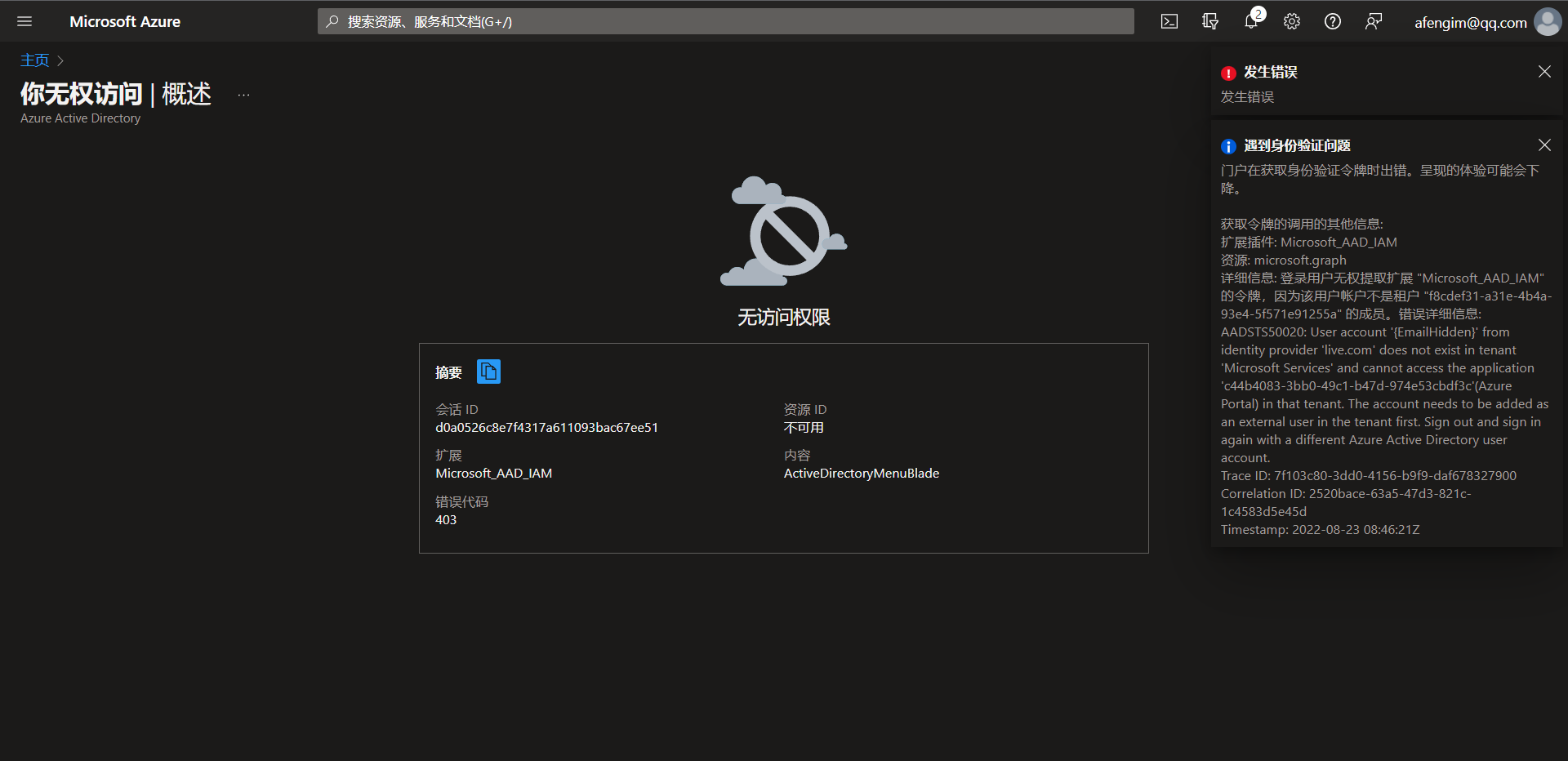
403 error encountered
I am currently unable to use any of azure's services. How can I solve this problem?
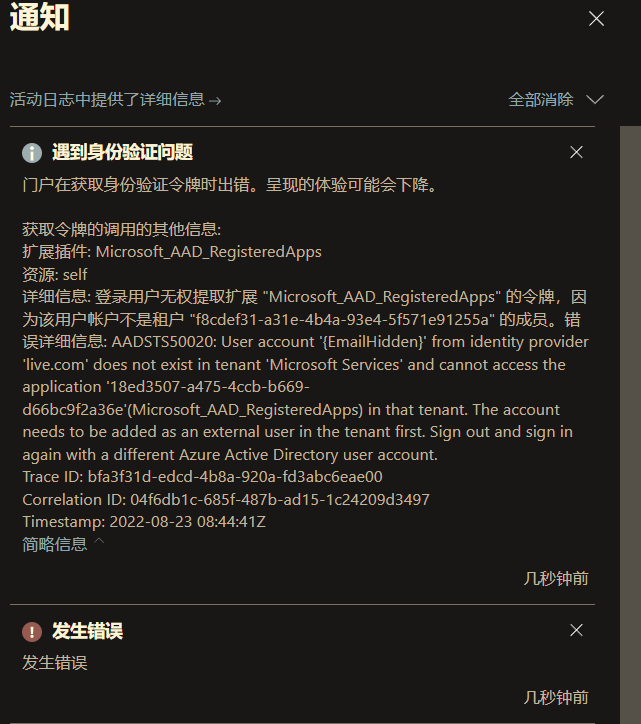
Error report log:
Get additional information about the call of the token:
Extensions: Microsoft_ AAD_ IAM
Resources: Microsoft graph
Details: the login user is not authorized to extract the token of the extension "microsoft_aad_iam" because the user account is not a member of the tenant "f8cdef31-a31e-4b4a-93e4-5f571e91255a". Error details: aadsts50020: user account '{emailhidden}' from identity provider 'live com' does not exist in tenant 'Microsoft Services' and cannot access the application 'c44b4083-3bb0-49c1-b47d-974e53cbdf3c'(Azure Portal) in that tenant. The account needs to be added as an external user in the tenant first. Sign out and sign in again with a different Azure Active Directory user account.
Trace ID: 7f103c80-3dd0-4156-b9f9-daf678327900
Correlation ID: 2520bace-63a5-47d3-821c-1c4583d5e45d
Timestamp: 2022-08-23 08:46:21Z
Original log:
获取令牌的调用的其他信息:
扩展插件: Microsoft_AAD_IAM
资源: microsoft.graph
详细信息: 登录用户无权提取扩展 "Microsoft_AAD_IAM" 的令牌,因为该用户帐户不是租户 "f8cdef31-a31e-4b4a-93e4-5f571e91255a" 的成员。错误详细信息: AADSTS50020: User account '{EmailHidden}' from identity provider 'live.com' does not exist in tenant 'Microsoft Services' and cannot access the application 'c44b4083-3bb0-49c1-b47d-974e53cbdf3c'(Azure Portal) in that tenant. The account needs to be added as an external user in the tenant first. Sign out and sign in again with a different Azure Active Directory user account.
Trace ID: 7f103c80-3dd0-4156-b9f9-daf678327900
Correlation ID: 2520bace-63a5-47d3-821c-1c4583d5e45d
Timestamp: 2022-08-23 08:46:21Z

Hi,
Thank you for asking this question on the Microsoft Q&A Platform.
Is this your tenant and are you the administrator of the tenant? Do you have any other administrator account or someone to assist you to verify your account in the tenant? It seems the account you are trying to login does not have access / authroization to login.
==
Please "Accept the answer" if the information helped you. This will help us and others in the community as well.
Thank you for your reply
This account was registered about 3 days ago. I didn't ask anyone to verify it for me, and this is a personal account
When the account was first registered, the office 365 personal edition was purchased. Will it affect the administrator authority of the account?
How should I solve this problem?

Hi @afeng
It looks like you need to add the personal account as a guest to the "f8cdef31-a31e-4b4a-93e4-5f571e91255a" tenant.
Use the Azure portal or MS graph api.
If the answer is helpful, please click "Accept Answer" and kindly upvote it. If you have extra questions about this answer, please click "Comment".
Note: Please follow the steps in our documentation to enable e-mail notifications if you want to receive the related email notification for this thread.
Thank you for your answer. Now it can operate normally
Hi @afeng
Glad to know that your problem has been solved, if my answer helps you then you can accept it as the standard answer. This may help members with similar problems, thanks!

Hello @afeng ,
Please "Accept the answer" if the information helped you. This will help us and others in the community as well.