Azure Data Factory
An Azure service for ingesting, preparing, and transforming data at scale.
This browser is no longer supported.
Upgrade to Microsoft Edge to take advantage of the latest features, security updates, and technical support.
' cx='32' cy='32' r='32' /%3E%3Ctext x='50%25' y='55%25' dominant-baseline='middle' text-anchor='middle' fill='%23FFF' %3EVK%3C/text%3E%3C/svg%3E)
Hi Team,
I have below services on Azure -
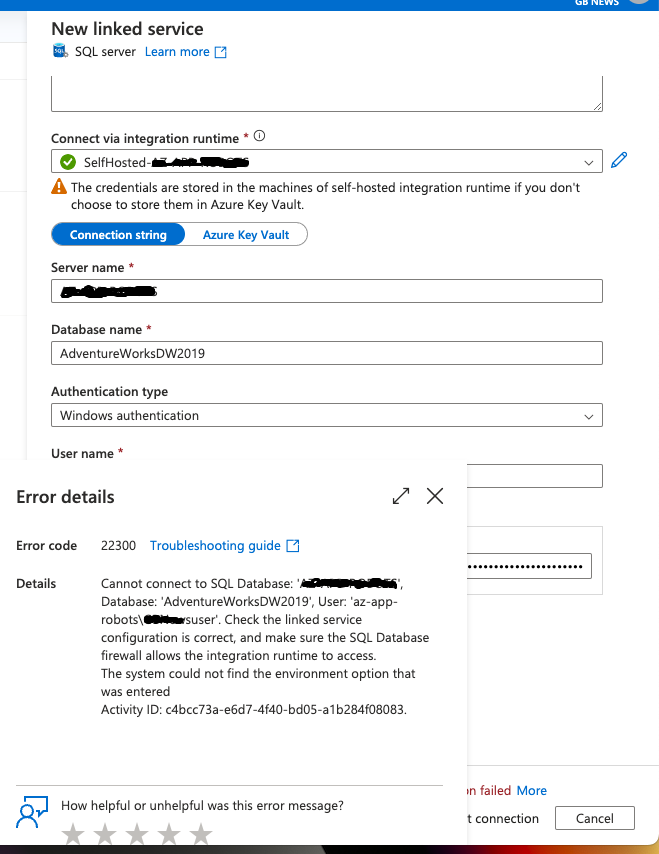
Both the services are on same subscription & resource group. I have installed Self Hosted Integration Runtime on mentioned VM and registered it with my Azure Data Factory. And now I'm trying to create a linked service on ADF to connect to the SQL Server developer edition but I get the below error (Please also refer to the screenshot of the ports that are open from my Azure VM) -

' cx='32' cy='32' r='32' /%3E%3Ctext x='50%25' y='55%25' dominant-baseline='middle' text-anchor='middle' fill='%23FFF' %3EBM%3C/text%3E%3C/svg%3E)
Hello @Vivek Komarla Bhaskar ,
Welcome to the MS Q&A platform.
Possible root cause:
This error usually occurs when you are trying to access SQL data sources located in an Azure VM / VNet using Azure IR or Firewall issues
Possible resolution/workaround:
To be able to have a successful connection, you will need to install the Self-Hosted Integration Runtime in the Azure VM and whitelist the Machine’s IP address in Azure SQL VM inbound NSG rules, and open Port 443 & 1433 to allow communication from Azure Data Factory to the SQL VM. Then you should be able to connect to SQL VM from Data Factory by choosing the Self-Hosted Integration Runtime in SQL Server linked service to connect.
Here is the MS doc that explains how to create a Self-Hosted Integration Runtime: https://learn.microsoft.com/azure/data-factory/create-self-hosted-integration-runtime
------------------------------
 or upvote
  button whenever the information provided helps you. Original posters help the community find answers faster by identifying the correct answer. Here is how
Hello @Vivek Komarla Bhaskar ,
I am just checking to see if the above answer helped.
Hello @Vivek Komarla Bhaskar ,
I am just checking to see if the above answer helped.
Hi @Bhargava-MSFT , I will have to try this out. Will confirm soon
@Bhargava-MSFT , Are you able to provide clear instructions on below comment from you (I have already installed self hosted runtime on my VM and registered this with ADF as well shared you screenshot of current NSG rules on my VM)-
Whitelist the Machine’s IP address in Azure SQL VM inbound NSG rules, and open Port 443 & 1433 to allow communication from Azure Data Factory to the SQL VM
Hello @Vivek Komarla Bhaskar ,
Sorry, Initially, I thought it could be a firewall issue. As per your issue, I spun up an Azure VM and was able to reproduce the issue from my end.
Here are my findings.
Case1:
If you use windows authentication, make sure the domain account user name and password are correct. When I used the incorrect credentials, I got the 22300 error.
Case2:
If you use SQL authentication, ensure that Mixed mode is enabled on the SQL server. I got the 22300 error when the mixed mode was disabled and using the SQL account.
Also, you can test this from your Azure VM.
Open SSMS and connect to SQL using either windows or SQL authentication. If your authentication is successful, the same credentials will work in the linked server connection.
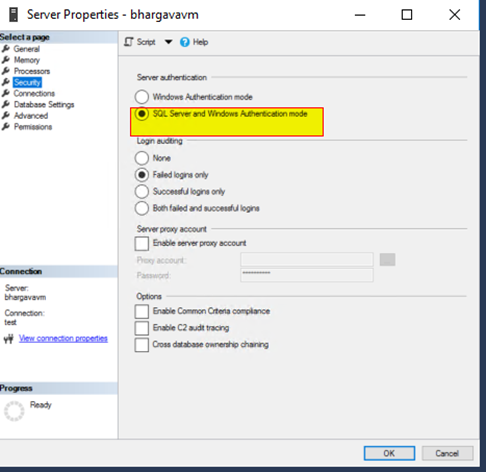

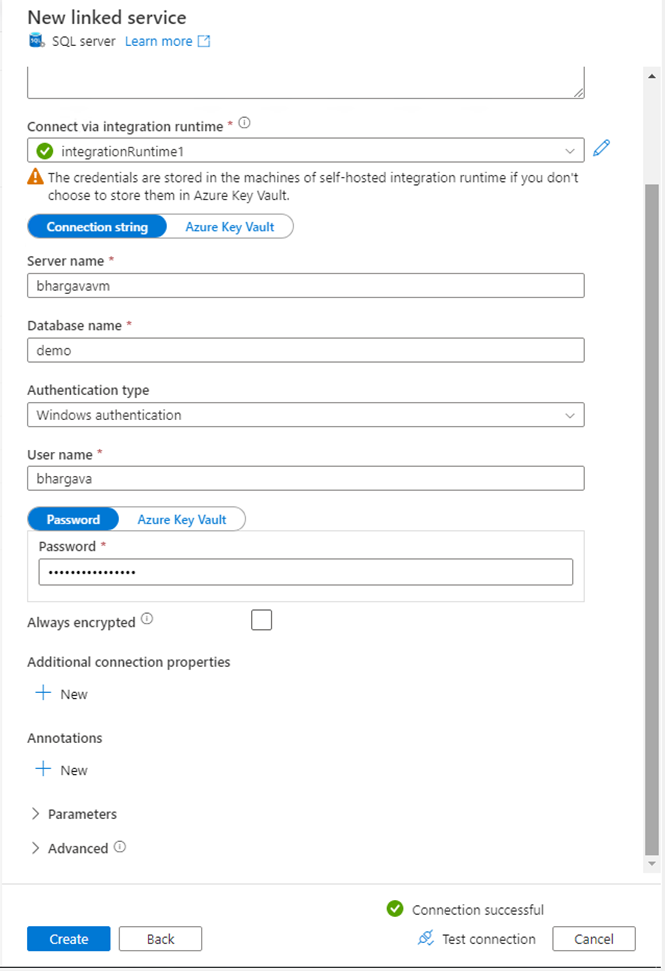
I hope this helps. Please let me know if you have any further questions.
------------------------------
or upvote button whenever the information provided helps you. Original posters help the community find answers faster by identifying the correct answer. Here is how