Azure Data Factory
An Azure service for ingesting, preparing, and transforming data at scale.
This browser is no longer supported.
Upgrade to Microsoft Edge to take advantage of the latest features, security updates, and technical support.

Hi All,
We are working on copying data from Azure app insights to a Kusto cluster using ADF. There are pipelines already created for our staging environment and while trying to debug a pipeline I got this error.
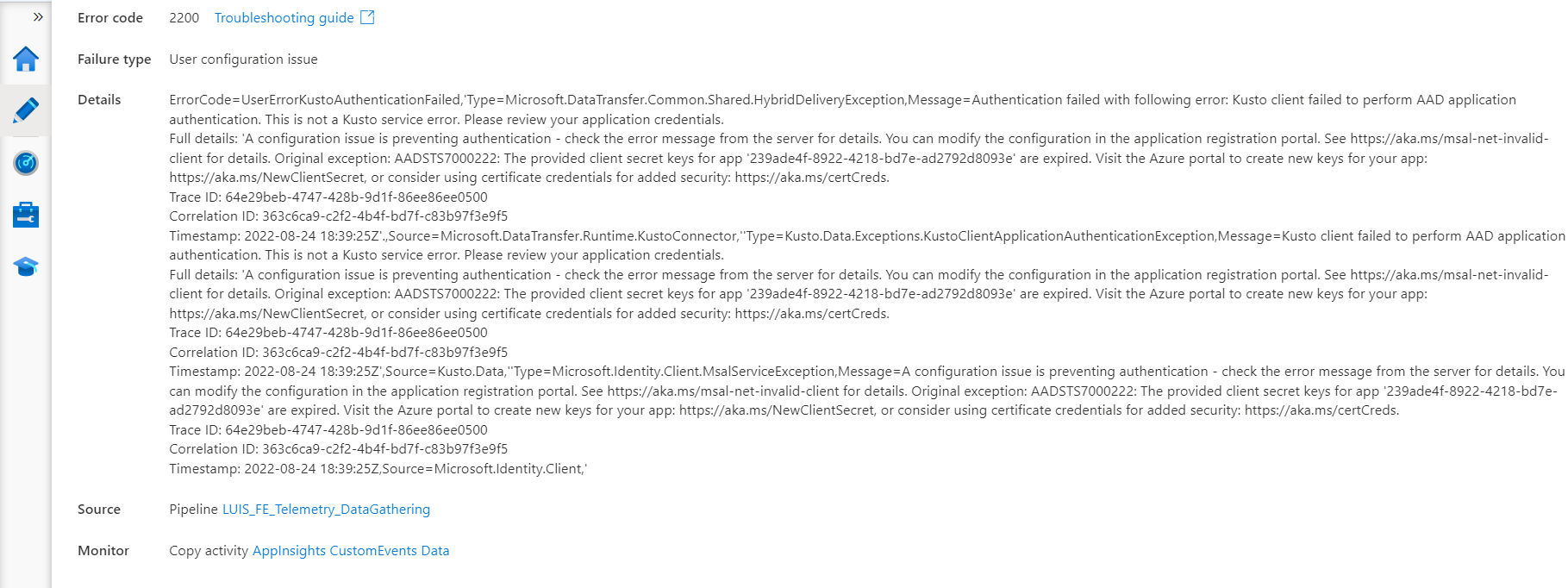
Are there any missing permissions?
Thanks

Hello @Mohamed Abobakr (IBS) ,
Following up to see if the below suggestion was helpful. And, if you have any further query do let us know.
------------------------------
 or upvote
  button whenever the information provided helps you.
Hello @Mohamed Abobakr (IBS) ,
Thanks for the question and using MS Q&A platform.
As per the error message it clearly says as
The provided client secret keys are expired. Visit the Azure portal to create new keys for your app.
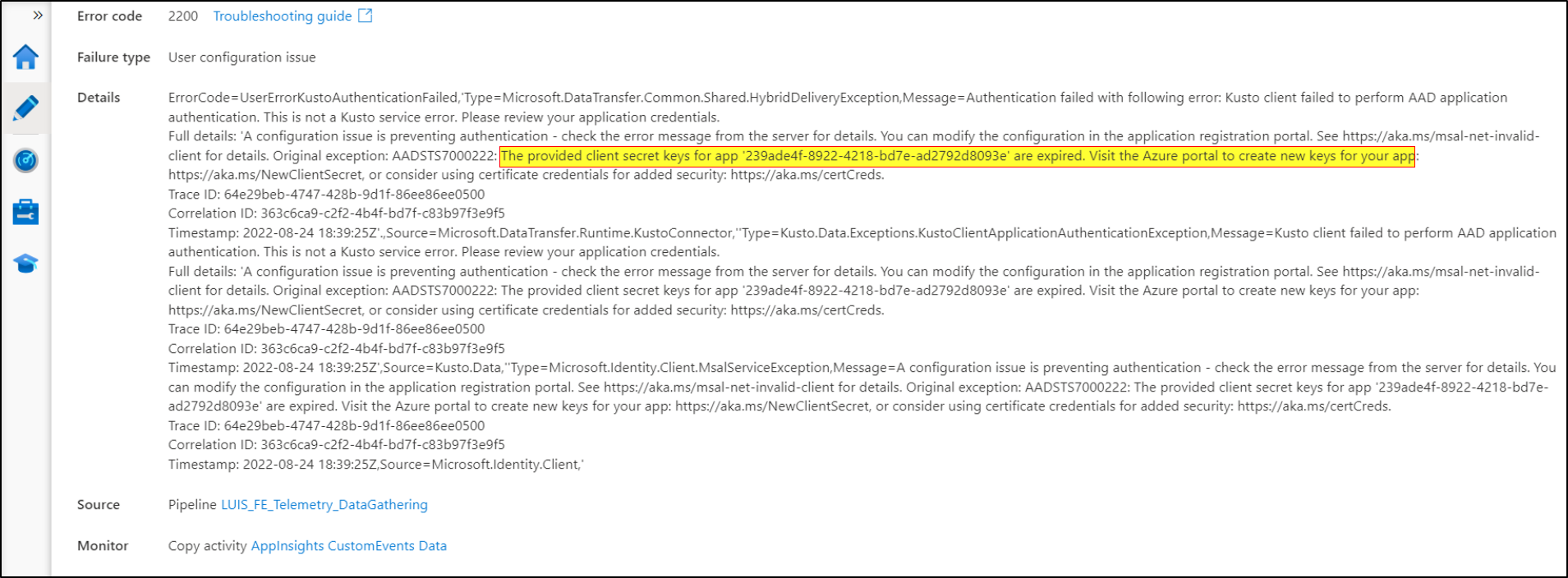
To resolve the error, you need to sign in to Azure Portal using Global Administrator or Application Administrator account and navigate to:
Azure Active Directory > Application Registrations > Search for your application > Under Manage section, click on Certificates & Secrets > Under client secrets, click on + New client secret as highlighted below:
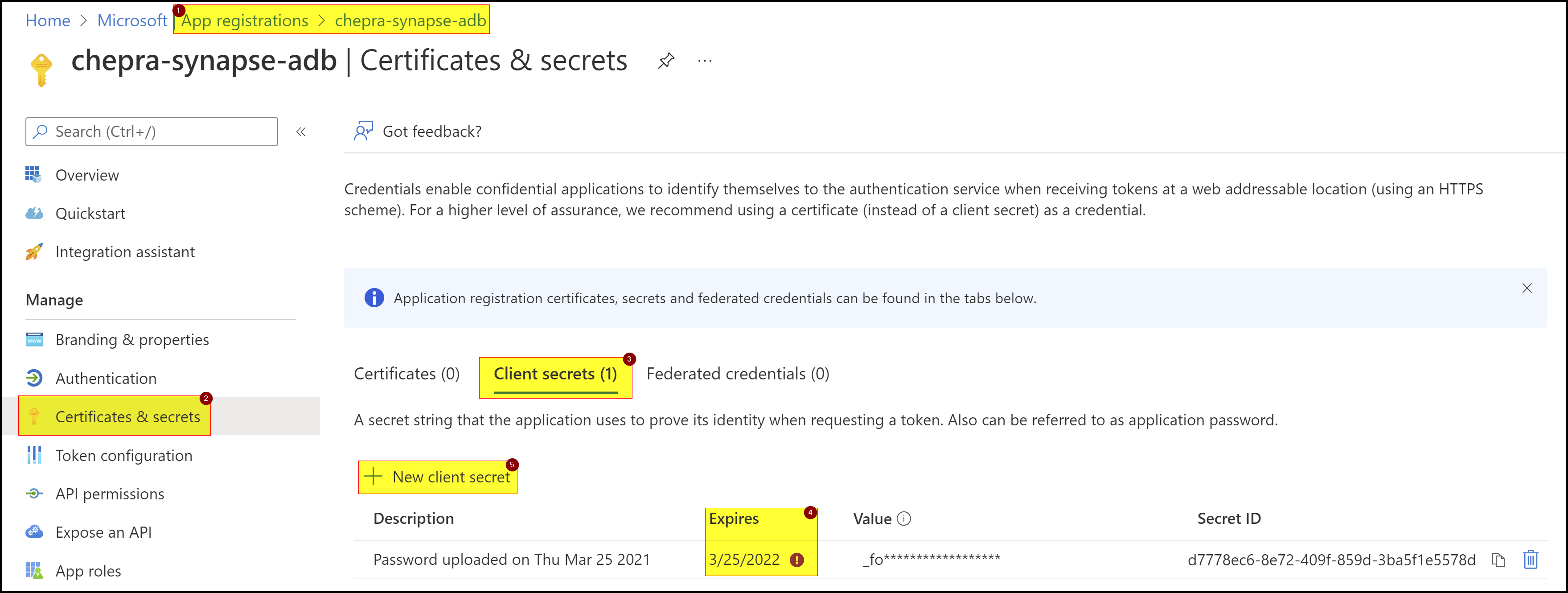
If you have specified the old secret in any your application(s) in linked service, you need to update your application code with the new code.
Hope this will help. Please let us know if any further queries.
------------------------------