Microsoft Teams | Development
Building, integrating, or customizing apps and workflows within Microsoft Teams using developer tools and APIs

This browser is no longer supported.
Upgrade to Microsoft Edge to take advantage of the latest features, security updates, and technical support.
' cx='32' cy='32' r='32' /%3E%3Ctext x='50%25' y='55%25' dominant-baseline='middle' text-anchor='middle' fill='%23FFF' %3EBP%3C/text%3E%3C/svg%3E)
Getting unknown error while requesting "https://graph.microsoft.com/beta/me/chats" in postman.
{
"error": {
"code": "UnknownError",
"message": "",
"innerError": {
"date": "2020-09-17T14:52:19",
"request-id": "de5b5553-6a96-4433-8655-48da1dbe77fd",
"client-request-id": "de5b5553-6a96-4433-8655-48da1dbe77fd"
}
}
}
But I am getting a positive response when I tried for other requests like "https://graph.microsoft.com/beta/me/".
I have generated a token with the following ways in postman snapshot.
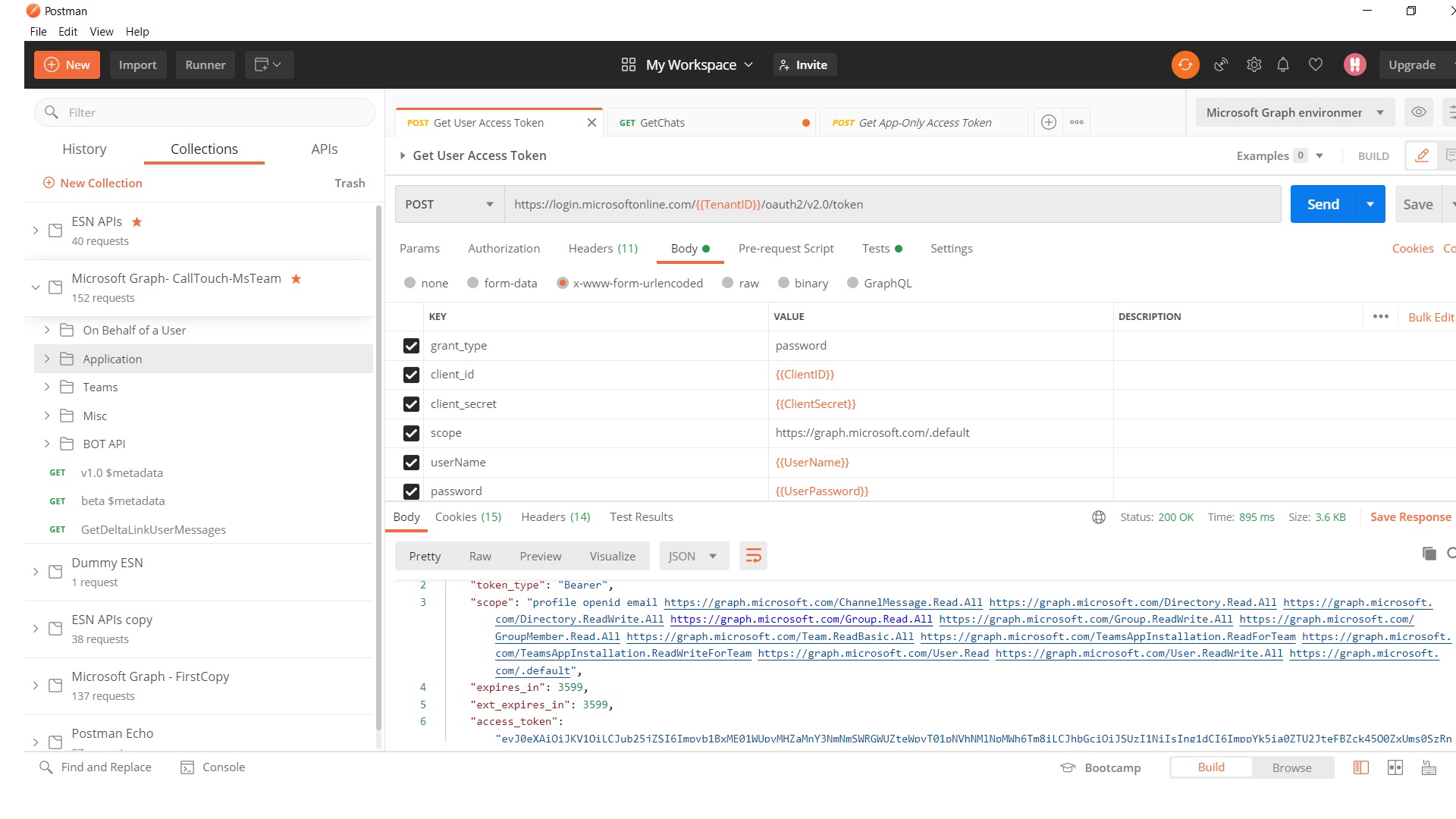
For more troubleshooting, I have cross verify with Graph Explorer and I am getting a positive response over there. Did I miss anything in the postman to get 1:1 Chat details?
Building, integrating, or customizing apps and workflows within Microsoft Teams using developer tools and APIs
A cloud-based identity and access management service for securing user authentication and resource access


@Bipin P ,
According to your description, this issue is more related to development. I would remove "office-teams-windows-itpro" tag. Hope you get better response.
Answer accepted by question author

@Bipin P
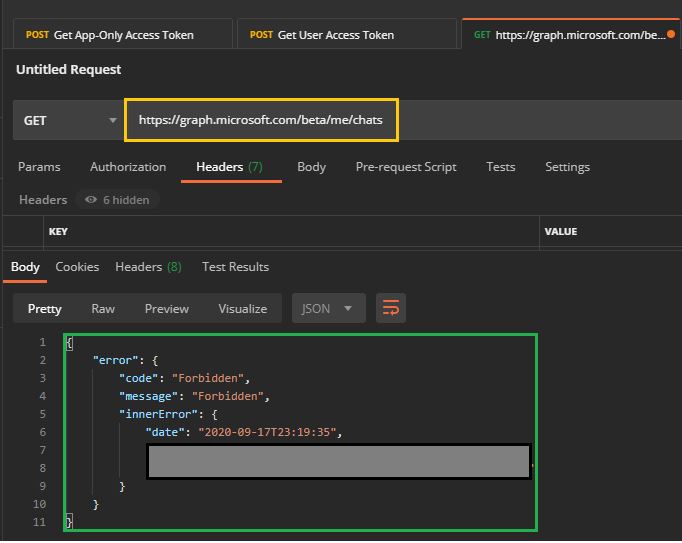
I tried reproducing your issue, however, I received a "forbidden" error instead of "unknown".
Can you try getting the chatID, then using the get chat call rather than using the "/me/chats"? I'd also make sure that your app registration has delegated permissions of either Chat.ReadBasic, Chat.Read, or Chat.ReadWrite
List Chats
GET https://graph.microsoft.com/beta/users/{id}/chats
Get Chat
GET https://graph.microsoft.com/beta/users/{id}/chats/{id}
Additional Link:
Chat resource type
Please let me know if you have any other questions.
Thank you for your time.
@Bipin P
I just wanted to check in and see if you required additional assistance or if you were able to resolve this issue?
Thanks for replying @JamesTran-MSFT ,
I have asked my Administrator Team to grant or consent Chat.ReadBasic permission. Another permission like Chat.Read and Chat.ReadWrite has already consented. Once Chat.ReadBasic permission approved I will come to you for further discussion.
@Bipin P
Thanks for the follow up! I'm glad that after you received the 'Chat.ReadBasic' permission it worked. For your follow up questions, please see below for my findings.
Findings:
/me/chats/<ChatID>/messages?$top=1
-Get chatMessage endpoint, doesn't support OData query parameters such as top.
/me/joinedTeams?$expand=channel
-List joinedTeams endpoint, doesn't support OData query parameters such as expand
/teams/<TeamId>/channels/<ChannelId>/messages?$expand=replies
-Get channel message, doesn't support OData query parameters such as expand
When it comes to the error message you received, it looks like this is a feature that might need to be raised via a feature request.
"Query option 'Expand' is not allowed. To allow it, set the 'AllowedQueryOptions' property on EnableQueryAttribute or QueryValidationSettings."
If you have any other questions, please let me know.
Thank you again for your time and patience throughout this issue.
Additional Links:
MS Graph Teams known isssues
@Bipin P
I just wanted to check in and see if you required additional assistance or if you were able to resolve this issue?
----------
If any reply/answer helped resolve your question, please remember to "mark as answer" so that others in the community facing similar issues can easily find the solution.
Accepted the previous answer but I am trying to explorer "/teams/<TeamId>/channels/<ChannelId>/messages?$expand=replies" as this needed to develop at my application side. If you have an example or sample solution kindly share with me
Thanks
Thanks, @JamesTran-MSFT ,
After given Chat.ReadBasic permission It works. Then I was doing a couple of queries
3) https://graph.microsoft.com/beta/teams/\<TeamId>/channels/<ChannelId>/messages?$expand=replies Not Working
{
    "error": {
        "code": "",
        "message": "The query specified in the URI is not valid. Query option 'Expand' is not allowed. To allow it, set the 'AllowedQueryOptions' property on EnableQueryAttribute or QueryValidationSettings.",
        "innerError": {
            "message": "Query option 'Expand' is not allowed. To allow it, set the 'AllowedQueryOptions' property on EnableQueryAttribute or QueryValidationSettings.",
            "date": "2020-09-21T14:43:04",
            "request-id": "241508c8-020f-4cb1-9b8d-XXXXXXXXXXXXX",
            "client-request-id": "241508c8-020f-4cb1-9b8d-XXXXXc5bcefbdde"
        }
    }
}
I have taken reference from query-parameters link and I believe it should work on postman and graph explorer. I have also verified that https://graph.microsoft.com/beta/$metadata#chats provides NavigationProperty https://learn.microsoft.com/en-us/graph/query-parameters#expand-parameter
Kindly help me to sort out the above queries.