Microsoft Security | Microsoft Entra | Microsoft Entra ID
A cloud-based identity and access management service for securing user authentication and resource access

This browser is no longer supported.
Upgrade to Microsoft Edge to take advantage of the latest features, security updates, and technical support.
' cx='32' cy='32' r='32' /%3E%3Ctext x='50%25' y='55%25' dominant-baseline='middle' text-anchor='middle' fill='%23FFF' %3EMR%3C/text%3E%3C/svg%3E)
Hello All,
I have set an Additional Access Policy on an MFA group and linked users to it who have to log in with MFA.
I decorated it like this that they have to be inside the location of organizations to be able to log in without MFA, but outside they need the Multi Factor Authentication.
But the problem is, if they want to log in outside the organization, they don't get an MFA request? Something is wrong here but I don't know what.
While they have been added to MFA group and have successfully completed the entire MFA procedure?
What exactly is going wrong?

I am looking forward to hear from someone for helping me on this.

Hi,
Can you try to set the locations to All Locations instead of All Trusted Locations ? Excluded is fine as these are internal sites/locations I guess.
==
Please "Accept the answer" if the information helped you. This will help us and others in the community as well.
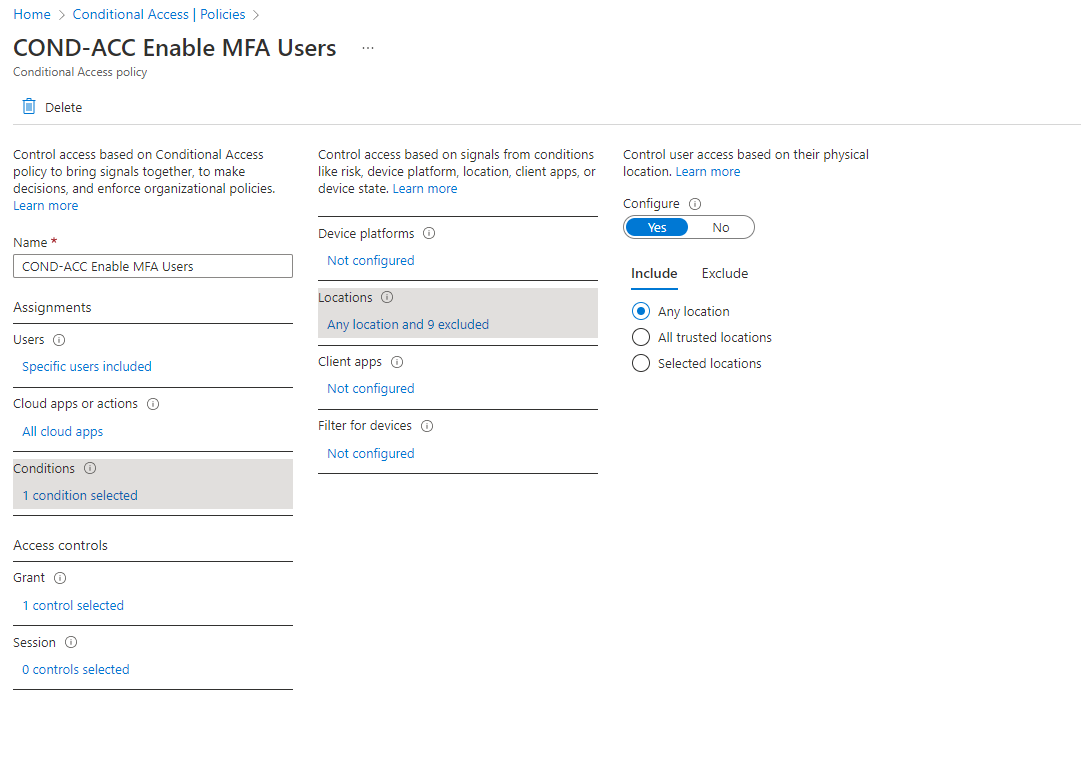
I am currently using this following settings. (I just don't know why we use "Any Locations"? because we dont wanna trust any locations only "Trusted Locations?"
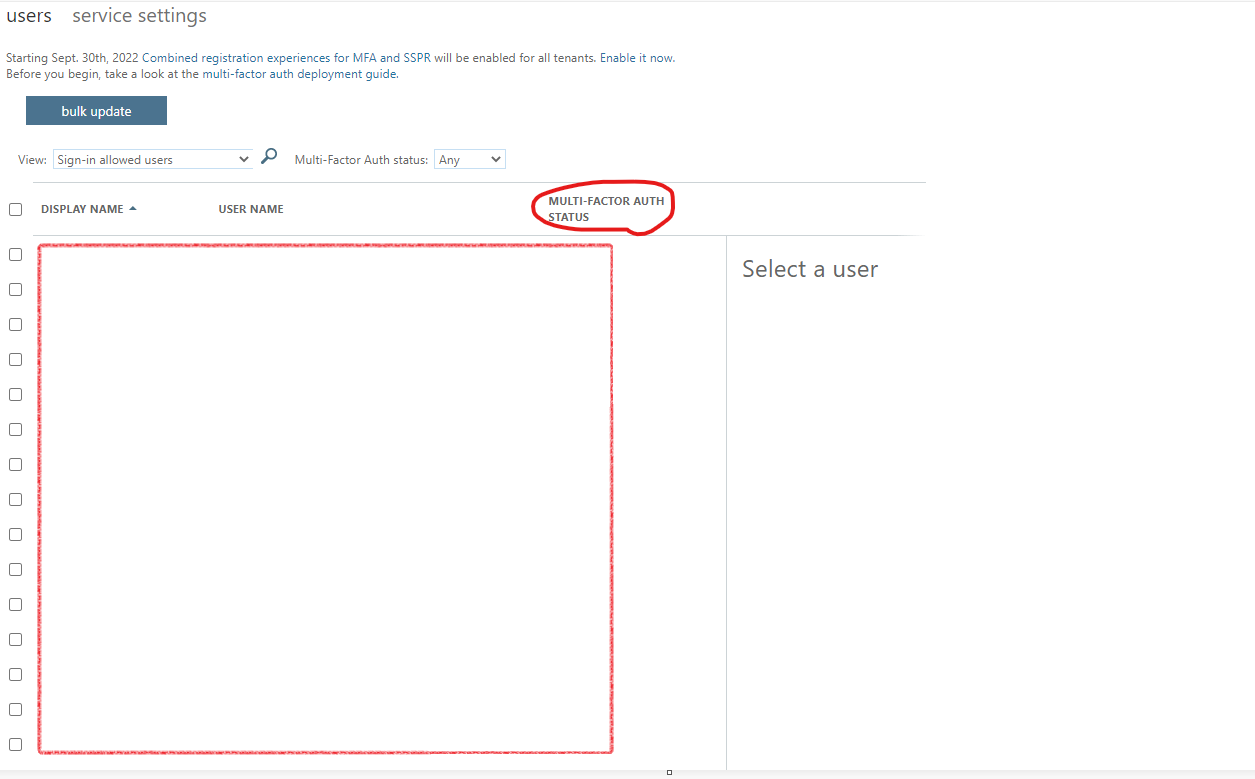
And I also went to manage multifactor authentication via office 365 admin portal and enabled the user there.
This also seems to be important and I tested it. The user was required to use MFA outside of the organization's location and not within the organization.
On "MULTI-FACTOR AUTH STATUS" I did set the status to enable and then MFA went to request request outside the organization's location
This case can be closed
It has been fixed
Jimmy thank you for ur answer.
Glad to know it is sorted Milad, can you share the post configuration and what was the changes that was recommended?
==
Please "Accept the answer" if the information helped you. This will help us and others in the community as well.
Hi Jimmy,
what's weird is that I didn't have to make any adjustments through Office 3065 admin. So I put the settings back via there. That is exactly what you should not do in order to enable Multifactor authtentication I found out.
All I did was added to MFA group in Azure and then went through the MFA procedure and it worked. Guess it's the synchronisation. Conditional Access just stayed the same as we had gone through. I do have any location use instead of trusted locations. I think that if you use trusted locations, it is because you have linked your organisation's location to it as a trusted location, but fine, let's just continue with this.
Right now when I want to log in to office.com at home, it asks for MFA and with another user too. At the organisation site we do not need MFA.
If I run into any problems again I will report back on this forum. There is a big MFA project going on so I would like to leave this forum open, if that is ok with you?