Note
Access to this page requires authorization. You can try signing in or changing directories.
Access to this page requires authorization. You can try changing directories.
Cloning is based on snapshot technology: volume snapshots can be cloned to new volumes. Volume clones are writable copies of a source volume.
This article answers frequently asked questions (FAQs) about Azure NetApp Files cloning.
Note
If you're creating a clone of a volume with application data in it, such as a database, ensure that the snapshot was taken with the application in a consistent state. You can achieve this by using AzAcSnap, SnapCenter, Commvault, or other application aware snapshot management software.
Can the service level of a volume clone differ from the source volume?
A volume clone can exist in a different service level from that of the source volume. When creating the volume clone, you decide what service level the clone should have by selecting the desired capacity pool. You can change the capacity of a clone volume after creation if desired.
Auto QoS
For Auto QoS capacity pools the clone volume throughput limit is defined by the size of the clone volume.
Manual QoS
For Manual QoS capacity pools you can manually assign a throughput limit to the clone volume independent of the capacity but within the capacity pool allocated limits. You can change the volume throughput limit after short-term volume clone creation if needed.
What are the options available for for volume cloning?
Two cloning options are provided:
- Regular volume clones are independent writable full volume copies
- Short-term clones are writable thin copies designed for short-term existence (up to 32 days)
What are regular volume clones?
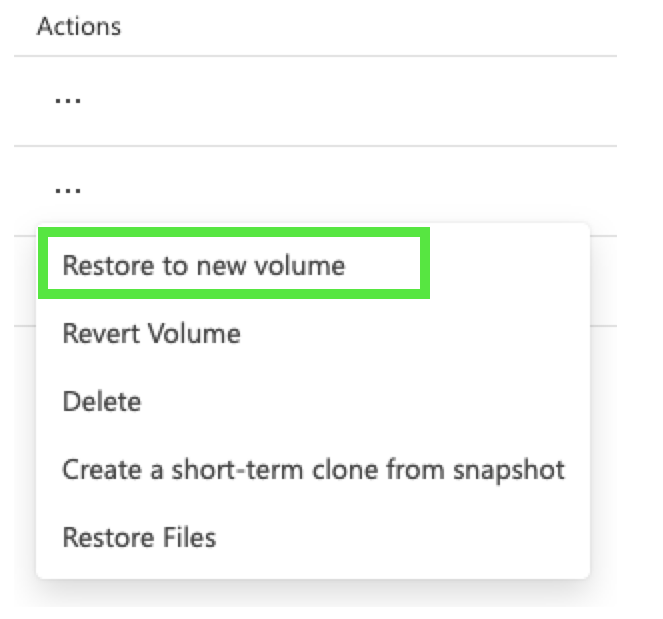
Regular clones occupy the same capacity pool space as the source volume. They can exist for as long as they're needed. To create a volume clone, select the volume and open the snapshots view under Storage Service. Using the Actions (three dots) click Restore to new volume.
What are short-term clones?
Short-term clones are designed to quickly create volume copies for test, development, and consistency checking and other temporary copy requirements of live volume data without fully supplicating the volume. Short-term clones occupy a smaller capacity pool space, depending on the changes (at the block level) you intend to write to the short-term clones. Short-term clones are therefore more cost-effective, but their lifespan is limited to 32 days. After 32 days, you either delete the short-term clone, or it will be converted to a full volume clone automatically, and the capacity pool space may be grown automatically to accommodate this growth. You need to approve this autogrowth upon short-term clone volume creation.
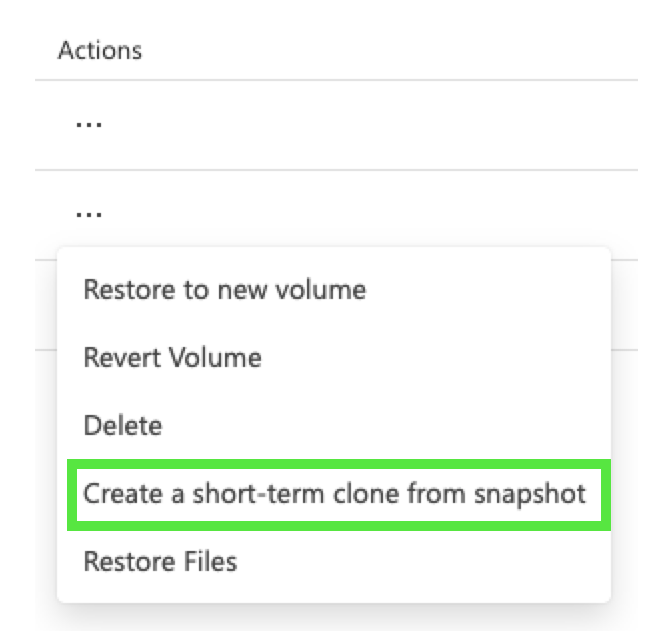
To create a short-term clone volume, browse to the volume and select the snapshots view under Storage service. Select a snapshot and under Actions select Create a short-term clone from snapshot.