Note
Access to this page requires authorization. You can try signing in or changing directories.
Access to this page requires authorization. You can try changing directories.
Important
Azure Cosmos DB for PostgreSQL is no longer supported for new projects. Don't use this service for new projects. Instead, use one of these two services:
Use Azure Cosmos DB for NoSQL for a distributed database solution designed for high-scale scenarios with a 99.999% availability service level agreement (SLA), instant autoscale, and automatic failover across multiple regions.
Use the Elastic Clusters feature of Azure Database For PostgreSQL for sharded PostgreSQL using the open-source Citus extension.
Choose one of the following database clients to see how to configure it to connect to an Azure Cosmos DB for PostgreSQL cluster.
pgAdmin is a popular and feature-rich open source administration and development platform for PostgreSQL.
Download and install pgAdmin.
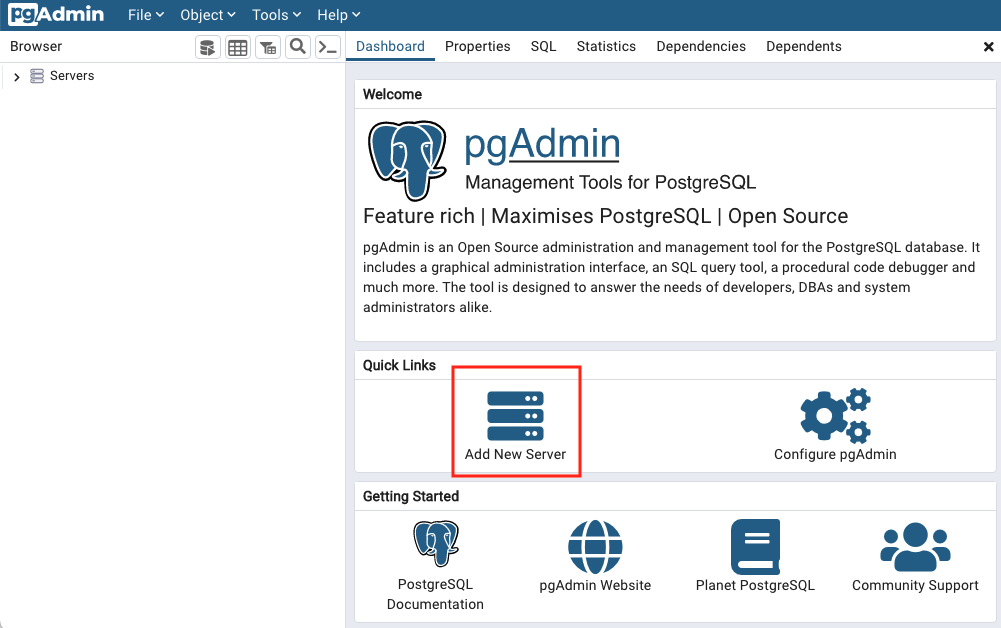
Open the pgAdmin application on your client computer. From the Dashboard, select Add New Server.
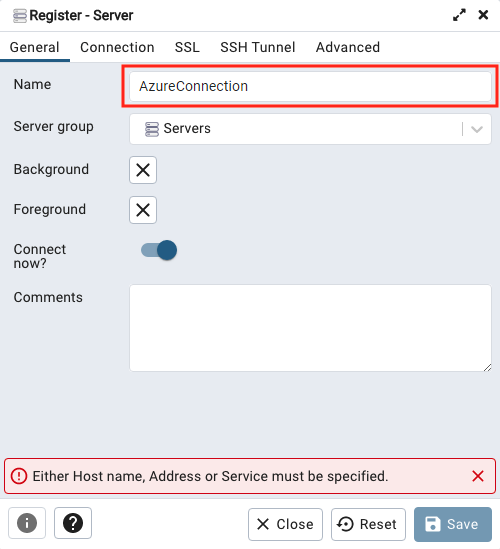
Choose a Name in the General tab. Any name will work.
Enter connection details in the Connection tab.
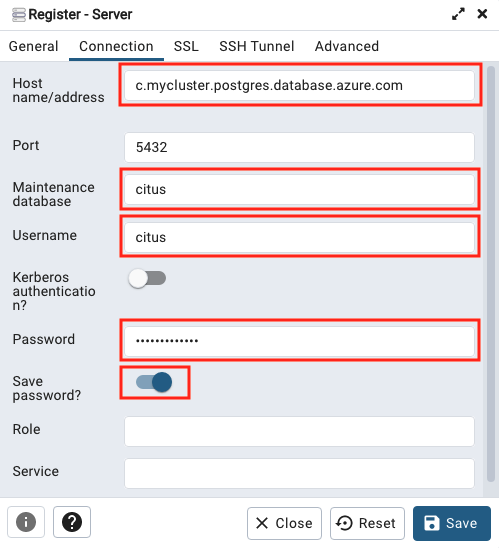
Customize the following fields:
- Host name/address: Obtain this value from the Overview page for your
cluster in the Azure portal. It's listed there as Coordinator name.
It will be of the form,
c-<clustername>.12345678901234.postgres.cosmos.azure.com. - Maintenance database: use the value
citus. - Username: use the value
citus. - Password: the connection password or Microsoft Entra ID token. For more information, see authentication options.
- Save password: enable if desired.
- Host name/address: Obtain this value from the Overview page for your
cluster in the Azure portal. It's listed there as Coordinator name.
It will be of the form,
In the SSL tab, set SSL mode to Require.
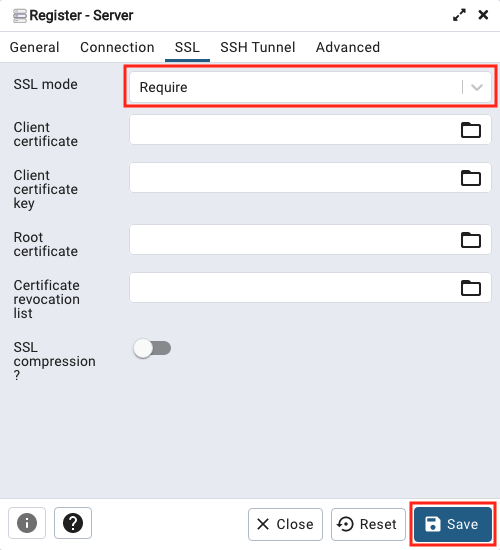
Select Save to save and connect to the database.
Next steps
- Troubleshoot connection issues.
- Verify TLS certificates in your connections.
- Now that you can connect to the database, learn how to build scalable apps.